

Camera Assistant
Camera Assistant screenshots (4)
Description Camera Assistant
Advanced Camera Control for Samsung Galaxy Devices
For users of compatible Samsung Galaxy smartphones, the default camera application provides a robust set of features, but often operates within a fixed framework of automated decisions. This can limit creative control, as the software makes assumptions about scene detection, processing intensity, and shutter behavior. Camera Assistant by Good Lock Labs addresses this directly by serving as a system-level utility that unlocks a deeper layer of camera customization. It transforms the native camera from a largely automatic tool into a configurable instrument, allowing for granular adjustments that were previously inaccessible through standard settings menus. This application is designed for those who understand how specific processing choices affect the final image and wish to tailor the shooting experience to their precise preferences.
Granular Adjustment of Imaging Parameters
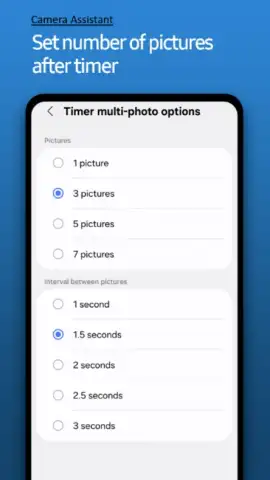
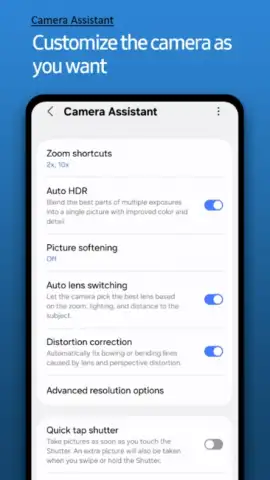
The core functionality of Camera Assistant lies in its ability to toggle and fine-tune individual camera behaviors that are typically managed automatically by Samsung's algorithms. A primary example is the control over facial smoothing and skin tone processing, which can be dialed down or disabled entirely for a more natural portrait aesthetic. Users can also enforce a mandatory timer delay or configure a rapid-fire capture mode, dictating the rhythm of photography. Beyond these, the utility provides technical controls such as setting a maximum shutter speed limit to prevent motion blur in variable lighting and adjusting the zoom level behavior specifically within portrait mode for consistent framing.
Performance and System Integration
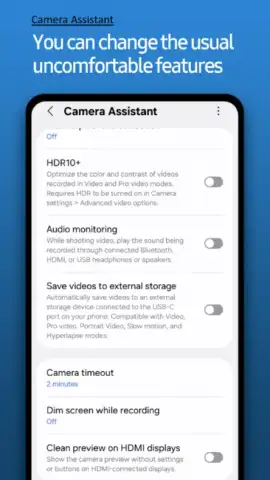
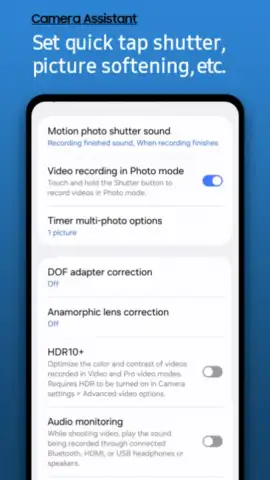
A significant operational feature is the Quick Tap Shutter, which minimizes the lag between screen contact and image capture, effectively enabling instantaneous shooting. The application also houses toggles for advanced computational photography features, including the activation state of High Dynamic Range processing and the multi-frame image stacking engine, often labeled as image enhancement. This allows photographers to decide when the extra processing time is warranted for a scene. Due to its development as part of the Good Lock suite, Camera Assistant integrates seamlessly into the One UI interface, appearing as a natural extension of the device's settings. It is critical to note that compatibility and available features are not universal; they are contingent on specific Samsung Galaxy model and software version, creating a variable experience across devices.
- Disable Automated Processing: Turn off automatic face smoothing and multi-frame enhancement for full manual control over image rendering.
- Configure Capture Mechanics: Set a mandatory timer, activate a rapid continuous shooting mode, and limit maximum shutter speed to combat blur.
- Enable Instant Shooting: Utilize the Quick Tap Shutter function to capture images with minimal latency upon touching the screen.
Start capturing images that truly match your vision by installing Camera Assistant today.
Download mobile app now
Heads up: This is a system utility for compatible Samsung Galaxy devices running One UI. Functionality and available settings vary significantly by model. Some advanced features may require a later version of Android or One UI.


