
Camera Connect
Camera Connect screenshots (8)


Description Camera Connect
Struggling with Cables? A Direct Bridge from Your Canon Camera to Your Phone
For photographers, the delay between capturing a moment on a DSLR or mirrorless camera and sharing it on a smartphone is a persistent workflow bottleneck. Traditionally, this involves a computer, cables, and time-consuming file transfers. Camera Connect by Canon Inc. is engineered to eliminate that middle step entirely. This utility application creates a dedicated, wireless pipeline between compatible Canon cameras and Android or iOS devices, transforming your phone into a powerful remote control and instant media hub. It addresses the core need for rapid photo and video transfer without compromising the quality of the original files, making it an essential tool for content creators, event photographers, and enthusiasts who need to operate with speed.
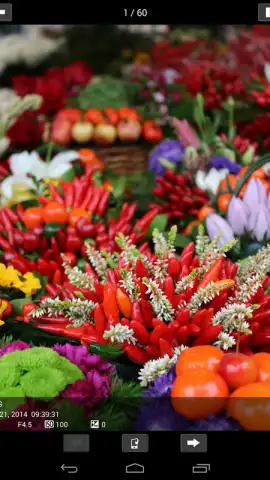
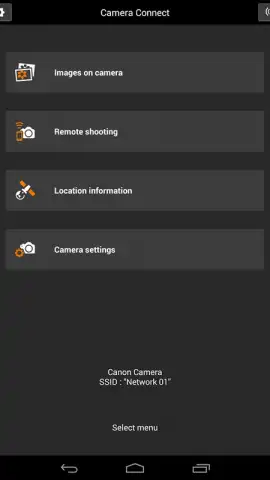
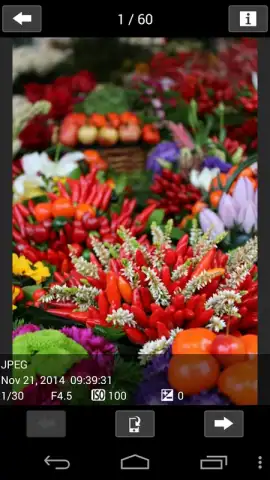
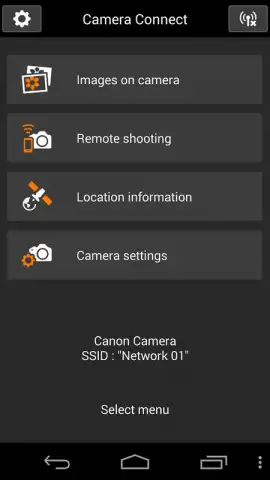
The application’s functionality extends beyond simple file sharing, effectively turning your smartphone into a secondary command center for your camera. The interface is logically segmented into distinct operational modes, accessible from a centralized dashboard. The primary module is the image browser, which provides a thumbnail grid view of all media stored on the camera's memory card. From here, users can select individual shots or batches for transfer at full resolution or in a reduced size for quicker sharing. A more advanced feature is the remote live view shooting mode. This allows the smartphone screen to display a real-time feed from the camera's sensor, enabling remote shutter release, touch-to-focus control, and adjustment of key shooting parameters like ISO, aperture, and shutter speed directly from the app. This is particularly valuable for tripod-mounted shots, self-portraits, or wildlife photography where physically touching the camera would cause disturbance.
Connection is established via a direct Wi-Fi or Bluetooth link initiated by the camera, creating a private network between the two devices. The process, while requiring initial one-time pairing, is streamlined for subsequent use. Once linked, the app maintains a stable connection for the duration of your session, allowing for seamless back-and-forth control and transfer.
Core Functional Advantages
- Enables wireless, high-resolution photo and video transfer from camera to phone without a computer.
- Provides a live view remote control for shutter release and touch-to-focus operation.
- Allows for in-app adjustment of essential camera settings like ISO, aperture, and white balance.
- Features a built-in media browser to preview and selectively download content from the camera.
- Facilitates geotagging of images by using your smartphone's GPS data with the connected camera.
This tool is not an optional accessory but a fundamental upgrade to your photographic workflow. It dismantles the barrier between capture and publication, granting immediate access to your high-quality images wherever you are. The ability to command your camera remotely opens up creative possibilities and practical solutions that are otherwise inaccessible.
Download Camera Connect now and wirelessly unlock your camera's potential. Transform your smartphone into your primary photography command post today!
Heads up: A compatible Canon camera with built-in Wi-Fi or Bluetooth is required. Initial setup requires following on-camera prompts. For full-resolution transfers and remote shooting, a stable connection is essential. Some advanced camera control features may vary by specific camera model.
 GooglePlay


