

Celia Keyboard
Celia Keyboard screenshots (5)


Description Celia Keyboard
Is Your Default Keyboard Cluttered and Slow? Discover the Streamlined Alternative Built for Harmony.
For users within the Huawei ecosystem, the default input method is often an afterthought—until it becomes a source of frustration with intrusive ads or sluggish performance. Celia Keyboard addresses this directly as Huawei's official, system-optimized keyboard application. Designed from the ground up for seamless integration with HarmonyOS and Android on Huawei devices, it offers a fundamentally clean and efficient typing experience. This review examines whether its focused, ad-free approach provides a tangible advantage over third-party alternatives, especially for those who prioritize simplicity and system harmony over a barrage of customizable features.
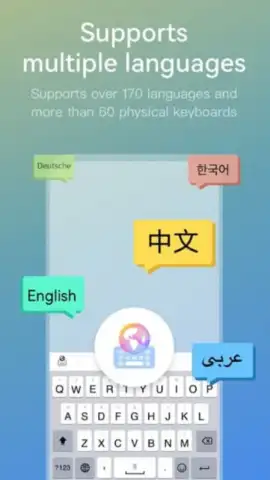
The core philosophy of Celia Keyboard is minimal interference. It presents a spartan, highly legible interface that removes any element not directly related to text input. This results in a keyboard that feels responsive and predictable, with key presses registering accurately and autocorrect functioning without unexpected flourishes. Its compatibility with over 150 languages makes it a genuinely global tool, though its performance and full feature set are expressly tailored and guaranteed only on Huawei hardware. The application leverages what Huawei terms 'Turbo' optimizations, which are background processes aimed at maintaining consistent performance and reducing input latency, a critical factor for fast typists. For users of other Android brands, functionality is not assured, and checking compatibility is an essential first step before installation.
A significant point of discussion is its status as a pre-installed system application on Huawei phones. While it cannot be fully uninstalled from many devices, it can be easily disabled in the system settings once a different default keyboard, such as SwiftKey or Gboard, is selected and activated. This makes trying alternatives a straightforward process. Furthermore, the provided APK serves as a crucial tool for troubleshooting; if the pre-loaded version malfunctions, downloading and installing a fresh copy can resolve software conflicts and restore functionality, acting as a first-line repair step before considering a full device reset.
- Ad-Free, Distraction-Free Interface: Experience pure typing with a clean layout completely devoid of advertisements, banners, or promotional content, ensuring total focus on your text.
- System-Level Optimization for Huawei: Engineered specifically for HarmonyOS, it utilizes Turbo technology for reduced latency and smoother, more reliable performance on compatible devices.
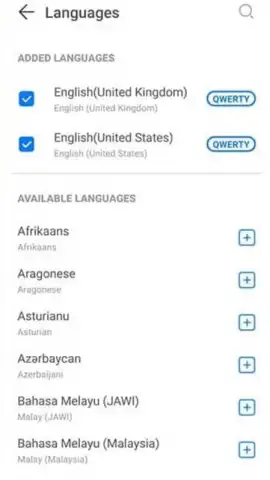
- Extensive Language & Basic Utility Support: Provides reliable input for over 150 global languages, coupled with essential tools like autocorrect and predictive text, all within a simple framework.
Claim your advantage now and transform your device's most-used tool. Download Celia Keyboard to install a streamlined, performance-focused typing experience built directly for your Huawei ecosystem.
Disclaimer: A stable internet connection may be required for initial setup and language pack downloads. This is a free application; no in-app purchases are currently offered. Optimal performance is guaranteed only on supported Huawei devices.


