

Clipboard Contents
Clipboard Contents screenshots (4)
Description Clipboard Contents
What if your Android clipboard could hold more than just the last thing you copied? Clipboard Contents by developer Martin transforms the standard, single-slot clipboard into a dynamic, multi-item text management hub. This utility app, categorized as a video player & editor for its system-level integration capabilities, addresses a fundamental productivity gap: the need to store, edit, and quickly access multiple text snippets directly from your device. It moves beyond simple copy-paste to offer a structured, cloud-backed repository for your most-used phrases, templates, and notes.
Core Functionality and User Experience
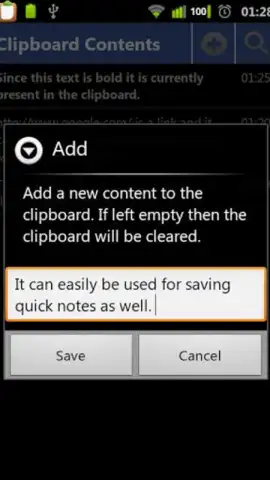
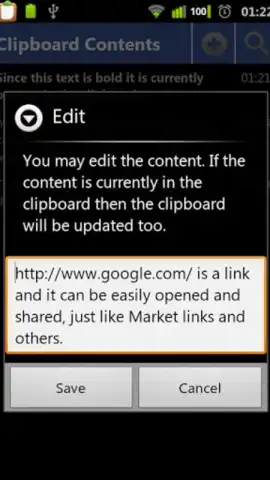
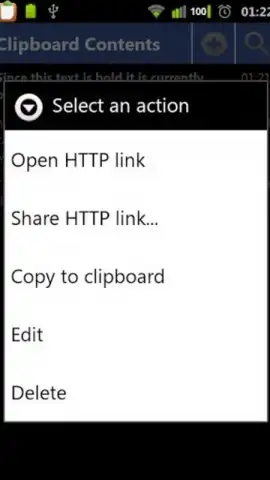
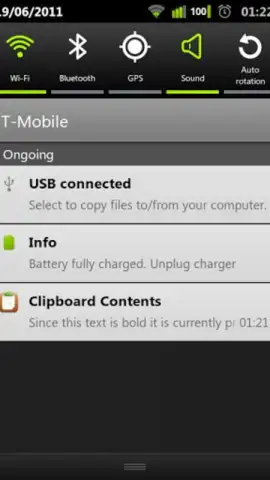
Clipboard Contents operates by continuously monitoring your standard Android clipboard. Each time you copy any text, the app can automatically save it to a local history. This history is fully editable, allowing you to correct typos, format, or rename entries for clarity before saving them for long-term use. The primary interface is clean and list-based, but its most powerful access point is through the Android Quick Search Bar. Once integrated, a simple swipe and search from your home screen lets you instantly find and paste any saved clip without ever opening the main app. This seamless integration is where its categorization as a system utility truly shines, minimizing friction in your workflow. For users who rely on predefined responses, email templates, or code snippets, this creates a significant efficiency gain.
Advanced Features and Data Management
Beyond local storage, Clipboard Contents introduces a critical layer of data security through cloud synchronization. Using your Google account, the app can back up your entire library of clips to the cloud. This means your curated text collection is preserved across device resets or reinstalls, a feature that elevates it from a simple tool to a reliable knowledge base. The app utilizes a freemium model; the standard version is completely free and devoid of advertisements. An optional in-app purchase, referred to as "Turbo," unlocks enhanced functionality. This typically includes expanded cloud storage, more advanced organizational features like folders or tags, and potentially increased history length, providing a clear upgrade path for power users.
The application is designed for anyone who frequently works with text on their Android device.
- Multi-Item Clipboard History: Automatically saves everything you copy, creating a searchable, persistent history beyond the system's single slot.
- Inline Text Editing and Management: Edit, format, and label any saved clip directly within the app for perfect, ready-to-use snippets.
- Quick Search Bar Integration: Access your entire clipboard history instantly via the Android search panel for rapid pasting without app switching.
- Secure Cloud Sync & Backup: Safeguard your text library with Google Drive backup, ensuring data survival after app deletion or device change.
- Ad-Free Experience with Turbo Upgrade: Use a clean, uninterrupted interface; unlock advanced features like extended cloud space and organization tools.
Don't let your next great idea or crucial template vanish with the next copy. This is a limited-time opportunity to secure a foundational productivity tool at no initial cost. Exclusive access for the first users to the full, ad-free core experience is available today only. Download the mobile app now and permanently upgrade your Android's text-handling capabilities.
Heads up: you'll need wifi for initial cloud backup setup and syncing. Some cool stuff, like expanded cloud features, is extra via the Turbo upgrade.


