

Video to MP3 Convert
Video to MP3 Convert screenshots (5)
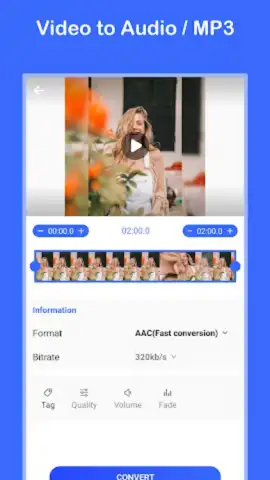
Description Video to MP3 Convert
The Problem with Audio Trapped in Video
Locating a high-quality audio track from a video source, such as a live concert recording, a documentary voiceover, or a social media clip, typically requires transferring the file to a computer and using specialized software. This process is time-consuming and inaccessible for users who need quick extraction directly on their mobile device. The "Video to MP3 Convert" app by V9 Inc addresses this by turning your Android smartphone into a dedicated, on-the-go audio extraction tool.
Core Functionality and Extraction Process
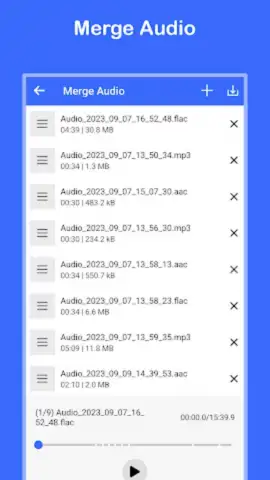
This application provides a streamlined workflow for converting video files into standalone MP3 audio. The primary mechanic involves selecting a video from your device's local storage, the gallery, or even from supported third-party apps. The user is then presented with configurable audio parameters before initiating the conversion. A key operational mode includes a batch processing feature, allowing multiple videos to be queued for conversion sequentially, which is efficient for processing several clips from an event or a series of tutorials. The app functions offline for stored files, performing the encoding locally on the device without mandatory cloud uploads, which can be a critical factor for users with data limitations or privacy concerns.
Key Technical and User Experience Advantages
The utility of "Video to MP3 Convert" is defined by its focus on direct utility and user control. The interface presents a minimalistic layout that prioritizes the core conversion action, reducing unnecessary navigation. Performance is centered on maintaining a balance between conversion speed and audio fidelity, offering bitrate selection to let users choose between smaller file sizes or higher quality output. The app operates as a self-contained tool, meaning it does not require a continuous internet connection for its primary function, and it places the converted MP3 files directly into a user-designated folder for immediate access in any music player or file manager.
- Batch Conversion Capability: Process multiple video files simultaneously into audio, saving considerable time.
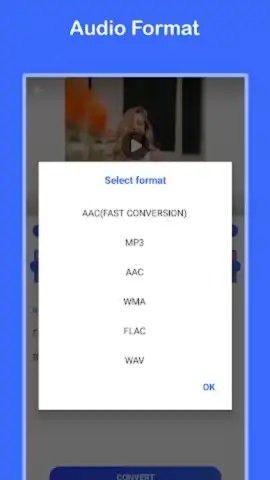
- Adjustable Audio Quality: Select from various bitrate options to control the final MP3 file size and sound fidelity.
- Offline Functionality: Perform extractions entirely on-device without needing an active internet connection.
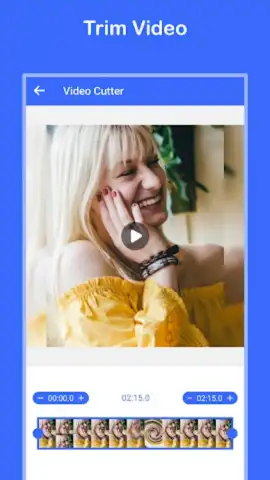
- Wide Format Support: Compatible with common video container formats including MP4, AVI, MOV, and more.
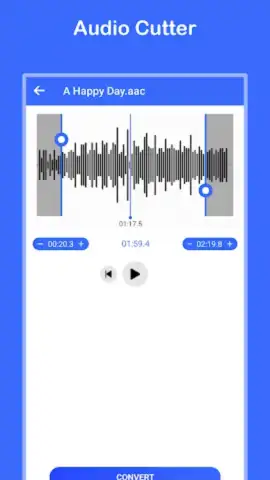
- Integrated Audio Trimmer: Basic editing tool to cut or trim the audio track directly after conversion.
We suggest trying Video to MP3 Convert if you regularly need to isolate audio from lectures, music videos, or personal recordings directly on your phone.
Disclaimer: This application requires access to device storage to read video files and save audio outputs. An internet connection may be required for accessing certain online help features or updates. The app is intended for personal use in converting content you own or have rights to. It may contain advertisements and offers optional in-app purchases for premium features. Data usage applies when connected. Requires Android 7.0 or higher.
 GooglePlay


