

CM Locker Lock Screen
CM Locker Lock Screen screenshots (8)

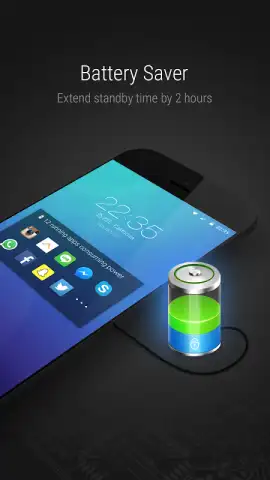

Description CM Locker Lock Screen
The Problem with Default Lock Screens
The standard Android lock screen is often a functional afterthought—a simple gatekeeper that offers little beyond basic security and a glance at the time. It represents a significant, underutilized canvas on your device, typically devoid of personality, useful information, or control. For users seeking to enhance both the aesthetics and the utility of their phone's most frequently viewed screen, the default solution falls short, leaving a gap for a tool that transforms this static panel into a dynamic, personalized dashboard.
CM Locker: A Comprehensive Customization Suite
CM Locker Lock Screen by Cheetah Mobile addresses this gap not as a single-feature app, but as an integrated customization suite. Its core function replaces your default lock screen with a highly adaptable platform. The initial point of engagement is its extensive theme library, which serves as a vast repository of high-definition wallpapers. Categories are meticulously organized, allowing for immediate immersion into curated collections focused on nature, automotive design, abstract art, celestial photography, and animal imagery. The visual quality of these assets is a primary focus, with each image selected for its clarity and detail, ensuring the lock screen presents a premium visual experience.
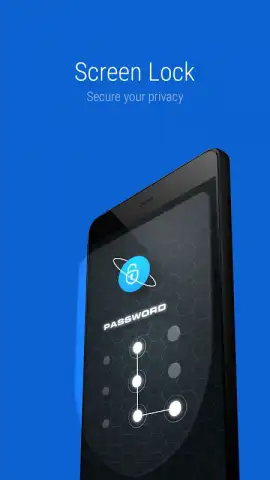
Beyond aesthetics, the application provides granular control over security protocols. Users can configure their preferred access method, choosing between a traditional numeric password, a pattern grid, or opting for a swipe-only, no-security model for quicker access. This flexibility caters to varying needs for privacy and convenience. The utility extends into operational tools, most notably a one-tap process killer accessible directly from the locked screen. This function analyzes running applications in the background and allows users to terminate resource-intensive processes with a single action, potentially reclaiming RAM and improving device performance without needing to fully unlock the device.
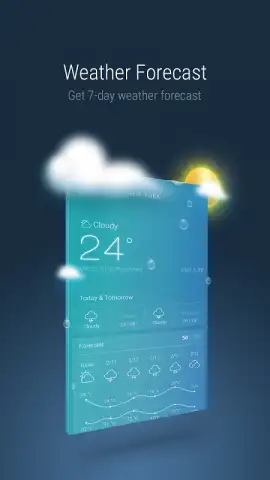
Further elevating its functionality, CM Locker integrates proactive information delivery. A key feature enables the automatic daily rotation of wallpapers, ensuring a fresh visual context each morning. It also incorporates at-a-glance widgets, most prominently a weather information panel. Users can set their preferred city, and by default, a simple left-to-right swipe on the lock screen reveals current conditions and forecasts. The app's operational model is supported by an optional Turbo service, which is presented as enhancing performance and, notably, removing advertisement placements from the lock screen interface, contributing to a cleaner user experience.
Core Feature Overview
- Extensive HD wallpaper and theme library
- Configurable password and pattern security
- One-tap background process killer
- Automated daily wallpaper rotation
- Integrated weather information widget
- Turbo mode for ad-free operation
CM Locker Lock Screen distinguishes itself through the breadth of its customization options and its dual focus on form and function. It successfully transitions the lock screen from a passive barrier to an active, personalized utility layer.
Claim Your Customized Control Center Now
Transform your device's first impression from mundane to exceptional. Download CM Locker Lock Screen today and directly configure a more intelligent, beautiful, and efficient gateway to your phone.
Requires an internet connection for initial theme downloads, weather updates, and optional services. The app may offer in-app purchases for premium themes or features.


