

CN Browser
CN Browser screenshots (10)






Description CN Browser
A Practical Review of the CN Browser for Android
Many users seek a more streamlined and controlled web browsing experience than what is offered by pre-installed or mainstream browsers. The CN Browser for Android positions itself as a functional alternative, focusing on core utility and user-configurable settings without unnecessary complexity. This analysis examines its operational mechanics and feature set.
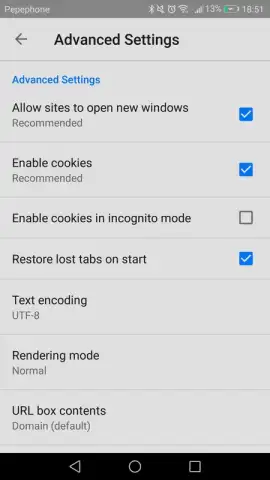
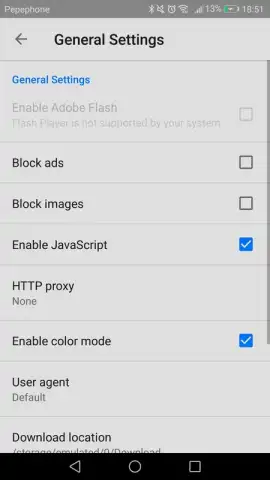
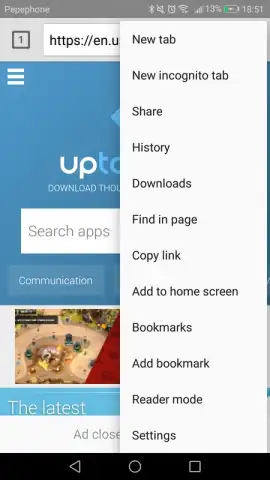
The application's interface is built around a principle of functional minimalism. This design choice reduces visual clutter and aims to shorten the learning curve for navigation. Performance is facilitated by a built-in turbo mode, which is engineered to accelerate page loading times. A significant operational feature is the integrated ad-blocking capability, which functions to remove intrusive advertisements during browsing sessions. For privacy, the browser includes an anonymous browsing mode that does not retain local history. The system supports standard web protocols and allows for the simultaneous management of multiple tabs, bookmark organization, and access to a search history log.
- Features an ad-blocking engine to remove intrusive pop-ups and banners.
- Includes a private browsing mode that does not save history or cookies.
- Offers a turbo mode designed to optimize and accelerate page load speeds.
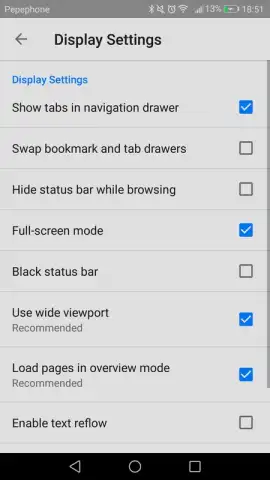
- Provides extensive customization options for homepage and general settings.
- Supports essential browsing tools like tab management and bookmark saving.
Install this browser immediately to test its ad-free and configurable environment for yourself.
Download mobile app now!
Disclaimer: This application requires an active internet connection. Functionality of ad-blocking may vary by website. The developer may update terms or features. Data usage applies. Please check the product page for any age restrictions or in-app purchase disclosures.


