

Групповое удаление приложений
Групповое удаление приложений screenshots (3)
Description Групповое удаление приложений
A Methodical Approach to Android App Management
For users managing an extensive collection of Android applications, the process of removing software individually is an inefficient and time-consuming task. Group Uninstall serves as a systematic utility designed to address this specific operational bottleneck. It provides a centralized interface for reviewing installed applications and executing batch removal commands, transforming a typically fragmented process into a streamlined administrative action. This tool is engineered for users who periodically audit their device's software footprint, whether to reclaim storage capacity, remove redundant utilities, or maintain organizational clarity without manual, app-by-app intervention.
Core Functionality and Interface Design
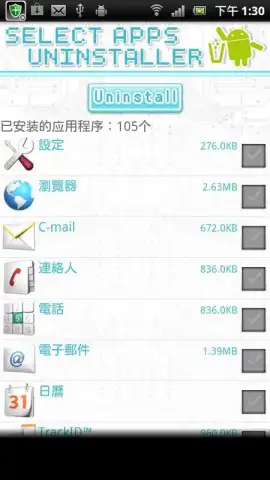
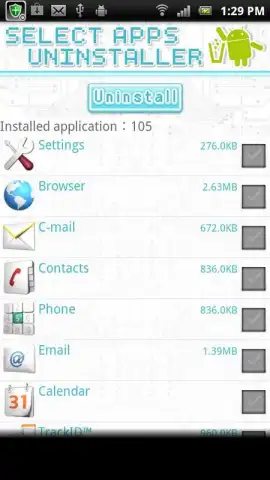
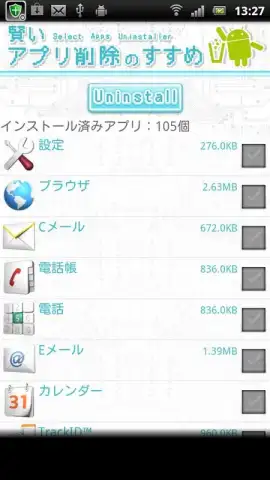
The application's primary function is the facilitation of batch uninstallation. Upon launch, it generates a comprehensive list of all user-installed applications, excluding critical system software. The selection mechanism allows for multiple apps to be tagged for removal in a single action. The subsequent execution phase processes these commands sequentially, presenting standard Android system confirmation dialogs for each selected app to maintain user control and prevent accidental data loss. The interface adopts a minimalistic layout, prioritizing clear checkboxes and legible app labels over decorative elements, which reduces cognitive load during the selection process.
Operational Advantages and Practical Utility
The utility's value is measured in operational efficiency. The time required to uninstall, for example, ten applications is reduced from interacting with ten separate system dialogues to a single, consolidated workflow. This is particularly relevant for users who test numerous apps, manage devices for work, or simply prefer a decluttered digital environment. By consolidating the uninstall procedure, the app mitigates the friction associated with routine device maintenance. It functions less as a constant companion and more as a specialized tool deployed during specific cleanup or reorganization sessions.
Key Application Characteristics
- Batch selection for removal operations
- Clear, checklist-style user interface
- Exclusion of core system applications
- Standard Android permission workflow
Get your device organized and reclaim storage space efficiently. Start managing your applications today.
Technical Disclaimer: This application requires an active internet connection for initial functionality checks and may contain optional in-app purchases. It operates within standard Android system permissions for package management.


