

Comodo Backup
Comodo Backup screenshots (4)

Description Comodo Backup
Your Data, Unbreakably Preserved
In an era where device failure, accidental deletion, or malware can erase years of personal and professional data in an instant, the need for a robust, automated backup solution is not a luxury—it's a necessity. Comodo Backup addresses this core vulnerability by providing a systematic and secure framework for safeguarding your files, transforming anxiety over data loss into confidence in data resilience.
Engineered for Comprehensive Data Security
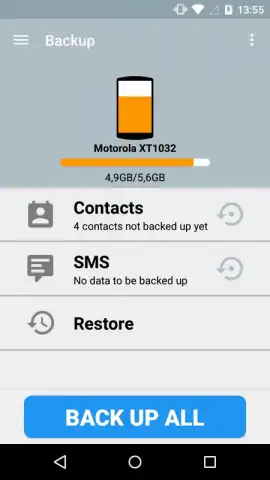
This application functions as a dedicated backup manager, allowing users to schedule automatic backups of selected files, folders, or entire directories to a destination of their choice. The core mechanics involve creating backup "jobs"—configurable tasks where you define the source, destination, schedule, and compression level. A key operational mode is the incremental backup, which, after a full initial backup, only saves the changes made to files, conserving significant storage space and bandwidth. The system is designed to work seamlessly with local storage, network-attached storage (NAS), and FTP/SFTP servers, providing flexibility for both personal and professional archival strategies. The interface presents a clear dashboard of all backup jobs, their status, and history, turning the complex process of data preservation into a manageable and monitored routine.
Key Operational Advantages
The utility of Comodo Backup is defined by its focus on reliability, efficiency, and user control. It moves beyond simple file copying to offer a predictable and hands-off safety net for digital assets.
- Schedule fully automated, hands-free backup jobs to local or network drives.
- Employ space-saving incremental backups that only archive changed file data.
- Secure your archives with strong 256-bit AES encryption for total privacy.
- Restore previous file versions or entire folders with precise point-in-time recovery.
- Maintain detailed logs and email notifications for every backup job status.
The application prioritizes a clean, utilitarian interface that makes setting up complex backup routines straightforward. Performance is tuned for background operation, ensuring backups proceed without interrupting device usability, while the robust logging provides complete transparency for every operation.
Get it immediately! Transform your device from a vulnerable endpoint into a node in a secure, recoverable data ecosystem. Download Comodo Backup now and stop gambling with your irreplaceable files.
Disclaimer: This application requires an internet connection for certain features like FTP/SFTP backup and email notifications. It may involve access to local device storage and network resources. Use of the app is subject to the developer's terms and privacy policy. Data usage and performance may vary based on backup size and network conditions.


