

Computer Launcher
Computer Launcher screenshots (7)
Description Computer Launcher
Navigating a Conventional Smartphone Interface Can Feel Limiting
Many Android users encounter a standardized grid of icons and widgets that offers little in the way of novel interaction or desktop-grade file management. Computer Launcher, developed by BlueThemes Studio, directly addresses this by re-engineering the smartphone interface to emulate a full Windows 10 desktop environment. This is not a superficial skin but a functional launcher that systematically replaces core components of the Android experience with their desktop counterparts, creating a distinct operational paradigm.
A Comprehensive Desktop Simulation Extends Beyond the Home Screen
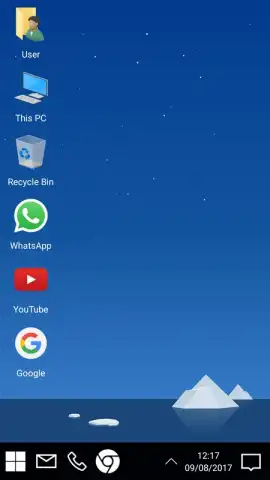
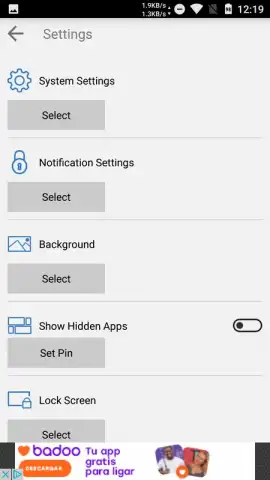
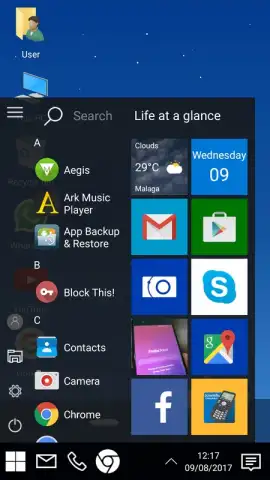
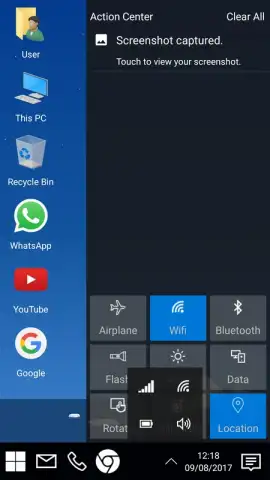
The primary function of this launcher is its complete visual and structural overhaul. Upon activation, the standard Android home screen is replaced with a familiar Windows 10 desktop, complete with a functional Start button, a system tray featuring a clock and notification center, and a classic wallpaper backdrop. Pressing the Start button reveals a menu listing all installed applications, alongside direct shortcuts to the launcher's settings and a device power control button. The transformation is consistently applied, altering the fundamental navigation mechanics.
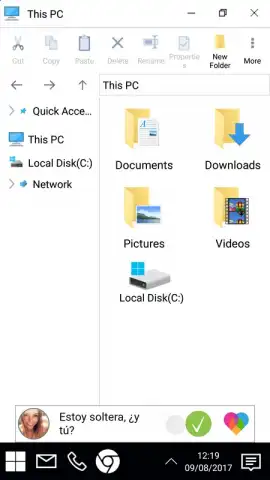
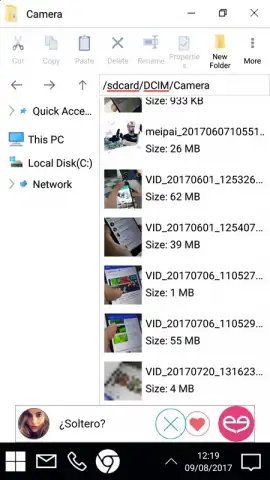
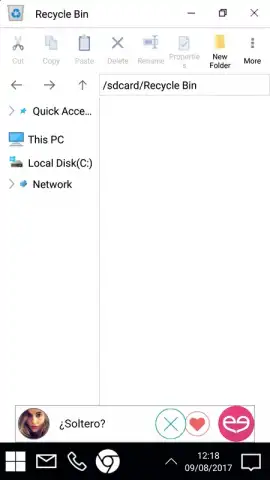
A significant differentiator is the integrated file management system. The application replaces the native Android file explorer with a dedicated "My Computer" module. This provides a unified, hierarchical view of internal storage and SD card contents, mirroring the navigation logic of a Windows PC. File operations such as copy, move, rename, and delete are executed within this familiar framework, potentially streamlining workflows for users accustomed to desktop computing environments.
Core Functional Advantages of the Launcher
- Complete Windows 10 desktop interface with a working Start menu, system tray, and desktop icons for intuitive navigation.
- Integrated "My Computer" file manager that organizes device storage for precise, desktop-style file access and control.
- An advertisement-free user experience ensures uninterrupted interaction with the launcher's core desktop simulation features.
The launcher positions itself as an alternative for users seeking to break from conventional smartphone UI patterns. It provides a cohesive and immersive experience that logically reorganizes application access and file management. For individuals familiar with Windows workflows, this can reduce the cognitive load associated with switching between device types, creating a more unified digital habitat across platforms.
Download Computer Launcher now to immediately transform your Android device's interface!
Disclaimer: This application requires an internet connection for initial download and potential updates. It may request permissions to access device storage for file management functions. The developer may offer in-app purchases for advanced features or themes. Data usage may apply depending on configuration and sync settings. Use of this launcher replaces your default home screen; review accessibility and compatibility with your device model and Android version.


