

X Web Browser
X Web Browser screenshots (6)




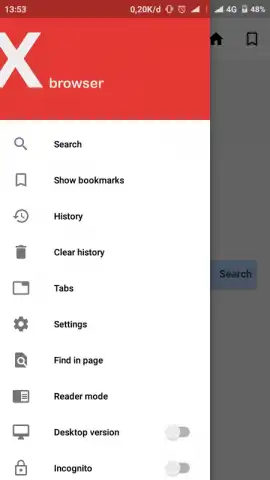

Description X Web Browser
Navigating the modern web often feels like a compromise. You want speed, but extensions are limited. You seek privacy, but the interface becomes cluttered. The X Web Browser approaches this dilemma by stripping back the non-essentials, focusing on core performance and user control to deliver a streamlined, responsive browsing experience directly from your Android device.
Core Functionality and User Mechanics
The X Web Browser operates on a principle of minimal overhead. The core engine is optimized for rapid page loading and smooth scrolling, even on devices with limited hardware resources. A central feature is its integrated ad-blocking capability, which operates by default to remove intrusive advertisements and trackers, thereby accelerating page load times and reducing data consumption. The browser provides a customizable start page where users can pin frequently visited sites and access a private search function. Tabs are managed in a vertical sidebar or a classic horizontal layout, allowing for quick switching and organization. For content consumption, a dedicated video player supports pop-out playback, enabling you to watch media in a floating window while continuing to browse other tabs.
Analytical Breakdown of Key Advantages
Performance is the primary metric here. The browser’s lightweight architecture results in a smaller application footprint and faster cold-start times compared to many feature-heavy alternatives. The ad-blocking is not an add-on but a fundamental component of the network layer, which provides a noticeable reduction in page clutter and potential security risks from malicious ads. The user interface employs a neutral, non-distracting color scheme and logical icon placement, reducing cognitive load during navigation. While extension support is not its focus, the browser compensates with built-in tools for downloading media, managing cookies on a per-site basis, and adjusting privacy settings like blocking third-party cookies by default.
- Built-in ad and tracker blocker
- Lightweight, fast-loading engine
- Customizable start page and tabs
- Pop-out video player support
Consider downloading X Web Browser if your priority is a no-fuss, efficient browser that emphasizes speed and basic privacy controls without unnecessary features.
Internet required. IAP available.


