
Control Center iOS 18 - Easy iOS Control Center
Control Center iOS 18 - Easy iOS Control Center screenshots (6)
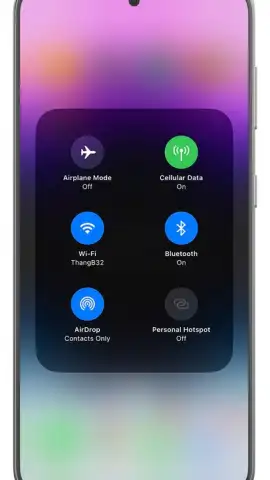
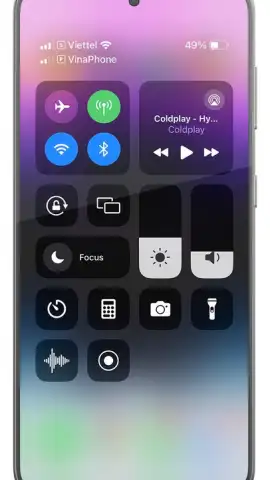
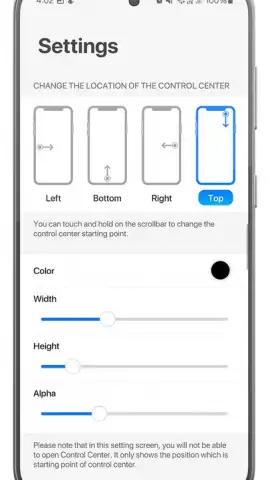

Description Control Center iOS 18 - Easy iOS Control Center
Transform Your Android's Control Panel into a Sleek iOS 18 Experience
Tired of the same old Android quick settings? Elevate your device's style and functionality instantly. Control Center iOS 18 brings the elegant, intuitive, and highly-praised iOS 18 Control Center interface directly to your Android phone. It’s not just a theme; it’s a complete overhaul that provides a smoother, more visually cohesive way to manage your device. Get the premium Apple aesthetic and practical layout without ever switching phones.
This tool meticulously replicates the iOS 18 Control Center, offering deep customization and one-touch access to your most-used settings. You can arrange modules for Wi-Fi, Bluetooth, screen brightness, media playback, and more in the iconic compact design. The app integrates with your system toggles, ensuring every button performs its real function, from enabling flashlight to activating airplane mode. It’s about merging the best of both worlds: Android's flexibility with iOS's renowned streamlined control hub.
Core Features & Customization
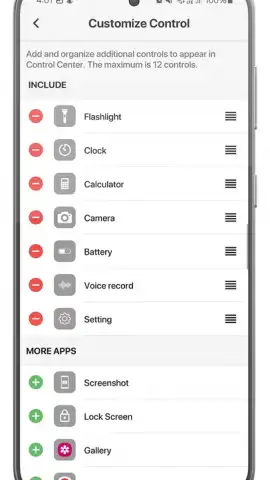
Experience total control with a beautifully familiar layout. The app delivers a fluid, responsive panel that slides in from the top-right corner of your screen, just like on a genuine iPhone. Customize which toggles are visible and drag to reorder them to match your daily routine perfectly. The attention to detail extends to haptic feedback, smooth animations, and authentic iconography, making the interaction feel premium and polished.
- Authentic iOS 18 Design: Access a pixel-perfect replica of the latest iOS Control Center, complete with translucent blur effects, refined icons, and the distinctive widget-style toggles for a genuine feel.
- Fully Functional Toggles: Every button is fully operational, providing real-time control over your Android device's Bluetooth, Wi-Fi, rotation lock, flashlight, and calculator directly from the panel.
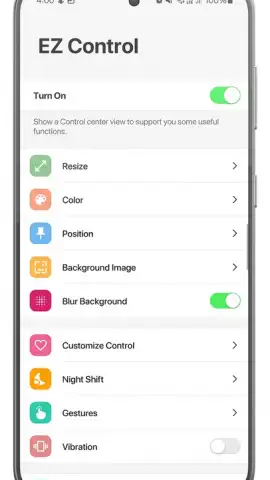
- Extensive Personalization: Choose from multiple theme styles, adjust the activation area (top-right or top-left corner), and fine-tune the panel's transparency and animation speed to suit your preference.
Key Advantages for the User
Gain immediate access to a cleaner, more organized control interface that reduces clutter and puts essential functions front and center. The visual upgrade alone makes your device feel more modern and premium. Beyond looks, the app enhances usability by grouping settings logically, allowing you to adjust multiple options without navigating deep into system menus. It’s lightweight, runs smoothly in the background, and activates with a simple swipe, adding convenience without compromising your phone's performance or battery life.
Download the App Now and Redefine Your Control Experience
Stop settling for a basic control panel. Install Control Center iOS 18 today and give your Android the stylish, efficient upgrade it deserves. Claim your advantage now and experience the seamless fusion of iOS elegance and Android power right at your fingertips.
Disclaimer: This is a utility application that requires an internet connection for initial setup and certain features. It is not an official Apple product. The app may contain optional in-app purchases for advanced themes or features. Please ensure your device meets the minimum requirement of Android 5.0. Use of this app is subject to our Terms of Service and Privacy Policy, which outline data usage practices. This product is intended for general audiences.


