

Cooling cleaner pro
Cooling cleaner pro screenshots (8)


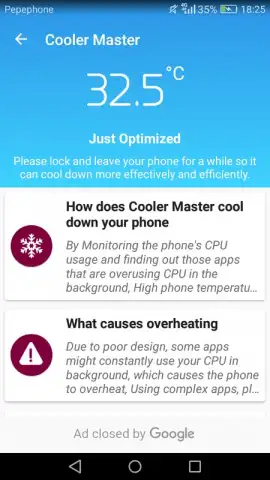

Description Cooling cleaner pro
Your Phone Is Overheating. Here’s the Simple, Powerful Fix You’ve Been Missing.
You know that feeling—your phone suddenly feels like a hot brick in your hand, the screen dims, and everything starts to lag. It’s frustrating, worrying, and frankly, it shouldn’t be happening. What if you had a direct line of sight into exactly what’s causing that heat and a one-tap tool to cool things down instantly? That’s the precise, powerful control Cooling Cleaner Pro puts in your hands. This isn’t another cluttered utility app filled with confusing options; it’s a dedicated guardian for your device’s health, designed to give you clarity and cooling power without any hassle.
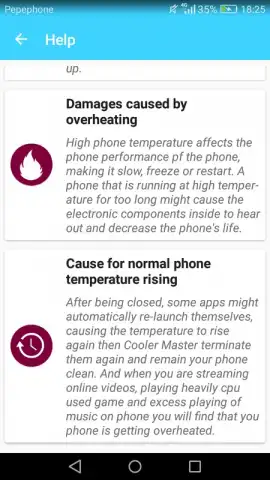
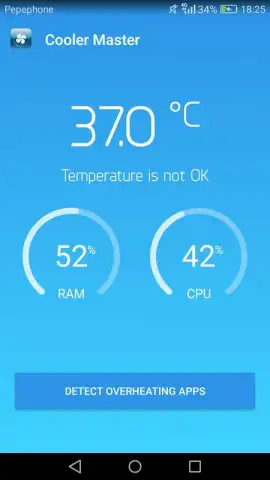
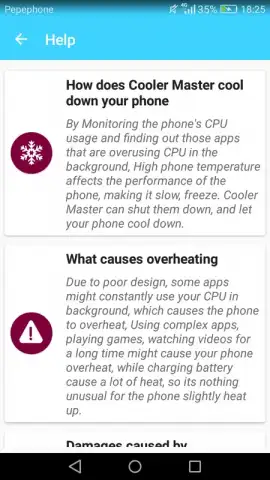
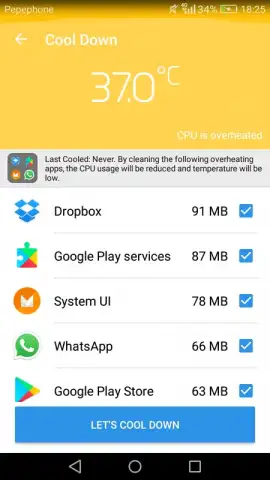
Imagine having a personal technician built right into your phone. With Cooling Cleaner Pro, you get an immediate, crystal-clear readout of your device’s core temperature. No more guessing. The interface tells you instantly if your phone is running smoothly within a safe range or if it’s venturing into dangerous, performance-throttling territory. When the gauge shows a problem, you’re not left wondering what to do next. The app provides intelligent, actionable insights and tools specifically designed to reverse the overheating. You can initiate a deep clean of residual junk files and cached data that clog up your memory and make the processor work overtime, generating excess heat. With another tap, you can review a detailed report of all running applications, highlighting exactly which apps are the biggest battery and CPU hogs causing the temperature to spike. This empowers you to make informed decisions, selectively closing only the resource-heavy apps without disrupting your workflow.
The experience is streamlined from start to finish, removing all the friction you find in other tools. You navigate a clean, ad-free interface thanks to its Turbo mode, which ensures nothing gets between you and a cooler phone. While some apps might force you into manual, confusing management of every process, Cooling Cleaner Pro simplifies the journey. It does the heavy diagnostic lifting for you, presenting the information clearly so you can take swift, effective action. You regain a sense of direct control over your device’s performance and longevity, transforming that anxious, hot device back into the cool, responsive companion you rely on every day.
- Instant Temperature Monitoring: Get a real-time, easy-to-understand dashboard showing your phone’s current core temperature and its safety status.
- One-Tap Cooling Boost: Initiate an optimized cleaning process that clears memory cache and temporary files to reduce processor load and heat generation rapidly.
- Smart App Overheat Reporter: Access a detailed breakdown showing which specific applications are consuming excessive resources and contributing most to overheating.
- Informed Selective Control: Use the insights from the report to choose which apps to close, allowing for precise management without shutting down everything.
- Turbo-Powered, Ad-Free Experience: Enjoy a clean, uninterrupted interface with no advertisements, ensuring fast, focused operation when you need it most.
- Proactive Performance Guardian: Regularly use the app to prevent overheating before it starts, maintaining optimal device speed and battery health over time.
We suggest trying Cooling Cleaner Pro today to stop the overheating cycle and restore your phone's smooth performance. Consider downloading it now—it’s the straightforward tool your device deserves.
Download the Cooling Cleaner Pro mobile app now.
Disclaimer: This application requires an internet connection for initial download and potential updates. The app may offer optional in-app purchases for enhanced features. Results may vary based on device model, condition, and usage patterns.


