
Denon 500 Series Remote
Denon 500 Series Remote screenshots (7)
Description Denon 500 Series Remote
The Problem with Traditional AV Receiver Control
Managing a home audio system often involves juggling multiple remotes or navigating through on-screen menus that disrupt the listening experience. For owners of Denon 500 Series Bluetooth AV receivers, the quest for seamless, centralized control has been a persistent challenge. The Denon 500 Series Remote app addresses this directly by transforming an Android smartphone into a dedicated, advanced system controller, eliminating the need for the standard physical remote and offering deeper functionality.
Full Review: Functionality and Integration Analysis
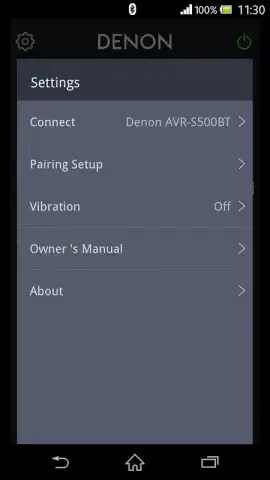
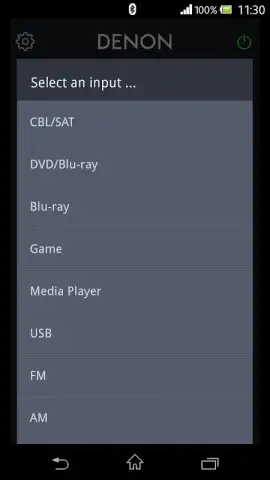
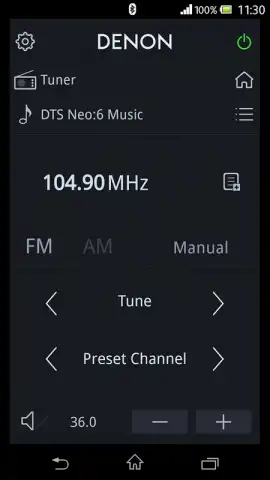
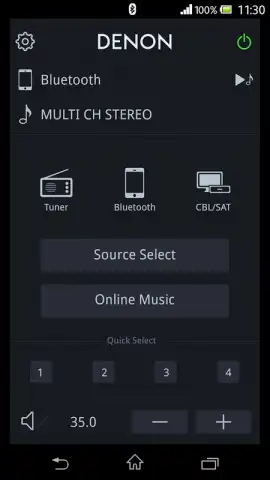
This application serves as a dedicated control interface for compatible Denon AVR models, primarily distributed in North America and various Asian markets. Its core functionality establishes a Bluetooth connection between your Android device and the receiver, creating a stable link for command transmission. The primary control suite is comprehensive, allowing for fundamental operations such as system power on/off, precise volume adjustment, input source selection, and direct tuning for the built-in radio tuner. Furthermore, it provides access to sound modes, enabling users to switch between audio profiles like stereo, direct, or virtual surround without interrupting playback.
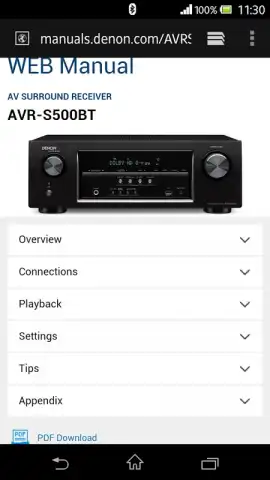
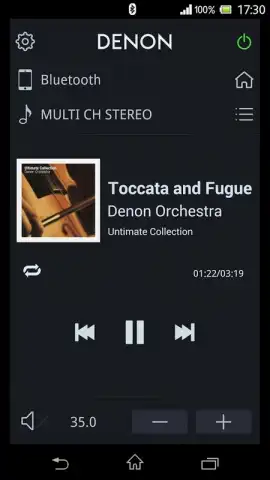
Beyond basic remote emulation, the software integrates media playback capabilities. It can function as a music player for audio files stored locally on the Android device. More notably, it can browse and play audio content from a USB storage drive connected directly to the Denon receiver, effectively turning the AVR's connected storage into a networked media library accessible from your handset. The interface also includes an application launcher feature, designed to provide quick shortcuts to popular music streaming services, streamlining the process of switching from local playback to online audio sources.
The user interface is designed for clarity and adopts the system language of your Android OS by default, with English serving as the fallback option if a specific language pack is unavailable. For optimal performance, the application requires an Android device running OS version 5.0 or higher, with specific screen resolution exclusions for older QVGA and HVGA formats. Initial compatibility verification was conducted on devices like the Samsung Galaxy S10 and Google Pixel series, but due to the fragmented nature of the Android ecosystem, functionality on all devices cannot be universally guaranteed and should be tested on a per-device basis.
Key Feature Overview
- Direct Bluetooth control for Denon AVRs
- USB media browsing and playback control
- Integrated audio tuner and input management
- Quick-launch for music streaming applications
Download the Mobile App Now
This specialized control solution is available for immediate setup. For a limited time, users integrating this app into their home entertainment system gain exclusive access to this streamlined method of audio management. Install today to unlock fingertip control over your Denon audio environment.
Disclaimer: This application requires a persistent internet connection for initial setup and potential updates. It functions exclusively with specified Denon 500 Series Bluetooth AV receivers. Use involves standard data transmission via Bluetooth. Ensure your Android device meets the minimum OS and resolution requirements. Compatibility is not guaranteed for all Android models. Refer to the developer's official documentation for a complete list of supported receiver models and devices.
 GooglePlay


