

DeskRoll Remote Desktop
DeskRoll Remote Desktop screenshots (6)
Description DeskRoll Remote Desktop
The Problem of Being Tethered to Your Desk
The modern need for mobility often clashes with the reality that our most critical data and powerful software remain locked on a stationary desktop computer. The frustration of realizing a necessary file is inaccessible, or that a work process cannot be completed because you are physically separated from your machine, is a significant productivity bottleneck. This creates a scenario where you are either forced to make unnecessary trips or delay important tasks, compromising efficiency.
DeskRoll Remote Desktop: A Technical Analysis
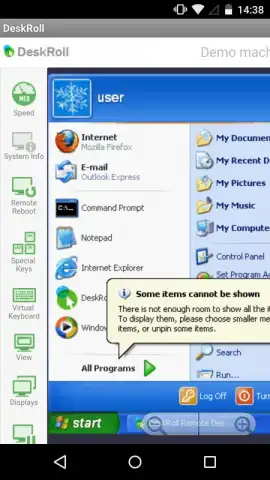
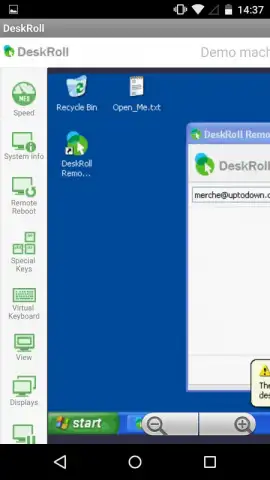
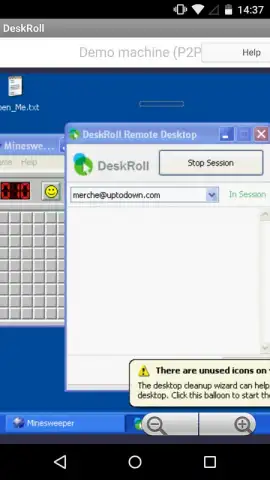
DeskRoll Remote Desktop addresses this core issue by establishing a secure, low-latency bridge between your Android device and any Windows PC under your control. The application functions not as a simple file viewer, but as a genuine remote control interface, transmitting the full desktop environment to your mobile screen. The primary technical requirement is that the host computer must be powered on and connected to the internet, with the lightweight DeskRoll agent running in the background to facilitate the connection.
Control mechanics are meticulously translated for a touchscreen. A single tap replicates a left mouse click, while a double-tap functions as a double-click. For right-click actions, a dedicated on-screen button or a press-and-hold gesture is available. The system supports multi-touch gestures for scrolling and zooming, effectively replacing the mouse wheel. Crucially, input extends beyond cursor control; the application seamlessly integrates your device's native software keyboard for text entry, and advanced users can leverage on-screen gesture shortcuts to emulate complex keyboard combinations, streamlining workflows without external hardware.
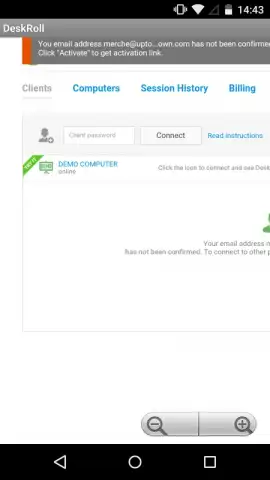
A defining feature is the multi-machine management console. The application is not limited to a single computer. You can securely configure and save connection profiles for multiple machines—such as a primary home desktop, a secondary home server, or an office workstation. This centralized list allows for instant switching between systems. You can, for instance, retrieve a personal document from your home PC, disconnect, and immediately connect to your office computer to continue a professional task, all within the same application session and within seconds.
The underlying "Turbo" connection protocol is engineered for performance over standard internet connections, aiming to provide a responsive experience even when manipulating graphics-heavy applications or transferring files. The interface is presented without third-party advertising, ensuring an unobstructed view of your remote desktop and maintaining focus on the task at hand.
Core Feature Breakdown
- Full Remote Desktop Control: Operate your distant PC in real-time, with complete access to all programs, files, and system settings as if you were sitting in front of it.
- Intuitive Touch & Gesture Input: Comprehensive touch controls replicate mouse functions (clicks, right-clicks, scrolling) and support custom gesture shortcuts for keyboard commands.
- Multi-Computer Management Hub: Securely store and instantly switch between connections for an unlimited number of personal computers from a single, organized list.
- Integrated Software Keyboard: Utilize your Android device's keyboard for direct text input into any application on the remote computer, from documents to command lines.
- Optimized Turbo Connection: A proprietary streaming protocol designed for reduced lag and smoother visual performance during remote access sessions.
Stop compromising your workflow based on your location. Transform any space into your personal workstation and command your digital resources without limits.
Download DeskRoll Remote Desktop now and claim your advantage of seamless access.
Disclaimer: An active internet connection is required on both the local and remote devices. The remote PC must be powered on and running the DeskRoll host software. Some advanced features may be part of optional in-app purchases.


