
Digital Clock Widget
Digital Clock Widget screenshots (7)
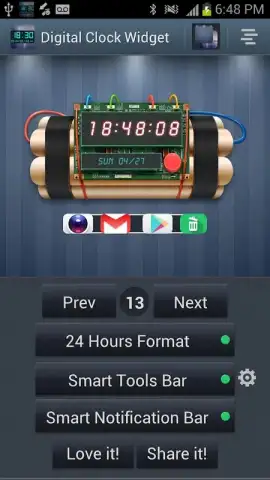
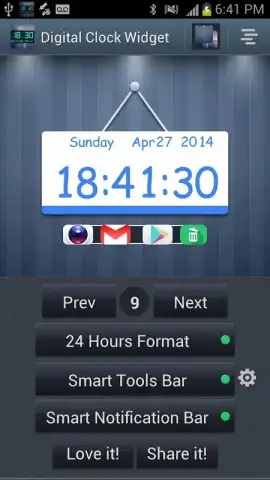
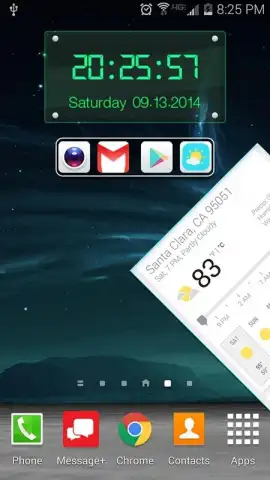
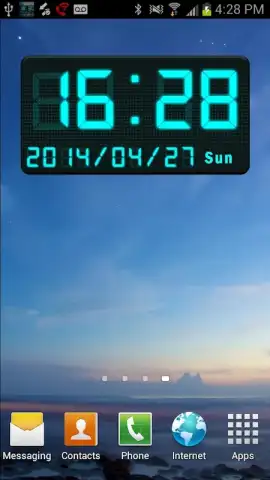
Description Digital Clock Widget
Looking for a way to modernize your Android home screen with a utility-focused widget that does more than just tell time? Digital Clock Widget by Super Droid Studio provides a suite of highly configurable digital clock displays designed for both aesthetic customization and functional efficiency. This personalization tool moves beyond basic timekeeping by integrating smart shortcuts and system tools directly into the widget interface, aiming to streamline daily device interaction.
Core Functionality and Display Options
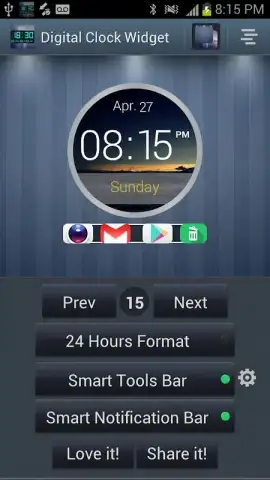
The application serves primarily as a widget provider, offering a selection of 15 distinct digital clock styles. These range from minimalist LED-inspired designs to more comprehensive displays that integrate date and secondary information. A key technical feature is the support for a seconds display, which can be enabled or disabled based on user preference for precision. The widgets are engineered for compatibility across various Android screen sizes and resolutions, including HD and Full HD, ensuring graphical elements remain sharp without impacting system performance. Users have full control over the time format, with an easy toggle between 12-hour and 24-hour systems directly within the configuration settings.
Integrated Smart Panel and Utility Features
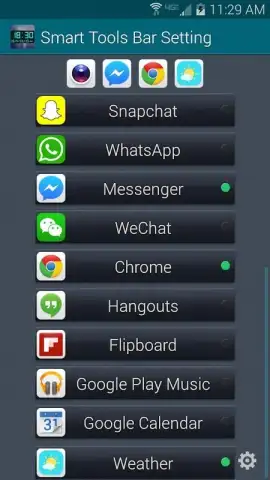
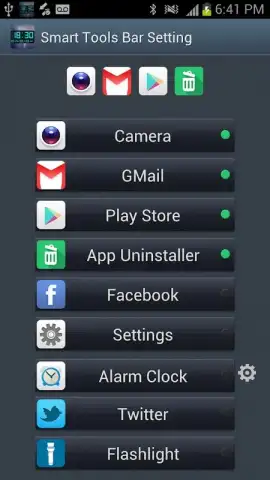
Where this app differentiates itself is through its configurable Smart Tools Panel. This is an optional overlay that can be anchored to the widget, allowing for the pinning of up to four application shortcuts for instant access. This panel is designed for rapid launching of frequently used tools, such as messaging apps or the device's flashlight. Furthermore, the widget framework supports integration with popular third-party alarm and weather applications, including a direct weather lookup function. An additional utility bundled within the app is an application uninstaller, providing a quick management tool from a centralized location. Users can also configure a Smart Notification Panel, creating another layer of shortcuts for functions like alarms, flashlight, and communication apps, effectively turning the clock widget into a compact control center.
Configuration and User Experience
The setup process is built around an intuitive configuration menu. Users can independently manage the visibility of both the Smart Tools Panel and the Smart Notification Panel, allowing for a clean home screen when desired. Placing a widget follows the standard Android long-press procedure, and the developer provides a supplementary video guide for initial setup. The customization extends to choosing widget styles that fit specific needs, such as a pure digital LED clock or a combined digital clock with weather feed. The design philosophy emphasizes user choice, enabling a balance between on-screen information density and visual simplicity.
- Offers 15 customizable digital clock widget styles with optional seconds display.
- Features a configurable Smart Tools Panel for pinning four app shortcuts.
- Integrates support for external alarm, weather apps, and a built-in app uninstaller.
- Includes a separate Smart Notification Panel for quick-access device functions.
- Provides full control over time format and panel visibility for a clean interface.
We suggest trying Digital Clock Widget if your priority is a home screen widget that consolidates time, information, and utility shortcuts into a single, highly adaptable element.
Heads up: you'll need wifi for weather data and some features. Some cool styles or advanced panel options may be part of additional premium modules.



