

DiskUsage
DiskUsage screenshots (3)
Description DiskUsage
Stop Guessing Where Your Storage Went
Ever opened your phone to install that new game or take a crucial photo, only to be blocked by the dreaded "Storage Full" alert? You start deleting files blindly, hoping to hit the right one, but it feels like searching for a needle in a haystack. That frustration ends now. DiskUsage gives you X-ray vision into your device, transforming that confusing block of used space into a clear, interactive map you can actually understand and control.
See Your Storage, Don't Just Guess It
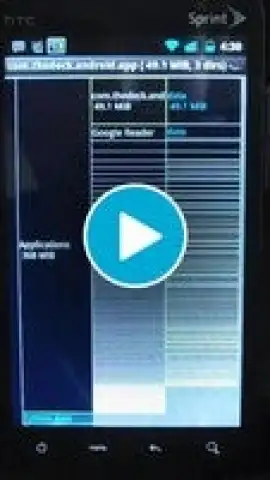
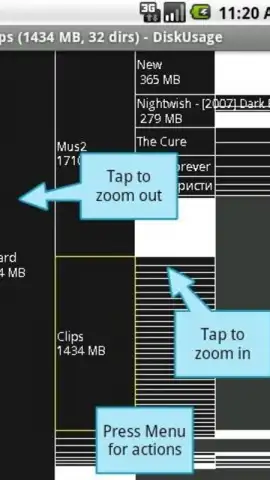
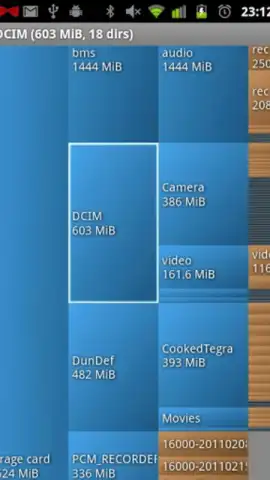
DiskUsage doesn't just list folders—it visualizes your entire storage as a dynamic, colorful treemap. Each rectangle on your screen represents a file or folder, with its size directly proportional to the space it consumes. The biggest space-hoggers are immediately obvious. Tap any block to drill down instantly, navigating from the broad "Internal Storage" level right down to that single, massive video file you forgot about. It’s like having a powerful storage detective built right into your pocket, revealing the truth behind every megabyte.
Your Toolkit for a Clean, Fast Phone
This app hands you the precise tools to reclaim your space efficiently and for good.
- Interactive Visual Map: Navigate your storage intuitively with a zoomable, multi-colored treemap. No more deciphering complex lists—see your storage landscape at a glance.
- Instant Space Analysis: Get a immediate breakdown of storage by category—apps, images, videos, audio, and documents—so you know exactly where to focus your cleanup.
- Smart File Manager: Long-press any file or folder to access quick actions: delete, share, inspect details, or open with another app, all from within the visual map.
- App Cache Cleaner: Identify and safely remove bulky app cache data that accumulates silently, often reclaiming gigabytes of space without touching your personal data.
- SD Card & External Support: Fully analyze and manage not just your internal storage, but also any connected SD cards or external USB drives.
- Ad-Free, Lightweight Experience: Enjoy a focused, powerful tool without distractions or bloat. The app itself is tiny and runs smoothly, even on older devices.
Claim Your Space and Your Peace of Mind
Why waste another minute battling cryptic storage warnings? Transform your phone from a cluttered attic into a streamlined, high-performance device. DiskUsage puts you back in the driver's seat with clarity and control you can feel. Download DiskUsage now and see exactly what you’ve been missing.
Download DiskUsage now and take control!
Requires an internet connection for initial download. The app may contain optional in-app purchases. Requires Android 8.0 or later.


