
DockWalls
DockWalls screenshots (8)
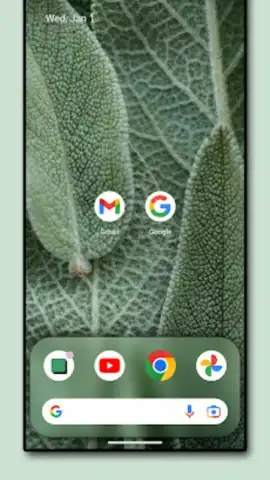
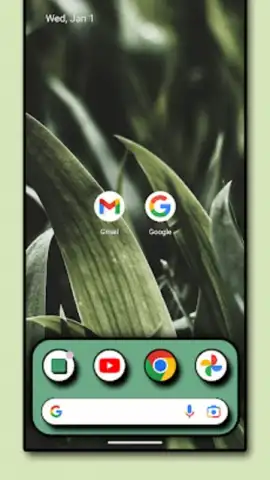
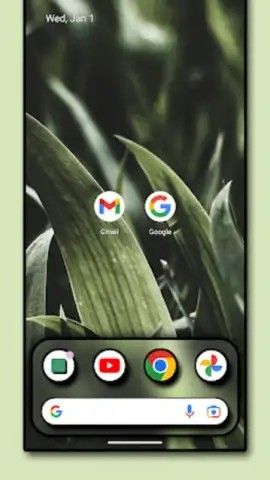
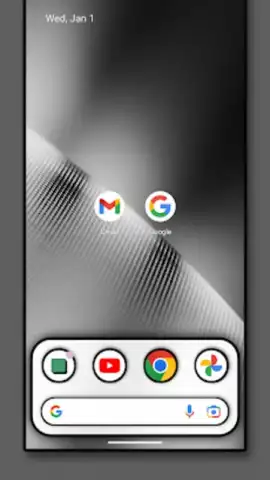
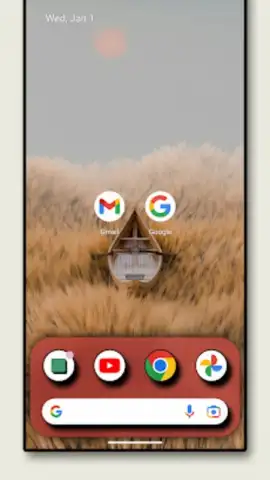
Description DockWalls
The Challenge of a Generic Interface
Most mobile devices ship with a standardized, one-size-fits-all interface that offers little room for genuine personal expression. Users seeking to move beyond basic wallpaper changes often find themselves limited by system constraints, resulting in a home screen that feels functional but impersonal. This gap between a stock device and a truly customized digital environment is where specialized utility applications operate, providing the advanced tools needed for deep visual transformation.
DockWalls: A Technical Analysis of Customization Tools
DockWalls, developed by Along, functions as a comprehensive visual tuning application for Android, targeting the aesthetic components of the user interface. Its core purpose is to provide granular control over the device's dock and wallpaper systems, treating them as canvases for technical and artistic adjustment. The application distinguishes itself by separating its toolkit into two primary, interconnected modules: one dedicated to dock modification and another for advanced wallpaper and lock screen effects, all operating within an ad-free environment facilitated by its Turbo system.
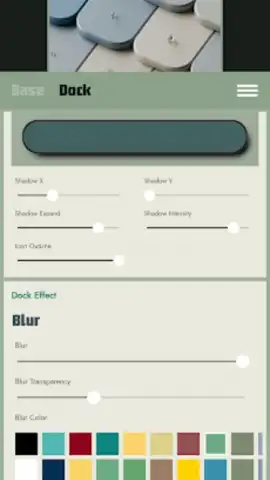
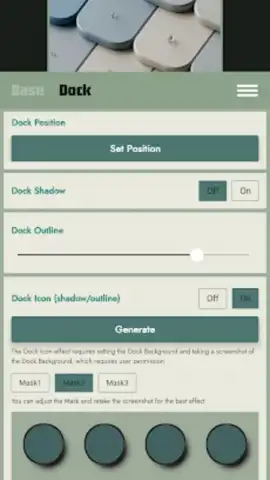
The dock customization engine is notably detailed. It provides real-time rendering of blur effects for the dock background, allowing for transparency levels that can mimic frosted glass or soft focus. Users have precise control over shadow parameters—opacity, radius, and offset—enabling the creation of depth that can appear floating or subtly embedded. Furthermore, the application includes professional-grade options for contour rendering and border framing, alongside dynamic transition animations that activate when opening applications. These features collectively work to replicate and often extend the polished, seamless dock aesthetics found on other mobile platforms.
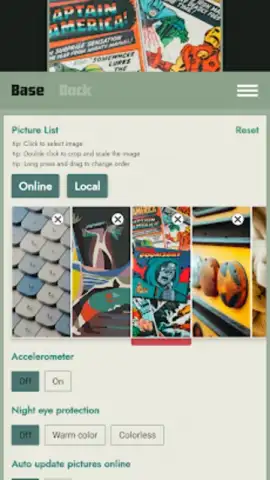
For wallpapers and broader visual effects, DockWalls operates as both a manager and a processor. It supports automated wallpaper rotation schedules, removing the manual effort from refreshing the device's backdrop. Its artistic filter suite includes non-destructive effects such as an oil painting simulator and advanced color grading tools that adjust hue, saturation, and luminance channels. The lock screen receives dedicated attention with effects like layered glass textures, prismatic lens distortions, and intelligent adaptive blur that responds to underlying wallpaper content. These are complemented by smooth gradient generation for backgrounds and sophisticated edge anti-aliasing, ensuring graphical elements integrate cleanly without visual artifacts.
Core Feature Breakdown
- Advanced Dock Designer: Implements live blur effects, parametric shadow tuning, and professional border controls for a architecturally refined dock.
- Dynamic Wallpaper Engine: Features automated rotation schedules, artistic filters including oil painting simulation, and intelligent, adaptive blur processing.
- Immersive Visual Effects: Offers lock screen enhancements with glass textures, lens effects, and smooth gradient transitions for complete UI cohesion.
Start Designing Your Interface Today
For users technical enough to appreciate detailed graphical control or those simply tired of a monotonous home screen, DockWalls provides a legitimate toolkit for change. Its focused approach on specific UI components allows for a depth of customization that general launchers often overlook. The absence of advertising removes a significant barrier to a seamless creative process. Download the DockWalls APK now to begin a systematic and professional redesign of your device's core visual identity.
Disclaimer: This application requires an internet connection for initial download and potential updates. It may request permissions related to system display and storage to function correctly. The app is intended for personalization purposes; device compatibility may vary. Please be aware of your data usage policies and ensure your device meets the necessary system requirements. This product is not affiliated with or endorsed by any device manufacturer.
 GooglePlay


