

dodol File Explorer
dodol File Explorer screenshots (6)
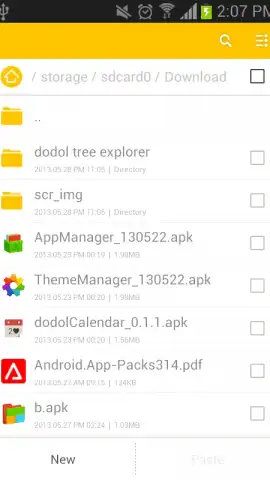
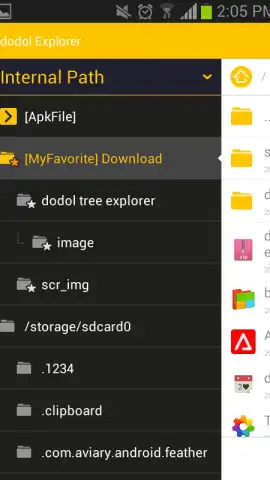
Description dodol File Explorer
Tired of Android File Chaos? Imagine a Desktop-Grade Organizer in Your Pocket
You know the frustration. You need a specific document, a downloaded APK, or a photo from last month, and you're plunged into the endless scroll of your phone's storage. Tapping through generic folders, guessing where things landed, wasting precious minutes on what should be a simple task. It feels like searching for a book in a library with no cataloging system. What if your Android device could offer the same intuitive, powerful file management you experience on a desktop computer? That precise, familiar control is no longer a wish—it's a reality waiting to transform your daily digital workflow.
Your Device, Finally Under Your Command
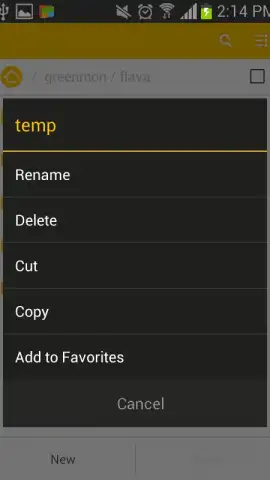
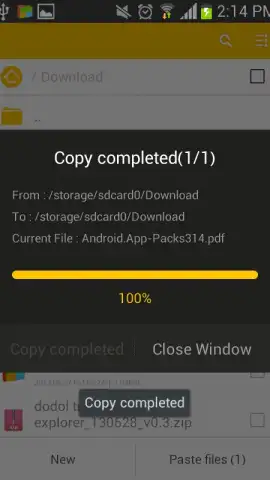
dodol File Explorer redefines Android file management by bringing the logical, hierarchical structure of a Windows-style explorer directly to your mobile device. This isn't just another basic file viewer; it's a comprehensive control center designed for efficiency and deep access. You regain absolute clarity over your device's contents, from the deepest system directories to every file on your external SD card. The application eliminates guesswork, replacing it with a visual folder tree that maps your entire storage landscape at a glance. Core operations like cut, copy, paste, and share become fluid, single-tap actions, while built-in tools let you compress files into ZIP archives or extract them with ease, handling package management directly on the device without needing separate apps.
Experience Unmatched File Management Precision
-
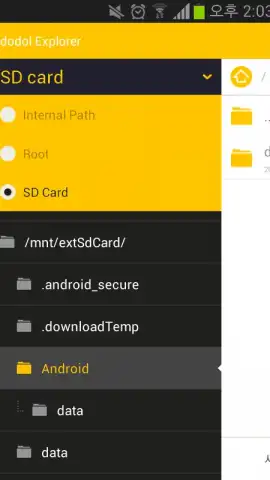
Desktop-Class Navigation: Navigate your internal storage, SD cards, and root directories with the familiar, expandable tree view layout. This logical structure provides instant orientation, making file location intuitive and saving you from endless scrolling through disorganized lists.
-
Turbo-Charged, Ad-Free Environment: Enjoy a completely clean, distraction-free interface. The Turbo experience removes all advertisements, allowing you to focus purely on your tasks without interruptions, pop-ups, or banners cluttering your screen.
-
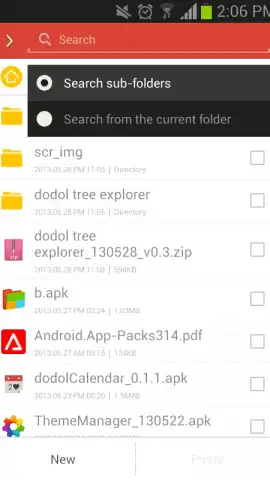
Intelligent Search & Discovery: Locate anything in seconds with the powerful, system-wide search function. Hunt down specific APK files, documents, images, or archives by name or type. This comprehensive search delves into all accessible storage areas, ensuring nothing stays hidden.
-
Centralized Favorite Hubs: Create a personalized quick-access menu by bookmarking your most-used folders. Whether it’s your download directory, work documents, or photo gallery, your essential paths are always one tap away, dramatically boosting daily productivity.
-
Bulk Operations Made Simple: Manage large groups of files effortlessly with robust multi-select functionality. Select dozens or hundreds of items to move, copy, delete, or share in a single batch operation, perfect for large-scale organization or cleanup projects.
-
Universal Storage Access: Gain seamless and unified access to every storage medium connected to your device. The app bridges the gap between internal memory, external SD cards, and advanced root folders, presenting a single, cohesive view of all your data.
This level of detailed control and ad-free performance transforms your phone from a simple communication device into a truly productive pocket computer. You stop working for your file system and start making it work for you.
Download dodol File Explorer Now – Exclusive Ad-Free Access for New Users
Don't settle for the limited, frustrating file managers that come pre-installed. Take definitive control of your Android device's storage today. For a limited time, new users can experience the full, turbo-charged potential of dodol File Explorer with exclusive ad-free access. Transform how you interact with your files—download now and organize your digital life with desktop-grade power.
Disclaimer: This application requires an internet connection for initial download and potential updates. The app may offer in-app purchases for additional features or enhancements. Root access functionality is dependent on your device's permissions and configuration.


