

DriveDroid
DriveDroid screenshots (4)
Description DriveDroid
Turn Your Android Device into a Portable Boot Drive
Carrying separate USB drives or external hard disks for system recovery or OS installation is an outdated hassle. DriveDroid eliminates this need by transforming your Android phone or tablet into a universal bootable drive. This application enables direct PC booting from ISO or IMG files stored on your mobile device, providing a compact, always-available solution for IT professionals, developers, and tech enthusiasts.
Core Functionality and Technical Features
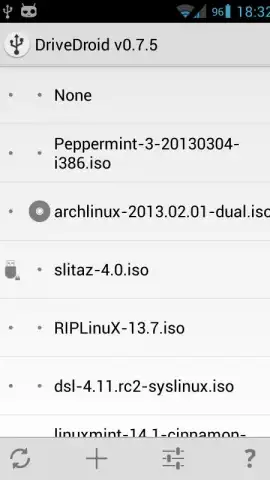
The application operates by allowing your Android device to emulate USB mass storage or a CD-ROM drive when connected to a computer via USB. You can store multiple operating system images, recovery environments, and diagnostic tools directly on your device's storage. DriveDroid then presents these files to the PC's BIOS/UEFI as bootable media, facilitating installation, repair, or live sessions without any physical media.
Comprehensive System and Image Support
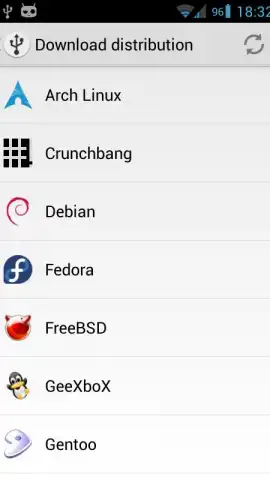
DriveDroid maintains extensive compatibility with a wide range of x86 and x86_64 operating systems. This includes major Linux distributions like Ubuntu, Fedora, Debian, and Arch Linux, alongside Windows installation ISOs. The app also supports specialized images for system rescue, disk cloning, antivirus scanning, and hardware testing tools, making it a single-point solution for diverse boot scenarios.
Advanced Image Management and Creation
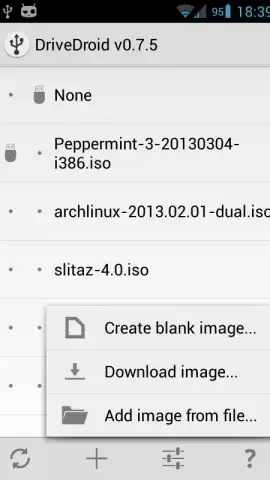
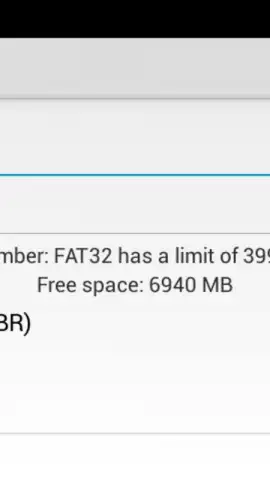
Beyond booting from pre-downloaded images, the application includes utilities for creating and managing ISO/IMG files directly on your device. You can generate custom images or modify existing ones for personalized deployments. The interface provides tools to add, remove, rename, or wipe image files, organizing your portable toolkit efficiently. It supports various image formats and boot methods, including persistent storage setups for Linux distributions.
- Universal Boot Compatibility: Boot PCs from a vast library of Linux, Windows, and diagnostic ISO/IMG files stored on your Android device.
- Direct Image Creation & Management: Create custom OS images and manage your entire bootable library through an integrated file manager.
- Advertising-Free Experience: Utilize all advanced boot features and image tools without any advertisement interruptions.
Get your ultimate portable boot toolkit and eliminate dependency on physical drives. Download the DriveDroid APK now and transform your device into a professional recovery solution. Start deploying systems today.
Internet required. IAP available.


