

VirtualBox Manager
VirtualBox Manager screenshots (8)
Description VirtualBox Manager
Take Full Control of Your Virtual Machines from Anywhere
This application provides a dedicated mobile interface for managing Oracle VM VirtualBox instances remotely. It allows administrators and developers to monitor, start, stop, and configure their virtual machines directly from an Android device, turning a smartphone or tablet into a portable virtualization management console. The core function bridges the gap between a powerful desktop virtualization platform and the need for mobile oversight, eliminating the requirement to be physically present at a host machine for basic operations.
Core Management Features and Functionality
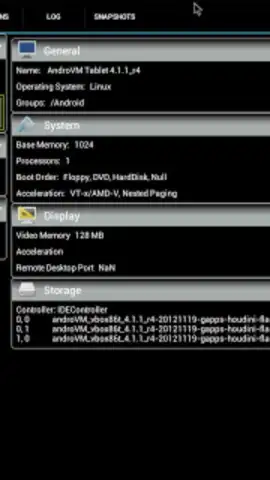
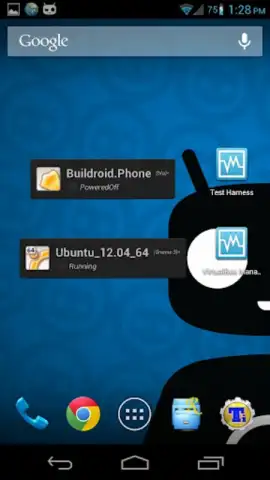
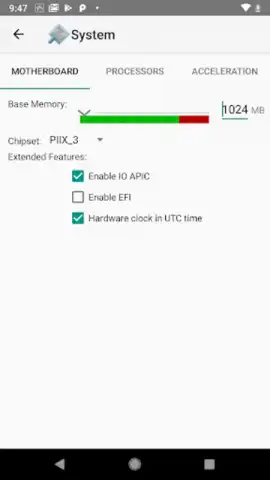
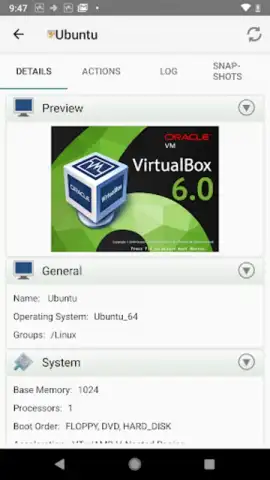
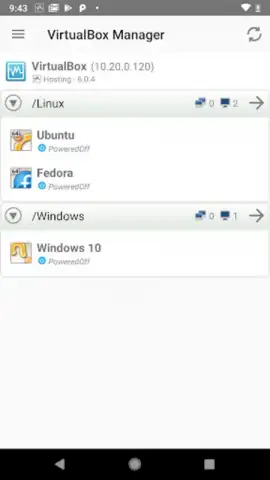
The app establishes a secure connection to a VirtualBox server, presenting a clear overview of all registered virtual machines. Users can view the real-time status of each VM, including its current state (running, paused, powered off), and perform essential power operations. Detailed machine information, such as allocated memory, storage controllers, and network adapter settings, is accessible for review. The interface is structured to provide critical management actions without the complexity of the full desktop application, focusing on the most frequently needed tasks for remote administration.
Key Operational Advantages
The primary strength of this tool is the consolidation of control into a mobile-optimized format. The layout is designed for touch interaction, with clear, responsive buttons for issuing commands to remote hosts. It offers a streamlined workflow for routine checks and interventions, which can be crucial for managing development environments, testing setups, or lightweight servers. Performance is focused on maintaining a stable connection for command relay rather than graphical rendering, ensuring efficient use of mobile data and battery life while providing reliable control.
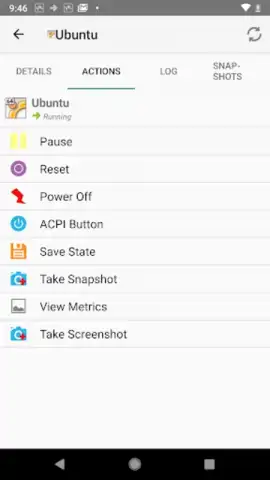
- Remote Power Management: Start, stop, pause, or reset your virtual machines with a single tap from your mobile device.
- Centralized VM Dashboard: View the status and specifications of all your VirtualBox machines in one unified, scrollable list.
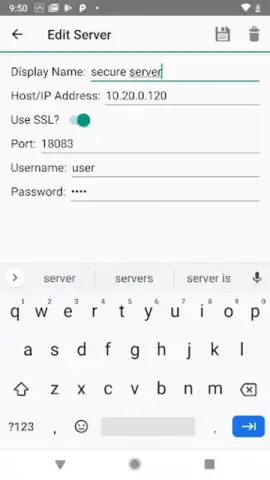
- Secure Server Connection: Connect to your VirtualBox host via encrypted channels to execute commands safely over networks.
Download this mobile app now and command your virtual infrastructure from the palm of your hand. Don't wait to unlock this level of administrative mobility!
Internet required. IAP available.


