DWG FastView - CAD Viewer&Editor

DWG FastView - CAD Viewer&Editor

4.6 15 ratings
18 Views
102.32 MB Size
3+ Age

DWG FastView - CAD Viewer&Editor screenshots (16)
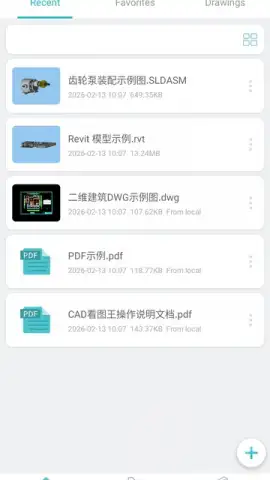
DWG FastView - CAD Viewer&Editor скриншот 1
DWG FastView - CAD Viewer&Editor скриншот 2
DWG FastView - CAD Viewer&Editor скриншот 3
DWG FastView - CAD Viewer&Editor скриншот 4
DWG FastView - CAD Viewer&Editor скриншот 5
DWG FastView - CAD Viewer&Editor скриншот 6
DWG FastView - CAD Viewer&Editor скриншот 7
DWG FastView - CAD Viewer&Editor скриншот 8
DWG FastView - CAD Viewer&Editor скриншот 9
DWG FastView - CAD Viewer&Editor скриншот 10
DWG FastView - CAD Viewer&Editor скриншот 11
DWG FastView - CAD Viewer&Editor скриншот 12
DWG FastView - CAD Viewer&Editor скриншот 13
DWG FastView - CAD Viewer&Editor скриншот 14
DWG FastView - CAD Viewer&Editor скриншот 15
DWG FastView - CAD Viewer&Editor скриншот 16

Description DWG FastView - CAD Viewer&Editor

Is Your Mobile Device Truly Ready for Professional CAD Work?

The promise of a full-featured Computer-Aided Design suite in your pocket often comes with significant compromises: clunky interfaces, missing file support, or a crippling dependence on a constant internet connection. DWG FastView - CAD Viewer & Editor by Gstarsoft confronts these limitations directly, positioning itself not as a simplified mobile viewer but as a genuinely capable offline drafting and editing tool. This review examines whether its mechanics deliver a self-contained workflow for engineers, architects, and designers who need to create, modify, and annotate technical drawings from any location.

Core Functionality and File Management

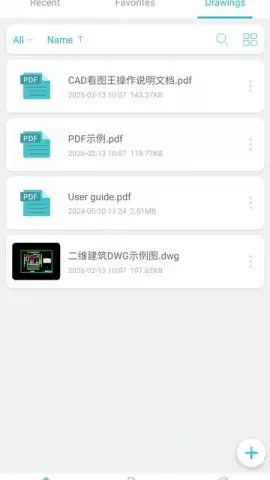
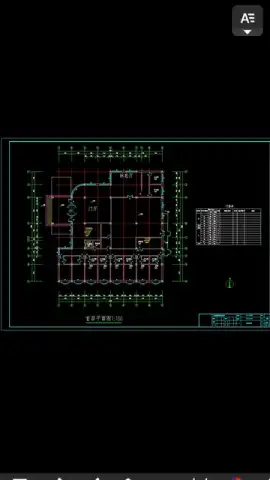
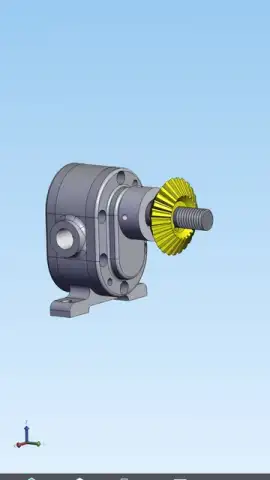
At its foundation, DWG FastView establishes robust compatibility, natively handling industry-standard DWG, DXF, and DWF file formats. The application can be set as the default handler for these extensions, enabling seamless one-tap opening of drawings received via email attachments or cloud storage links. This eliminates the frustrating middle step of file conversion or importing into a separate app. The most critical operational feature is its fully offline capability. The core drafting, editing, and viewing functions require no internet connection, allowing for uninterrupted work on-site, during travel, or in areas with poor connectivity. Finished projects can be queued and sent later once a network is available, making it a practical tool for fieldwork.

Drafting and Editing Tools in Practice

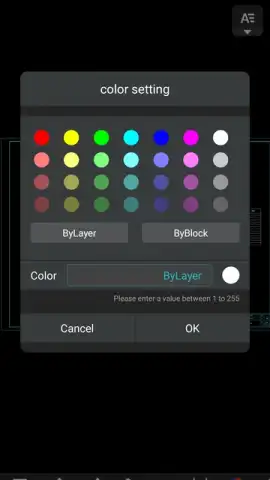
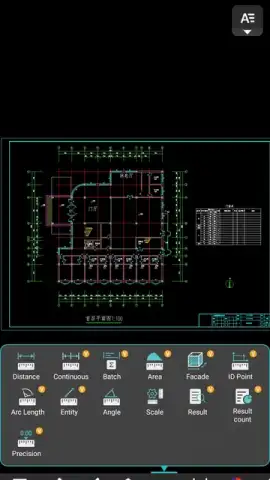
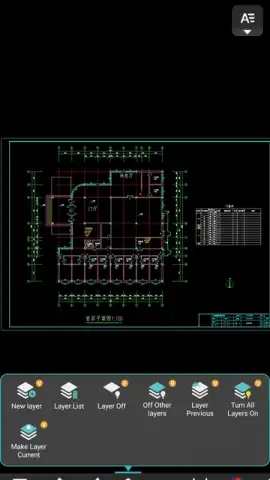
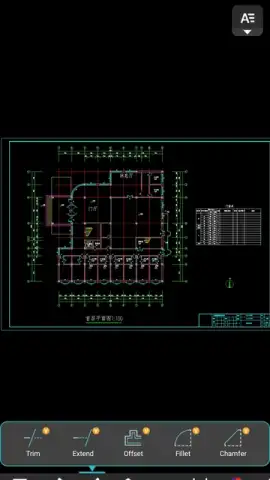
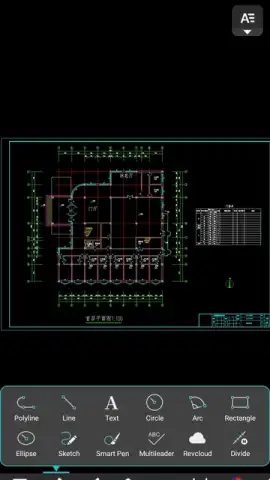
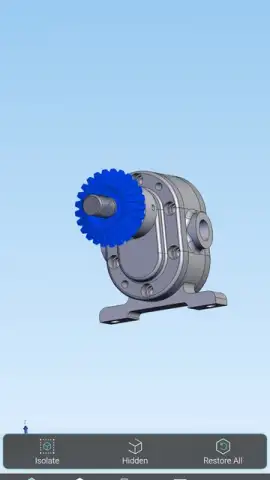
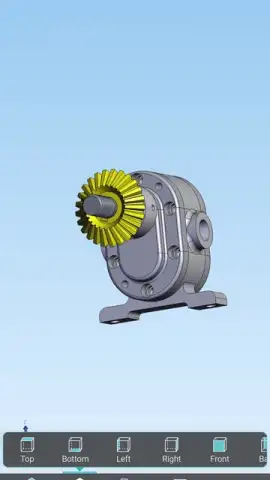
Beyond viewing, the app provides a tangible set of creation and modification tools. The drafting palette includes fundamental geometric shapes like lines, circles, and rectangles, with intuitive pinch-and-drag controls for dynamic resizing and positioning. Each drawn segment can be assigned a specific color from a dedicated palette, aiding in layer differentiation and drawing clarity. For annotation, the software supports a range of fonts and includes specific support for complex character sets, enabling the addition of text notes and labels in Chinese, Japanese, and Korean. Editing tasks are facilitated by a full-screen, uncluttered workspace where multi-point elements can be zoomed, panned, and modified with precision.

Measured Advantages and Workflow Integration

The advertised "Turbo" mode contributes to a smoother experience by optimizing rendering speeds for larger, more complex drawings, ensuring pan and zoom operations remain fluid. The absence of banner or pop-up advertisements within the drafting environment is a significant advantage, maintaining focus and preventing accidental clicks. The workflow is designed for continuity: you can start a sketch or markup on a tablet during a client meeting, refine it on a phone during your commute, and finalize the details on your desktop, with the DWG format ensuring cross-platform compatibility.

  • Full offline drafting and editing mode
  • Native support for DWG, DXF, DWF
  • Geometric drawing tools with color coding
  • Multi-language text annotation support

This level of portable, un-tethered CAD capability is typically reserved for high-end, subscription-based services. For a limited time, new users can access the full suite of DWG FastView's professional tools without the standard premium barrier. This exclusive offer is the most direct way to evaluate its impact on your mobile workflow.

Download DWG FastView - CAD Viewer & Editor now and convert your smartphone into a legitimate drafting station. This unrestricted access won't last.

Heads up: you'll need wifi for the initial download and for later sharing your finished files. Some advanced export formats and cloud storage integrations are part of the premium feature set.

Manually checked and VirusTotal

Latest version

Version
5.18.8
Date
17.03.2026
Signature
0f0165bbede60bea50318c4fb59f7caa
Architecture
arm64-v8a
GooglePlay GooglePlay

About this app

Developer
Gstarsoft Co., Ltd
Package name
com.gstarmc.android
Min. Android
Android + 6.0
Age
3+

Version history DWG FastView - CAD Viewer&Editor

DWG FastView - CAD Viewer&Editor 5.18.8
17.03.2026
102.32 MB
DWG FastView - CAD Viewer&Editor 5.18.6
17.03.2026
102.25 MB
DWG FastView - CAD Viewer&Editor 5.18.4
17.03.2026
99.29 MB
DWG FastView - CAD Viewer&Editor 5.9.9
17.03.2026
130.1 MB
DWG FastView - CAD Viewer&Editor 5.9.8
17.03.2026
82.81 MB
DWG FastView - CAD Viewer&Editor 5.9.6
17.03.2026
96.42 MB
DWG FastView - CAD Viewer&Editor 5.9.4
17.03.2026
82.34 MB
DWG FastView - CAD Viewer&Editor 5.9.2
17.03.2026
82.32 MB
DWG FastView - CAD Viewer&Editor 5.9.16
17.03.2026
83.55 MB
DWG FastView - CAD Viewer&Editor 5.9.14
17.03.2026
97.64 MB
DWG FastView - CAD Viewer&Editor 5.9.12
17.03.2026
97.28 MB
DWG FastView - CAD Viewer&Editor 5.9.10
17.03.2026
82.96 MB
DWG FastView - CAD Viewer&Editor 5.9.0
17.03.2026
96.51 MB
DWG FastView - CAD Viewer&Editor 5.8.9
17.03.2026
132.32 MB
DWG FastView - CAD Viewer&Editor 5.8.21
17.03.2026
104.08 MB
DWG FastView - CAD Viewer&Editor 5.8.2
17.03.2026
80.99 MB
DWG FastView - CAD Viewer&Editor 5.8.19
17.03.2026
136.48 MB
DWG FastView - CAD Viewer&Editor 5.8.17
17.03.2026
136.44 MB
DWG FastView - CAD Viewer&Editor 5.8.15
17.03.2026
136.44 MB
DWG FastView - CAD Viewer&Editor 5.8.13
17.03.2026
131.95 MB
DWG FastView - CAD Viewer&Editor 5.8.11
17.03.2026
131.95 MB
DWG FastView - CAD Viewer&Editor 5.8.0
17.03.2026
95.16 MB
DWG FastView - CAD Viewer&Editor 5.7.2
17.03.2026
95.14 MB
DWG FastView - CAD Viewer&Editor 5.7.0
17.03.2026
81.03 MB
DWG FastView - CAD Viewer&Editor 5.6.2
17.03.2026
81.91 MB
DWG FastView - CAD Viewer&Editor 5.6.0
17.03.2026
69.66 MB
DWG FastView - CAD Viewer&Editor 5.5.2
17.03.2026
68.54 MB
DWG FastView - CAD Viewer&Editor 5.5.0
17.03.2026
80.18 MB
DWG FastView - CAD Viewer&Editor 5.4.2
17.03.2026
80.12 MB
DWG FastView - CAD Viewer&Editor 5.4.0
17.03.2026
80.27 MB
DWG FastView - CAD Viewer&Editor 5.3.2
17.03.2026
76.5 MB
DWG FastView - CAD Viewer&Editor 5.3.0
17.03.2026
66.48 MB
DWG FastView - CAD Viewer&Editor 5.2.2
17.03.2026
73.32 MB
DWG FastView - CAD Viewer&Editor 5.2.0
17.03.2026
73.38 MB
DWG FastView - CAD Viewer&Editor 5.12.8
17.03.2026
97.65 MB
DWG FastView - CAD Viewer&Editor 5.12.6
17.03.2026
95.75 MB
DWG FastView - CAD Viewer&Editor 5.12.4
17.03.2026
95.74 MB
DWG FastView - CAD Viewer&Editor 5.12.2
17.03.2026
109.81 MB
DWG FastView - CAD Viewer&Editor 5.12.0
17.03.2026
95.7 MB
DWG FastView - CAD Viewer&Editor 5.11.9
17.03.2026
144.92 MB
DWG FastView - CAD Viewer&Editor 5.11.2
17.03.2026
109.22 MB
DWG FastView - CAD Viewer&Editor 5.11.15
17.03.2026
146.24 MB
DWG FastView - CAD Viewer&Editor 5.11.13
17.03.2026
145.87 MB
DWG FastView - CAD Viewer&Editor 5.11.11
17.03.2026
151.36 MB
DWG FastView - CAD Viewer&Editor 5.11.0
17.03.2026
95.16 MB
DWG FastView - CAD Viewer&Editor 5.10.2
17.03.2026
100.23 MB
DWG FastView - CAD Viewer&Editor 5.10.0
17.03.2026
85.58 MB
DWG FastView - CAD Viewer&Editor 5.1.0
17.03.2026
73.01 MB
DWG FastView - CAD Viewer&Editor 5.0.2
17.03.2026
69.94 MB
DWG FastView - CAD Viewer&Editor 5.0.0
17.03.2026
59.97 MB
DWG FastView - CAD Viewer&Editor 4.9.9
17.03.2026
96.3 MB
DWG FastView - CAD Viewer&Editor 4.9.4
17.03.2026
67.63 MB
DWG FastView - CAD Viewer&Editor 4.9.2
17.03.2026
67.67 MB
DWG FastView - CAD Viewer&Editor 4.9.0
17.03.2026
66.32 MB
DWG FastView - CAD Viewer&Editor 4.8.9
17.03.2026
96.84 MB
DWG FastView - CAD Viewer&Editor 4.7.9
17.03.2026
96.64 MB
DWG FastView - CAD Viewer&Editor 4.7.2
17.03.2026
64.03 MB
DWG FastView - CAD Viewer&Editor 4.6.9
17.03.2026
95.84 MB
DWG FastView - CAD Viewer&Editor 4.5.11
17.03.2026
94.88 MB
DWG FastView - CAD Viewer&Editor 4.4.9
17.03.2026
94.18 MB
DWG FastView - CAD Viewer&Editor 4.3.9
17.03.2026
94.32 MB
DWG FastView - CAD Viewer&Editor 4.3.11
17.03.2026
94.64 MB
DWG FastView - CAD Viewer&Editor 4.25.9
17.03.2026
104.59 MB
DWG FastView - CAD Viewer&Editor 4.25.11
17.03.2026
104.47 MB
DWG FastView - CAD Viewer&Editor 4.24.9
17.03.2026
102.94 MB
DWG FastView - CAD Viewer&Editor 4.23.9
17.03.2026
102.74 MB
DWG FastView - CAD Viewer&Editor 4.23.11
17.03.2026
102.74 MB
DWG FastView - CAD Viewer&Editor 4.22.9
17.03.2026
101.6 MB
DWG FastView - CAD Viewer&Editor 4.21.9
17.03.2026
101.66 MB
DWG FastView - CAD Viewer&Editor 4.20.11
17.03.2026
101.57 MB
DWG FastView - CAD Viewer&Editor 4.2.9
17.03.2026
90.98 MB
DWG FastView - CAD Viewer&Editor 4.2.2
17.03.2026
54.01 MB
DWG FastView - CAD Viewer&Editor 4.19.9
17.03.2026
100.33 MB
DWG FastView - CAD Viewer&Editor 4.19.11
17.03.2026
100.33 MB
DWG FastView - CAD Viewer&Editor 4.18.9
17.03.2026
99.86 MB
DWG FastView - CAD Viewer&Editor 4.18.0
17.03.2026
70.14 MB
DWG FastView - CAD Viewer&Editor 4.17.9
17.03.2026
99.72 MB
DWG FastView - CAD Viewer&Editor 4.17.6
17.03.2026
70.73 MB
DWG FastView - CAD Viewer&Editor 4.17.4
17.03.2026
70.64 MB
DWG FastView - CAD Viewer&Editor 4.17.2
17.03.2026
70.65 MB
DWG FastView - CAD Viewer&Editor 4.17.0
17.03.2026
70.63 MB
DWG FastView - CAD Viewer&Editor 4.16.9
17.03.2026
98.89 MB
DWG FastView - CAD Viewer&Editor 4.16.4
17.03.2026
70.41 MB
DWG FastView - CAD Viewer&Editor 4.16.2
17.03.2026
70.53 MB
DWG FastView - CAD Viewer&Editor 4.16.11
17.03.2026
99.07 MB
DWG FastView - CAD Viewer&Editor 4.16.0
17.03.2026
69.89 MB
DWG FastView - CAD Viewer&Editor 4.15.0
17.03.2026
71.81 MB
DWG FastView - CAD Viewer&Editor 4.14.2
17.03.2026
58.64 MB
DWG FastView - CAD Viewer&Editor 4.14.13
17.03.2026
99.01 MB
DWG FastView - CAD Viewer&Editor 4.14.11
17.03.2026
98.97 MB
DWG FastView - CAD Viewer&Editor 4.14.0
17.03.2026
69.6 MB
DWG FastView - CAD Viewer&Editor 4.13.9
17.03.2026
97.59 MB
DWG FastView - CAD Viewer&Editor 4.13.2
17.03.2026
68.91 MB
DWG FastView - CAD Viewer&Editor 4.13.0
17.03.2026
68.89 MB
DWG FastView - CAD Viewer&Editor 4.12.9
17.03.2026
100.03 MB
DWG FastView - CAD Viewer&Editor 4.12.2
17.03.2026
55.52 MB
DWG FastView - CAD Viewer&Editor 4.12.0
17.03.2026
55.5 MB
DWG FastView - CAD Viewer&Editor 4.11.9
17.03.2026
98.2 MB
DWG FastView - CAD Viewer&Editor 4.11.2
17.03.2026
65.65 MB
DWG FastView - CAD Viewer&Editor 4.11.0
17.03.2026
65.65 MB
DWG FastView - CAD Viewer&Editor 4.10.9
17.03.2026
97.95 MB
DWG FastView - CAD Viewer&Editor 4.10.2
17.03.2026
67.67 MB
DWG FastView - CAD Viewer&Editor 4.10.0
17.03.2026
67.66 MB
DWG FastView - CAD Viewer&Editor 4.1.9
17.03.2026
83.79 MB
DWG FastView - CAD Viewer&Editor 4.1.2
17.03.2026
45.8 MB
DWG FastView - CAD Viewer&Editor 4.1.13
17.03.2026
83.54 MB
DWG FastView - CAD Viewer&Editor 4.1.11
17.03.2026
83.57 MB
DWG FastView - CAD Viewer&Editor 4.0.6
17.03.2026
51.89 MB
DWG FastView - CAD Viewer&Editor 4.0.0
17.03.2026
51.67 MB
DWG FastView - CAD Viewer&Editor 3.13.9
17.03.2026
74.59 MB
DWG FastView - CAD Viewer&Editor 3.13.15
17.03.2026
77.71 MB
DWG FastView - CAD Viewer&Editor 3.13.13
17.03.2026
78.05 MB
DWG FastView - CAD Viewer&Editor 3.13.11
17.03.2026
76.35 MB

Ratings and reviews for DWG FastView - CAD Viewer&Editor

4.6
15 ratings

Leave a review

1 + 8 =
Manually checked and VirusTotal
Latest version
Version
5.18.8
Date
17.03.2026
Signature
0f0165bbede60bea50318c4fb59f7caa
Architecture
arm64-v8a
GooglePlay GooglePlay
About this app
Developer
Gstarsoft Co., Ltd
Package name
com.gstarmc.android
Min. Android
Android + 6.0
Age
3+