

Easy Subtitles
Easy Subtitles screenshots (6)
Description Easy Subtitles
Looking for a straightforward way to edit subtitle files directly on your Android device without needing a computer? Easy Subtitles provides a focused, local solution for managing SRT and SSA files, offering precise control for viewers who source their own subtitles.
Core Functionality and Interface
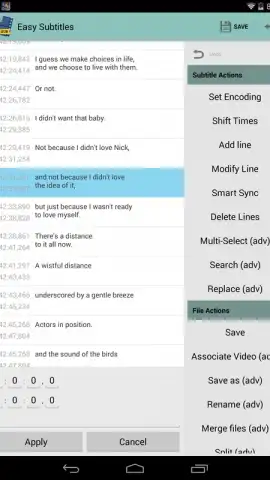
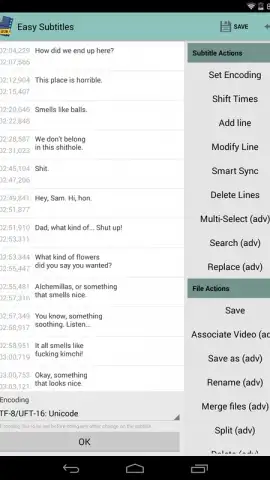
The application operates as a dedicated subtitle editor. Its interface is divided cleanly: the main screen area displays the subtitle track for editing, while a sidebar menu houses all adjustment tools. This layout allows for efficient navigation between viewing the text and accessing editing parameters. The core value lies in its ability to correct synchronization issues, modify dialogue, and format subtitle files that are not perfectly aligned with your media, a common problem with independently sourced tracks.
Detailed Editing and Output Features
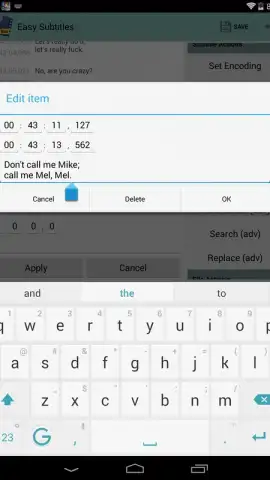
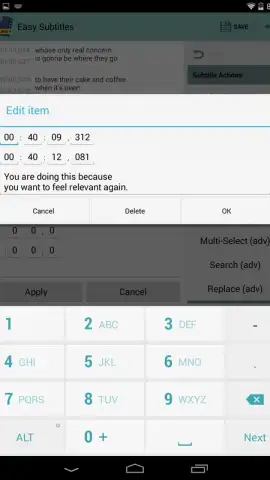
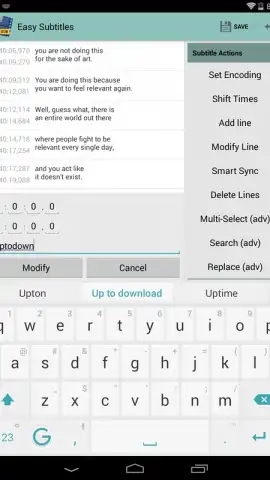
Editing is performed directly on the device. Users can insert new subtitle lines, edit existing text, and finely adjust timestamps for each cue. The process includes the ability to delete entries or make bulk timing shifts. Once edits are complete, the modified file is saved locally in its standard format for use with external video players. A key premium feature, unlocked via a one-time purchase, is the ability to hardcode or embed the subtitle track directly into a video file stored on your device, creating a single, permanent video file with the subtitles burned in.
- Edit SRT and SSA files locally on your Android device with a clear, two-pane interface.
- Precisely adjust subtitle timing and text content to fix synchronization errors.
- Insert new subtitle lines or completely remove existing ones from the track.
- Save edited subtitle files for use with any compatible external media player.
- Embed subtitles directly into video files permanently with the premium upgrade.
For anyone who regularly uses standalone subtitle files, this app eliminates a significant technical hassle. Consider downloading Easy Subtitles for direct, ad-free control over your viewing experience.
Download the Easy Subtitles mobile app now.
Internet required. IAP available.


