

File Search
File Search screenshots (4)
Description File Search
Locate Any File on Your Device in Seconds
Searching for a specific document, photo, or downloaded file on a cluttered Android device is often a slow and frustrating process. The standard file manager lacks the speed and precision needed for efficient retrieval, forcing users to manually sift through folders. This app addresses that core inefficiency by providing a powerful, system-wide search engine directly on your device.
Core Search Mechanics and Functionality
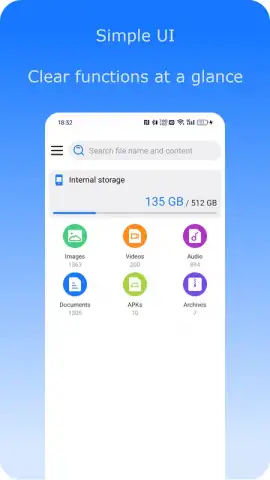
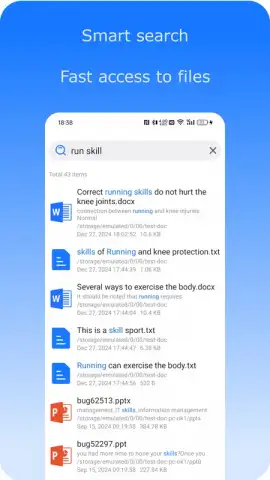
File Search operates as a dedicated utility that indexes and catalogs all accessible files on your internal storage and SD card. Its primary interface is a persistent search bar that delivers real-time results as you type, filtering by name, partial name, or file extension. The app supports deep content indexing for common file types, allowing it to peer into documents and media to make content searchable. A suite of filters lets users narrow results by file type, size, modification date, or specific directory paths, turning a broad search into a targeted query.
Key Operational Advantages
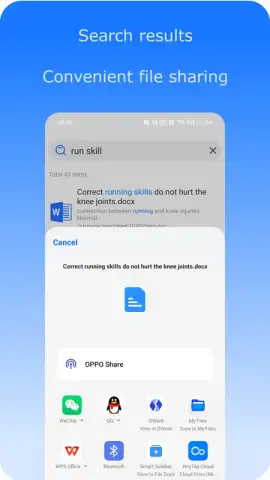
The utility distinguishes itself through execution speed and a minimalist, focused user experience. The indexing engine is designed to be lightweight, ensuring searches do not impact overall device performance or battery life. The interface presents results in a clear, scrollable list with relevant file details and quick action buttons for immediate opening, sharing, or file management.
- Universal File Indexing: Instantly searches across all storage locations, including internal memory and external SD cards, for comprehensive coverage.
- Advanced Filter & Sort Tools: Refine results using multiple parameters like date, size, and type, then sort them for optimal viewing.
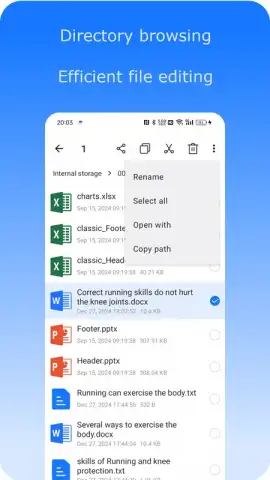
- Quick-Action File Management: Perform essential actions like open, share, rename, or delete directly from the search results list without switching apps.
We suggest trying File Search if you regularly need to find documents, archives, or media files on a device with substantial local storage.
Heads up: you'll need wifi for most features. Some cool stuff is extra.
 GooglePlay


