

Firefox Focus
Firefox Focus screenshots (6)


Description Firefox Focus
What if your browser prioritized privacy over features?
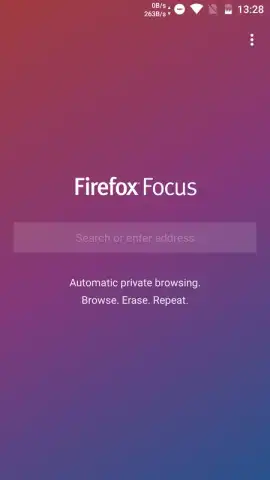
Firefox Focus, developed by Mozilla, represents a distinct approach to mobile browsing by systematically eliminating common data retention features to enhance user privacy. This application functions as a dedicated privacy browser, intentionally omitting standard tools like bookmark managers, tabbed browsing interfaces, and password storage systems. Its core operational principle is the automatic and complete erasure of all session data—including history, cookies, and search queries—upon closing the application. Each new session effectively starts with a blank slate, preventing the accumulation of personal browsing data on the device. The browser's architecture is built around a lightweight engine that loads pages efficiently while integrating multiple layers of content blocking at its foundation.
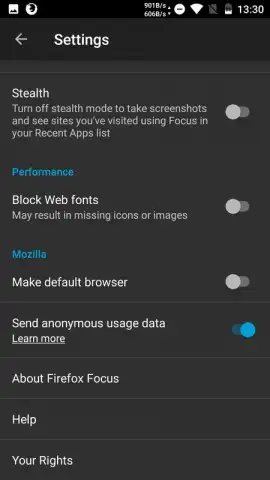
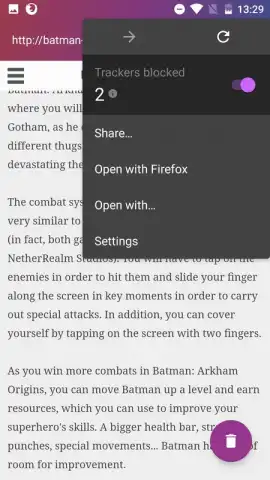
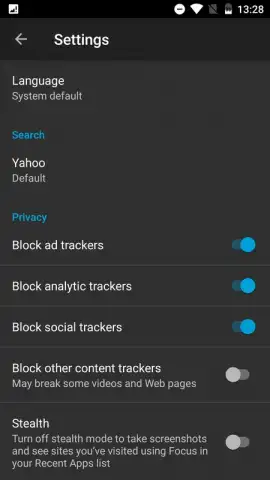
The application actively intervenes during web navigation by identifying and blocking a wide array of tracking elements, such as analytics scripts, social media trackers, and advertising beacons. A prominent counter on the main interface provides real-time feedback by displaying the exact number of trackers blocked during the current browsing session. Within the settings menu, users can exercise granular control over these protective measures, including the ability to enable or disable specific blocking categories, select a default search engine from a provided list, and adjust the application's display language. This design creates a browsing environment where third-party data collection is significantly reduced by default.
Key Operational Features
- Automatic History Erasure: Ensures no browsing history, search terms, or cookies are stored on the device after the session ends, enforcing privacy by design.
- Comprehensive Tracker Blocking: Actively prevents scripts from social media, advertising networks, and analytics platforms from loading and tracking user activity across sites.
- Configurable Privacy Controls: Offers a centralized settings panel to manage blocking preferences, choose a default search provider, and customize the interface language.
We suggest trying Firefox Focus if your primary concern is minimizing your digital footprint during casual, single-session mobile web browsing. Consider downloading the application to experience a browsing model where privacy controls are the central feature rather than an optional setting.
Internet required. IAP available.
 GooglePlay


