

Free Zone - Free WiFi Scanner
Free Zone - Free WiFi Scanner screenshots (4)
Description Free Zone - Free WiFi Scanner
Never Search for WiFi Again
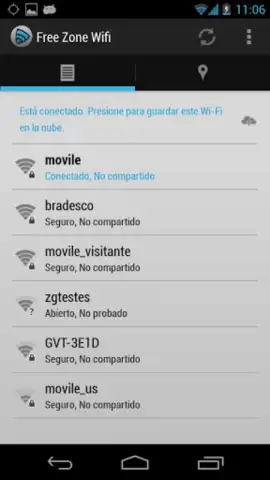
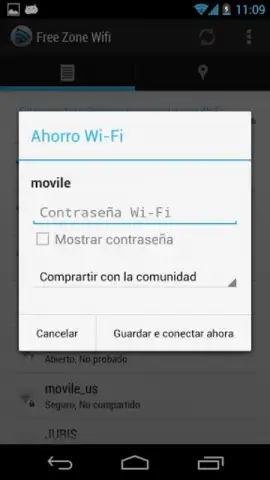
Tired of draining your mobile data or hunting for a signal? Free Zone - Free WiFi Scanner automatically finds and connects you to available networks around you, keeping you online without touching your cellular data plan. It’s the essential tool for staying connected on the go, turning your device into a powerful hotspot detector that works seamlessly in the background.
How Free Zone Keeps You Connected
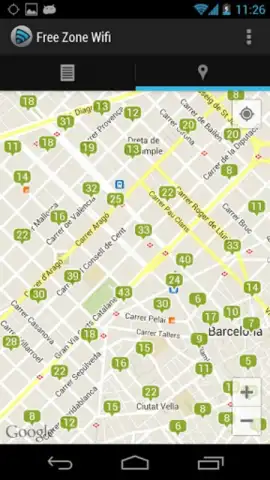
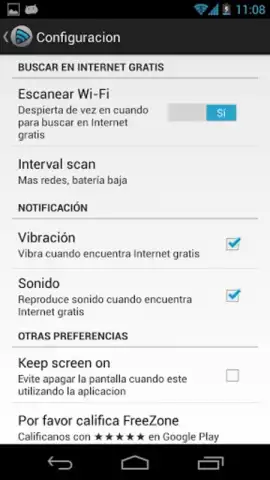
This app operates as a powerful, passive scanner that continuously monitors your surroundings for open and public WiFi networks. Upon detecting an available signal, it can automatically connect your device or provide you with precise location details and network names for manual access. A key feature is the customizable alert system, which can notify you with a distinct vibration pattern or an audible sound the moment you enter the range of a connectable network, ensuring you never miss an opportunity to get online. The optional Turbo mode enhances performance for faster, more reliable scanning and connection stability.
For users without a cellular data plan or those with WiFi-only tablets, this app transforms how you access the internet. It intelligently builds a map of known, reliable access points in your frequented areas, helping you maintain a persistent connection throughout your day without any complex setup.
Core Features at a Glance
- Continuous background WiFi scanning
- Custom sound and vibration alerts
- Optional Turbo mode for performance
We suggest trying Free Zone to effortlessly manage your connectivity. It’s particularly useful for travelers, students, and anyone looking to conserve their mobile data. Consider downloading it today to experience hassle-free internet access.
Download the Free Zone - Free WiFi Scanner mobile app now.
Heads up: you'll need to be in range of WiFi networks for the scanner to work. The optional Turbo mode is a premium feature. The app requires location permissions to function accurately.


