

Galaxy S Launcher
Galaxy S Launcher screenshots (4)
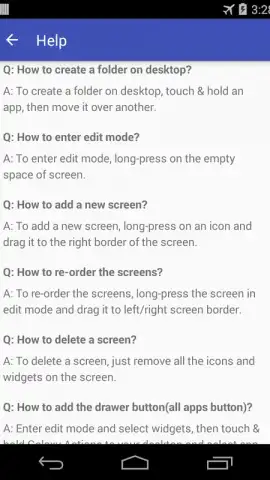
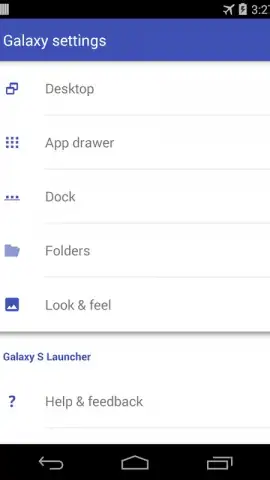
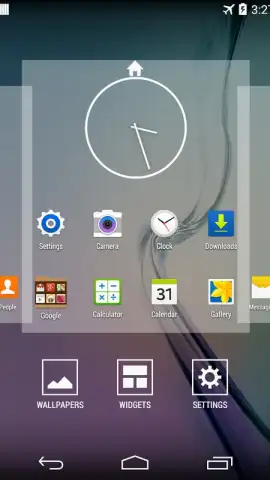
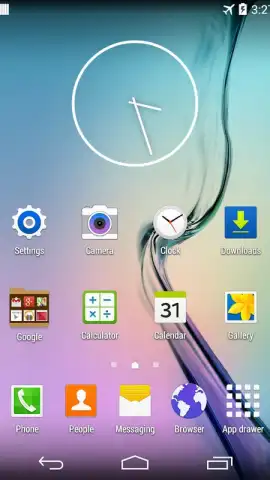
Description Galaxy S Launcher
Ever wished your phone could feel as sleek and powerful as the latest flagship, without the hefty price tag? Galaxy S Launcher transforms your device’s interface, delivering the premium Galaxy S experience directly to your screen. Redefine your Android interaction with smooth animations, intelligent organization, and a truly personalized home.
Experience Flagship Style & Performance
Galaxy S Launcher meticulously recreates the iconic One UI interface, bringing its clean aesthetics and intuitive navigation to a wide range of Android devices. Enjoy fluid gesture controls, a streamlined app drawer, and the elegant visual design that Samsung users love. This isn't just a skin; it's a comprehensive overhaul that prioritizes both form and function, making every interaction feel premium and responsive.
Core Features & Customization Tools
Take complete control over your home screen layout with an extensive suite of editing tools. Apply authentic Galaxy S icon packs, adjust grid sizes for perfect widget placement, and utilize smart folders that automatically categorize your apps. The launcher supports advanced theming, allowing you to fine-tune everything from font styles and icon shapes to transition animations and folder transparency for a look that is uniquely yours.
- Authentic One UI Interface: Replicates the smooth navigation, clear visuals, and layout of the flagship Galaxy S experience.
- Highly Customizable Grid & Layouts: Adjust rows, columns, and padding to fit more icons and widgets precisely where you want them.
- Extensive Icon Customization: Apply built-in packs, change individual icons, and adjust icon size and label visibility effortlessly.
- Powerful Gesture Controls: Launch apps, trigger actions, or access notifications with intuitive swipe and double-tap gestures.
- Integrated Smart Search & App Drawer: Find any app, contact, or setting instantly from your home screen with a unified search bar.
Download Galaxy S Launcher now and give your phone an instant flagship upgrade! Don't wait—transform your device's look and feel today!
Disclaimer: This product is not affiliated with or endorsed by Samsung. Galaxy S and One UI are trademarks of Samsung Electronics Co., Ltd. An internet connection may be required for certain features. This app contains optional in-app purchases. Please review the app's data usage and privacy policy upon installation. Requires Android 4.1 (Jelly Bean) or higher.


