

GenialWriting
GenialWriting screenshots (5)
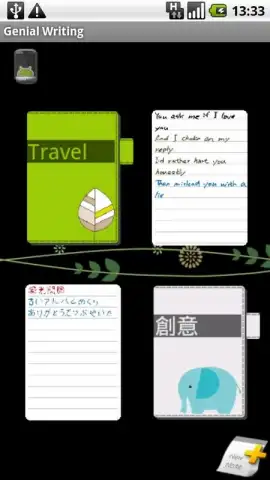
Description GenialWriting
Capture Ideas Instantly with Natural Handwriting Input
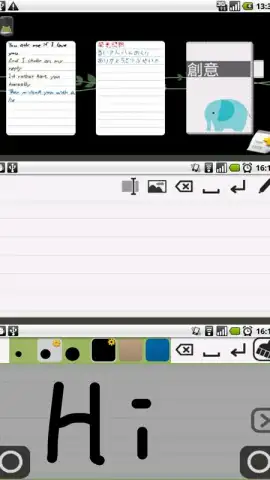
For users who prefer the tactile feel of handwriting but require the speed and organization of digital notes, standard typing or complex note-taking apps can create a barrier. GenialWriting addresses this by transforming your Android device's screen into a direct canvas for your thoughts. This application is engineered for rapid note capture and the immediate preservation of ideas using stylus or finger input, eliminating the friction between conception and notation. It serves as a practical tool for creating personal memos or for sending distinctive, personalized messages to contacts in the form of authentic handwritten notes.
Functional Capabilities and Customization
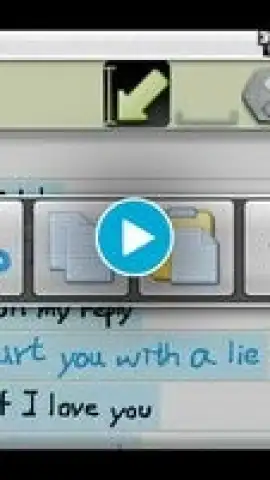
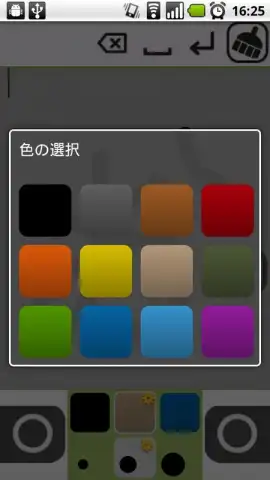
The application provides a focused set of utilities for writing, editing, and sharing. Users write directly onto the device display, with controls for switching pen colors and stroke width in real time. The interface supports both portrait and landscape orientations, adapting to your preferred holding position. Core editing functions include the ability to undo actions with a simple gesture and to copy and paste content between different notes. For note enrichment, you can insert images directly from your device's gallery. Paid users unlock the additional utility of capturing and inserting photos using the device's camera at the moment of note creation.
System Efficiency and User Experience
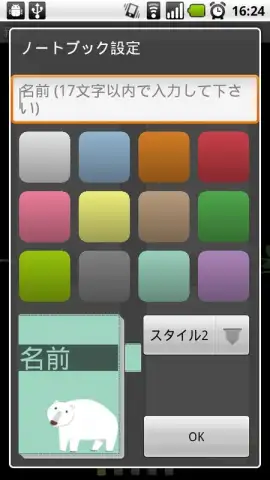
Operational efficiency is maintained through a customizable widget system, allowing you to place a note-taking shortcut of a suitable size on your home screen for instant access. The free version of the application is fully functional for casual use but includes advertising placements. Upgrading to the paid Turbo version removes all advertisements and activates the premium feature set, significantly expanding the tool's versatility for professional or frequent use. The variety of selectable notebook styles and paper backgrounds allows for further personalization of the writing environment.
Sharing and Integration Workflow
Created notes are designed for easy distribution. You can share your handwritten notes directly from the application to friends and colleagues via email or integrated social media platforms. This facilitates a more engaging and collaborative form of communication compared to standard text. The process of creating, formatting, and sharing is consolidated into a single, intuitive workflow, making the tool practical for both individual idea management and interactive communication.
- Write directly on screen
- Insert images from gallery
- Share notes via social media
We suggest trying GenialWriting if you seek a streamlined, handwriting-focused method to document thoughts and communicate personally on your Android device. Consider downloading to experience the combination of natural input and digital convenience.
The application requires an internet connection for certain sharing functions and may offer in-app purchases for premium features.


