

Glyphsy – Stylish Keyboard
Glyphsy – Stylish Keyboard screenshots (7)
Description Glyphsy – Stylish Keyboard
The Standard Keyboard Is a Missed Opportunity
Every time you type a message, browse an app, or search the web, you're presented with a blank, utilitarian interface. The default keyboard is a tool, but it doesn't have to be a boring one. Glyphsy transforms this essential interaction point from a functional necessity into a personalized statement, directly on your device's home screen and within every application you use.
Core Functionality and Customization Tools
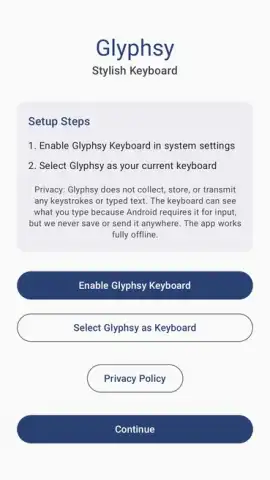
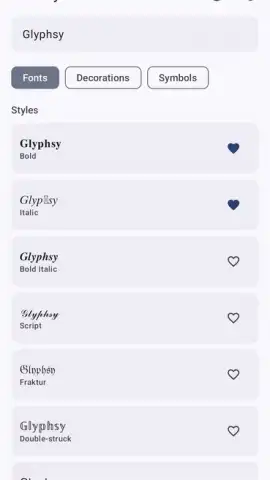
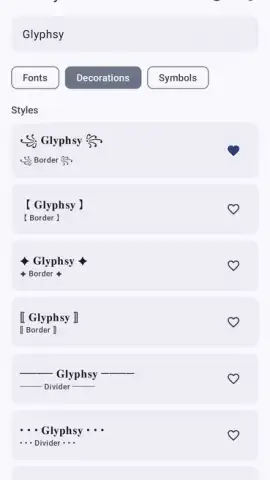
Glyphsy operates as a fully-featured keyboard replacement app, offering deep system-level customization. Upon installation and activation in your device settings, it provides a suite of tools to modify the visual and tactile experience of typing. The primary mechanics involve applying curated theme packs, which alter the key shapes, background images, color gradients, and sound effects. Users can mix and match elements from different themes, adjust individual color values for highlights and keypress states, and modify the keyboard's overall transparency and height for ergonomic comfort. The app functions as a design studio for your input method, where the core interaction is the seamless application of these visual layers over the standard typing framework.
Key User Advantages and Performance
The main strength of Glyphsy lies in its balance of aesthetic flexibility and operational stability. The visual themes are engineered to maintain key legibility and spacing, preventing the common issue of beautiful but impractical keyboards. Performance is optimized to minimize input lag, ensuring that the decorative elements do not come at the cost of typing speed or autocorrect accuracy. The user experience is streamlined through a centralized theme gallery and a straightforward layout editor, making deep customization accessible without requiring technical knowledge. It turns a system component into a reliable and expressive accessory.
- Extensive Theme Library: Access hundreds of designer-crafted keyboard themes, from minimalist to vibrant.
- Granular Custom Controls: Independently adjust key color, background image, sound, and vibration feedback.
- Optimized Typing Experience: Maintains high responsiveness and prediction accuracy despite visual changes.
Transform Your Device Interaction Today
Stop settling for the default. Install Glyphsy to claim a keyboard that reflects your style and enhances every tap and swipe.
Download mobile app now
Heads up: you'll need wifi to download theme packs. Some premium themes are extra. Requires Android 7.0 or higher.


