

Google Pixel Watch
Google Pixel Watch screenshots (5)
Description Google Pixel Watch
What Does the Google Pixel Watch App Actually Do?
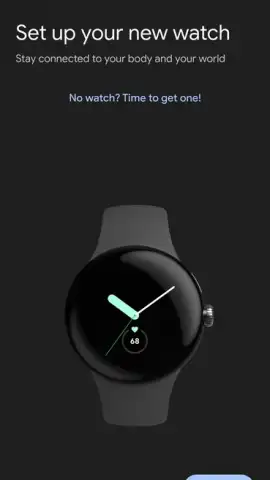
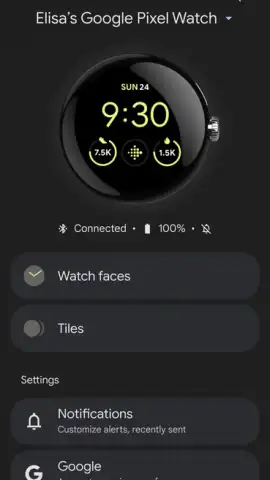
For owners of the Google Pixel Watch, this companion application is not merely a suggestion—it is the essential command center that unlocks the full potential of the Wear OS smartwatch. The Google Pixel Watch app serves as the definitive bridge between your Android smartphone and your wrist, transforming the hardware from a simple timepiece into a deeply integrated, personal device. Its primary function is centralized management, offering granular control over every aspect of the watch's operation, from aesthetic personalization to core system functionality and connectivity. Without it, the Pixel Watch operates at a fraction of its capability, missing the seamless synchronization and deep customization that define the user experience.
Core Functionality and Feature Analysis
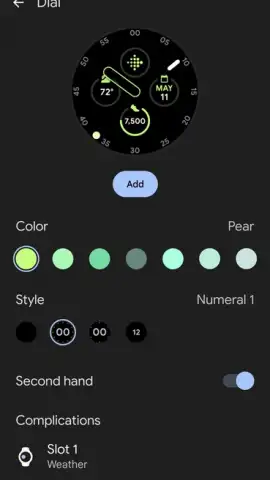
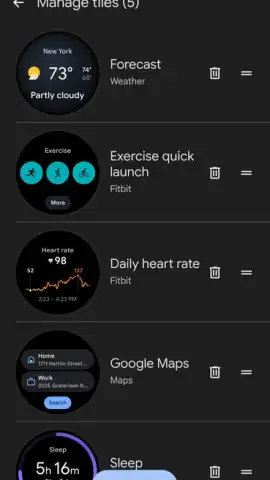
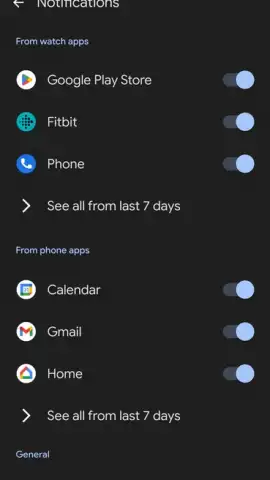
The application’s interface is logically segmented into key management areas. The watch face library and customizer is a standout feature, providing access to a curated collection of designs while allowing for profound customization. Users can select from various styles, then adjust complications, color palettes, and layout spacing to create a truly unique glanceable interface. Beyond aesthetics, the app handles all critical configuration. This includes managing app installations directly from your phone, updating existing watch applications, and controlling notification sync—ensuring only the alerts you want are mirrored from your smartphone to your wrist. A dedicated settings panel offers comprehensive control over privacy permissions, system behaviors, and display preferences, consolidating options that would otherwise be buried in the watch’s own smaller interface.
Further technical management is facilitated for advanced features. For Pixel Watch models with cellular capability, the app is indispensable for provisioning the integrated eSIM. It guides users through operator setup, enabling standalone connectivity to mobile networks for calls, messages, and data without the phone present. The integration extends to Google’s ecosystem, allowing direct management of your linked Google Account preferences on the device and seamless control over services like Google Maps for navigation directly from the wrist. The absence of advertising within the app ensures a focused, uninterrupted management experience, which is a significant benefit for a utility application of this nature.
- Centralized watch face customization hub
- Complete app and notification management
- Cellular eSIM and operator setup
- Integrated Google ecosystem controls
To command every feature of your Google Pixel Watch and configure it to your exact preferences, this application is mandatory. Download the Google Pixel Watch app now to establish full control. Do not wait—install it immediately to begin the complete setup and integration process.
A data connection is required for setup, app downloads, and certain features. Some watch faces or apps may require purchase.
 GooglePlay


