

GPS Navigator
GPS Navigator screenshots (6)

Description GPS Navigator
A Comprehensive Offline GPS Solution for the Discerning Traveler
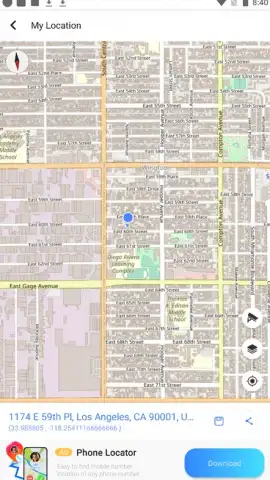
This GPS Navigator app establishes itself as a robust, feature-rich mapping tool designed for Android users who prioritize reliability and detailed route planning over flashy interfaces. It functions as a dedicated navigational instrument, engineered to calculate efficient paths from point A to point B while minimizing unexpected road complications. The core value proposition lies in its dual-mode functionality, offering both a fully autonomous offline experience and a dynamic online mode, giving users precise control over their data usage and navigational context depending on the journey.
Core Functionality and User Experience
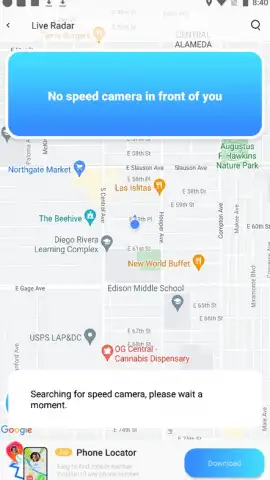
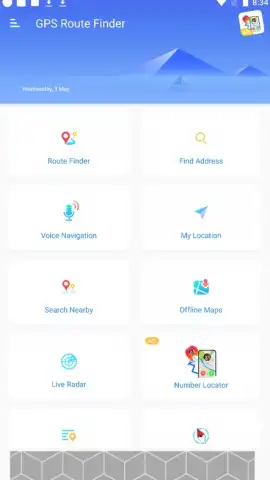
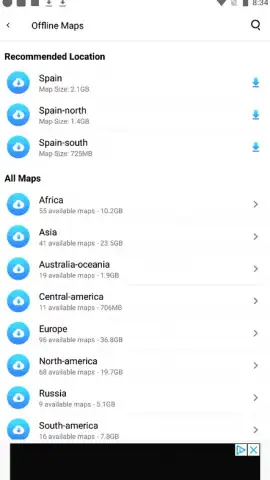
The application presents a clean, utilitarian main menu that serves as a direct hub for all its tools. This design philosophy minimizes clutter and allows for rapid access to critical features like saved destinations and settings. The standout capability is its comprehensive offline mapping system. Users can download detailed vector maps directly to their device's storage, enabling full-featured route search and turn-by-turn guidance without any cellular or Wi-Fi connection. This is particularly vital for international travel, remote areas with poor coverage, or for users managing strict data plans. Conversely, activating the online mode layers in real-time traffic flow data, speed camera alerts, and updated road incident reports, transforming the app into a proactive co-pilot for daily commutes.
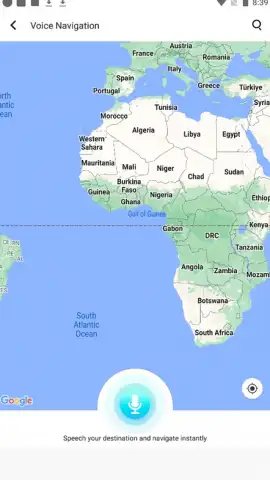
Beyond basic routing, the app includes a suite of customization options that enhance practical utility. A dedicated section allows for the selection of a guidance voice, offering a choice in tone and language for auditory commands. The system provides multiple configurable alerts for speed limit zones along your programmed route, which can be displayed visually or announced audibly. While the presence of advertisements within the free version is noted, the application offers a 'Turbo' mode—presumably a premium tier—which removes ads and may unlock additional features, directly addressing a common pain point in free navigation software.
- Fully Offline Navigation: Download regional maps for complete, data-free route planning and guidance anywhere.
- Real-Time Online Features: Access live traffic updates, speed camera locations, and road hazard warnings when connected.
- Customizable Voice Guidance: Select from multiple voices for clear, turn-by-turn spoken directions on every trip.
- Advanced Speed Limit Alerts: Receive multiple forms of warnings for speed zones and restrictions along your route.
- Ad-Free Turbo Mode: An optional upgrade to eliminate advertisements and potentially enhance the user experience.
The app delivers on its core promise of accurate GPS positioning and reliable routing. The depth of customization, particularly the robust offline functionality, provides significant value that compensates for the ad-supported model. For travelers, daily drivers, and anyone needing a dependable backup navigator, this tool offers a substantial and practical set of features.
Get this powerful navigator on your device immediately! Download the mobile app now and take control of your next journey!
Internet required for online features. IAP available.


