

KitKat Dialer
KitKat Dialer screenshots (6)
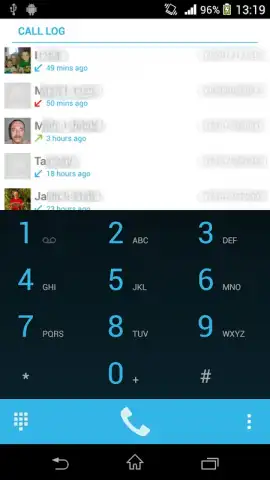
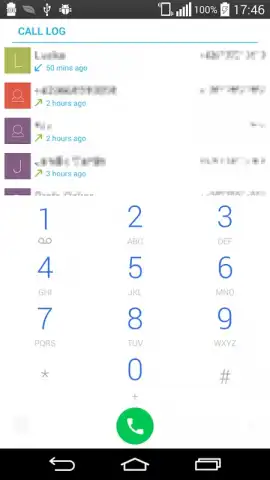
Description KitKat Dialer
A Closer Look at the KitKat Dialer for Android
In the landscape of default Android dialer applications, users often encounter interfaces that are functional but lack depth in customization and speed. The KitKat Dialer by developer kAmMa enters this space as a specialized communication tool, version 2.3.0, engineered to replace the stock phone experience. This review examines its operational mechanics, from core calling management to its extensive personalization engine, providing a factual breakdown of its capabilities as a standalone dialer application.
Core Functionality and Call Management Architecture
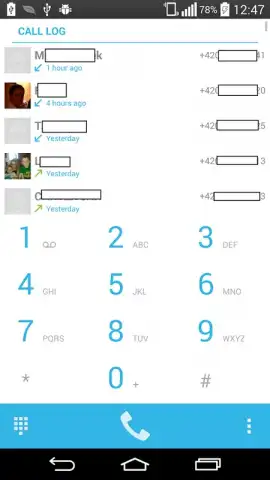
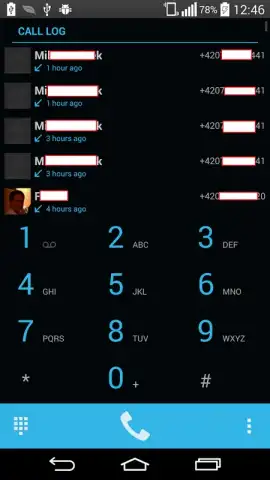
The application functions as a complete replacement for the native dialer, with a primary focus on streamlining call and contact interactions. The interface consolidates the dial pad, call history log, and a dedicated favorites panel onto a single, accessible home screen. A technical point of note is the implementation of real-time synchronization; modifications to the call history or contact list are processed and reflected immediately without manual refresh commands. The system includes a dedicated call log management utility, allowing for bulk or selective deletion of history entries to maintain clarity. The favorites screen is not merely a static list but can be configured for instant access upon launching the app, serving as a direct conduit to high-priority contacts.
Comprehensive Personalization and Theme Framework
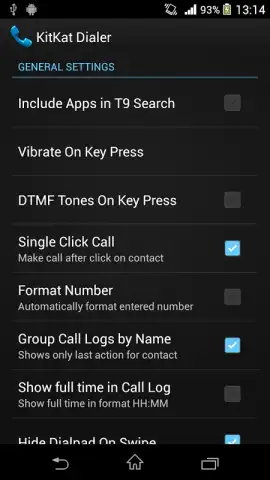
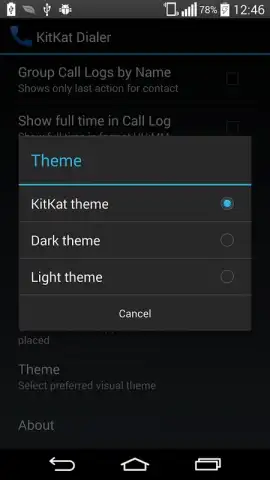
Beyond basic calling, the KitKat Dialer distinguishes itself through a granular theme and visual customization system. The theming engine provides pre-configured options such as Lollipop and KitKat themes, which overhaul the color palette and visual style of the entire interface. Users are not limited to presets, however. The settings panel allows for manual adjustment of individual elements: this includes modifying the display name and text color for specific phone numbers, applying gradient backgrounds, and fine-tuning the font size across the dialer and contact lists. Furthermore, the application supports direct management of contact photographs from within the dialer's interface, enabling visual personalization without accessing a separate contacts app.
Performance Optimization and System Integration
Performance metrics are a stated focus of the development. The application utilizes a optimized loading protocol for images and contact data, aiming to reduce launch time and improve responsiveness during call initiation. It incorporates a local backup and restore function for user-configured settings. This utility saves personalized themes, favorites lists, and display preferences to the device's internal storage, allowing for seamless restoration after an update or re-installation, without reliance on cloud services. The design prioritizes operational fluency, seeking to maintain consistent performance even during resource-intensive tasks like scrolling through extensive contact lists with high-resolution images.
Feature Summary and Practical Utility
- Advanced theme and color customization
- Instant favorites access and management
- Local backup for all user settings
- Optimized call log synchronization and cleanup
The KitKat Dialer presents a factual alternative for users whose requirements extend beyond a basic dialer. Its utility lies in the consolidation of enhanced call management, deep visual personalization, and focused performance tuning into a single communication module.
Download the KitKat Dialer mobile app now and reconfigure your calling interface today. Do not wait to upgrade from the standard dialer experience.
Disclaimer: This application requires an internet connection for initial download and potential future updates. It may request permissions to access your device's contacts, phone logs, and storage for full functionality. The developer may offer in-app purchases. Data usage depends on your activity and sync settings. Please review the app's listing for age ratings and specific privacy practices before installation.


