

HP QuickDrop
HP QuickDrop screenshots (3)
Description HP QuickDrop
Ever Fumbled with Cables to Get a Photo from Your Phone to Your Laptop?
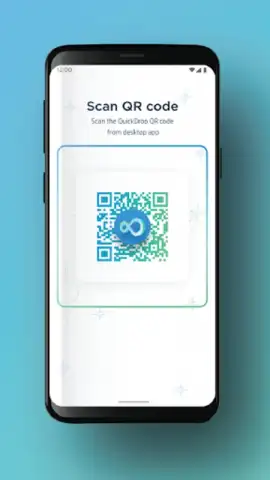
That moment of friction is gone. Imagine selecting a file on your phone and having it appear instantly on your computer screen, no searching for cables, no emailing yourself, no confusing cloud menus to navigate. HP QuickDrop dissolves the barrier between your Android device and your Windows PC, creating a seamless bridge for your digital life. It transforms file sharing from a chore into a thoughtless extension of your workflow, letting you focus on what you’re creating rather than how you’re moving it.
Your Instant, Wireless File Transfer Hub
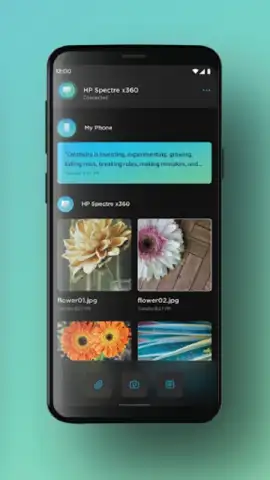
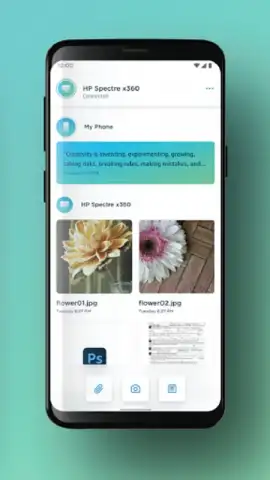
HP QuickDrop is designed for effortless synergy between your devices. Once set up with your HP computer, the app establishes a direct, peer-to-peer connection. You simply open the app on your phone to see your computer right there, ready to receive. Drag and drop becomes tap and send. It’s perfect for transferring vacation photos to edit on a larger screen, sending a document you just downloaded on your phone to your PC for printing, or quickly saving a work file from your laptop directly to your mobile device before you head out. The interface stays clean and out of the way, appearing only when you need it, making the transfer of photos, videos, documents, and more feel like magic.
Why This Becomes Your Go-To Tool
The true advantage lies in the elimination of complexity. This isn’t another cloud storage app; it’s a direct pipeline.
- One-Tap Transfers to Known Devices: Securely send files to your paired HP computer with a single action. No need to re-select or re-authenticate your device every time.
- High-Speed Direct Connection: Experience fast file transfers using a direct Wi-Fi connection between devices, avoiding slower internet uploads and downloads.
- Organized Receiving Folder: All files sent from your phone arrive neatly in a dedicated QuickDrop folder on your PC, saving you from searching through cluttered downloads.
Download the App Now and Cut the Cord for Good
Stop wrestling with technology and start flowing with it. This is your exclusive access to a simpler, faster way to move your digital world. Install HP QuickDrop today and experience the instant gratification of seamless sharing. Your most productive—and effortless—workflow starts now.
Download mobile app now
Disclaimer: This application requires an internet connection for initial pairing and may use data. Functionality requires a compatible HP computer with supported software. Some features may be subject to change. Data usage and transfer speeds may vary based on your network environment and file sizes. Please refer to the in-app information for details on compatibility and system requirements.


