

html programme
html programme screenshots (1)
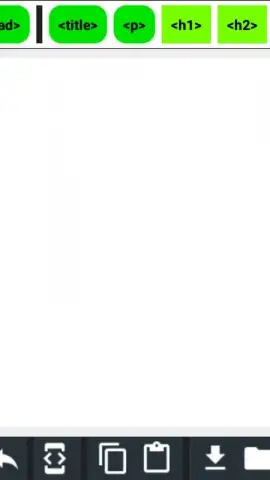
Description html programme
Imagine you’ve just had an idea for a sleek website or a custom interactive element, but the thought of sitting at a desktop computer to code it feels cumbersome. What if you could sketch, test, and refine HTML, CSS, and JavaScript directly from your phone, turning idle moments into productive development sessions? This is the core proposition of html programme, a mobile-centric coding environment designed for learning, prototyping, and quick edits on the go. It transforms your Android device into a portable workstation, allowing you to engage with the fundamental languages of the web anytime, anywhere, without the overhead of a complex desktop IDE.
A Compact Development Studio in Your Pocket
The app functions as a self-contained editor and preview engine. You work within a clean, dual-pane interface: one side for writing your code in HTML, CSS, and JavaScript, and the other providing a live, rendered preview of the output. This immediate visual feedback is crucial for understanding how code changes affect the final design, making it an effective tool for visual learners. The editor includes essential quality-of-life features like syntax highlighting, which color-codes tags, properties, and values to improve readability and help you spot errors quickly. For those building more complex logic, a straightforward console allows you to log outputs and debug JavaScript in real time, completing a practical loop of write, execute, and troubleshoot.
Key Advantages for the Mobile Developer
Beyond the basic edit-preview cycle, html programme is built with the constraints and opportunities of mobile use in mind. The interface is streamlined and responsive, ensuring that touch-based code editing—often a pain point—feels intuitive, with a well-considered virtual keyboard layout for common programming symbols. Performance is optimized for mobile processors, providing a smooth preview experience even for moderately complex scripts. It serves multiple purposes equally well: it’s a sandbox for experienced developers to test snippets, a structured learning platform for beginners following online tutorials, and a handy tool for students to complete and review assignments without needing a full computer setup.
- Live Code Preview Pane: See the visual results of your HTML, CSS, and JS code update instantly as you type, enabling rapid iteration and learning.
- Syntax-Highlighted Editor: Navigate your code easily with color-coded tags and functions, reducing errors and improving overall code comprehension.
- Integrated JavaScript Console: Debug scripts and log outputs directly within the app, providing essential tools for developing interactive web elements.
Consider downloading html programme if you're looking for a no-fuss, capable mobile companion for web development tasks, whether for education, prototyping, or practical coding practice.
Requires an internet connection for certain functions. The app may offer optional in-app purchases.


