

iLauncher
iLauncher screenshots (6)

Description iLauncher
A Home Screen That Finally Works for You
For years, the standard Android launcher has offered a grid of icons and a few static widgets. The iLauncher app rethinks this foundation, transforming your device's interface from a static dashboard into a dynamic, personalized control center. It addresses the common frustration of navigating through cluttered pages to access essential functions, proposing a system where aesthetics and utility are seamlessly integrated.
Core Functionality and Customization Engine
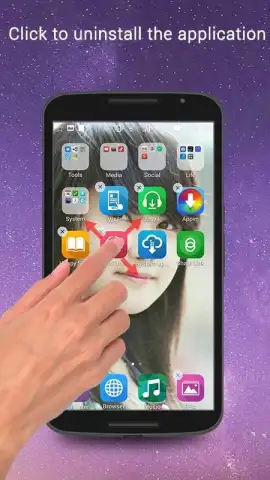
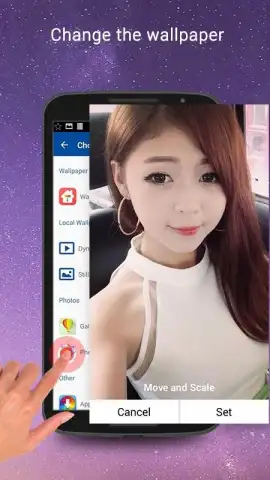
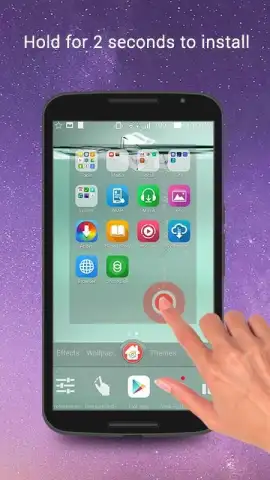
The iLauncher operates by replacing your device's default home screen system with a highly adaptable layer. Its primary mechanic revolves around deep visual and interactive customization, granting granular control over icon packs, widget scaling, gesture navigation, and folder management. Users can apply cohesive themes that alter icons, wallpapers, and system accent colors simultaneously. A central feature is the advanced drawer organization, allowing apps to be sorted by usage frequency, category, or custom tags, moving beyond alphabetical listing. The launcher integrates dynamic widgets for at-a-glance information and provides extensive tools for adjusting grid sizes, animation speeds, and transition effects to tailor the tactile feel of every interaction.
Analytical Overview of Key Advantages
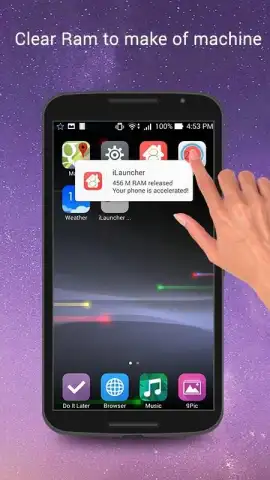
This tool distinguishes itself through a balance of depth and stability. The user experience is built on a non-intrusive framework that prioritizes fluid performance, even on devices with modest specifications, by minimizing background resource consumption. Visually, it offers a clean, modern base interface that serves as a neutral canvas for customization, avoiding overly stylized defaults that limit user expression. The advantage lies in its systematic approach: changes are applied incrementally and can be reverted without requiring a full reset, reducing the friction typically associated with home screen experimentation. It provides utility not through gimmicks, but through reliable, everyday enhancements to navigation speed and information access.
- Apply complete theme packs that sync icons, wallpapers, and system colors
- Organize your app drawer with custom categories, tags, and smart sorting
- Implement gesture controls to launch apps or actions from any home screen
- Resize and style widgets with precision for a perfectly aligned layout
- Adjust detailed performance settings like animation speed and grid density
Download the Mobile App Now
This level of home screen control is typically reserved for advanced mods requiring root access. iLauncher delivers it in a stable, secure package. For a limited time, new users receive exclusive access to a curated collection of premium icon packs and widgets. Transform your device's workflow today—this offer is for the first wave of installers only.
An internet connection may be required to download additional theme assets and updates. The app is free to use and may contain optional in-app purchases for premium theme collections.


