

InstaSniper
InstaSniper screenshots (5)

Description InstaSniper
Never Miss a Moment: Download Any Instagram Video Instantly
Tired of seeing incredible Instagram Reels, tutorials, or memorable stories vanish without a way to save them? Manually screen recording sacrifices quality and adds unwanted clutter. InstaSniper solves this by operating as a powerful, invisible background utility that integrates directly with your Instagram browsing workflow. This tool transforms your device into a seamless video capture station, allowing you to download any public video from the Instagram app with two taps, storing high-resolution copies locally without any watermarks or alerts sent to the original poster. It eliminates the need for unreliable online download websites that require pasting links, instead working natively as you scroll.
Core Functionality and Advanced Operation
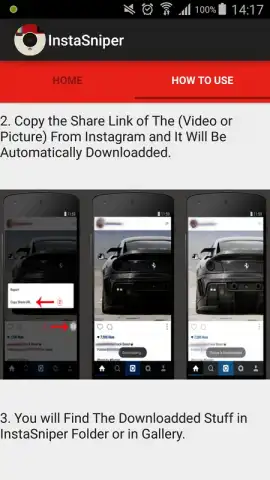
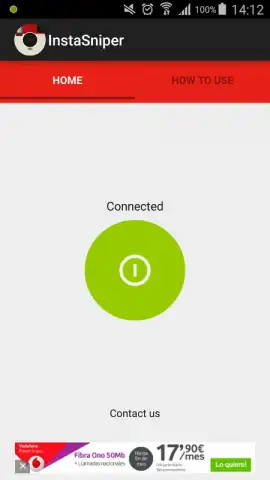
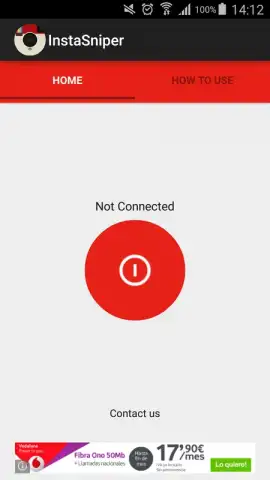
InstaSniper operates through a sophisticated background service that activates with a single toggle. Upon launching the app, you engage the primary activation switch, which changes from red to a persistent green, confirming the background service is live. You can then fully close the InstaSniper application itself—it continues running as a minimal system process. Open the official Instagram app and browse your feed, Explore page, or profiles as normal. When you find a video you wish to save, simply tap the standard three-dot menu beneath the post and select "Copy Link." This action triggers InstaSniper's detection protocol, which immediately intercepts the video data and initiates a download to a dedicated, organized folder on your device named "InstaSniper." The entire process, from copying the link to the completed download, typically concludes within 2-3 seconds, matching the speed of Instagram's own video streaming.
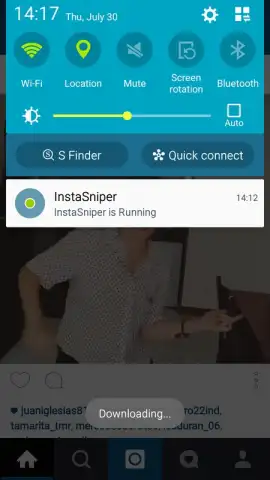
The app is engineered for discretion and efficiency. All downloaded content is saved directly to your local storage in its original quality, leaving no trace or notification within the Instagram platform. For extended management, a quick access notification is available in your device's pull-down shade, showing the active status. When you wish to disable the service to conserve minimal background resources, simply pull down the notification panel, tap the persistent InstaSniper notification to reopen the app, and toggle the main switch back to red. This on-demand activation model provides total control. The optional Turbo mode, available via in-app purchase, further streamlines the experience by removing auxiliary promotional content and enhancing processing priority.
- One-Tap Background Activation
- Copy Link to Download Instantly
- Discrete, Local-Only Storage
- Toggle Service On/Off via Notification
Stop letting great content disappear. Take control of your Instagram experience and build your personal media library today. Download InstaSniper now and start saving in seconds.
Internet required. IAP available.


