
iOS 17 Status Bar
iOS 17 Status Bar screenshots (5)
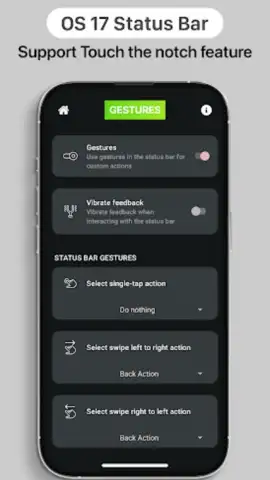
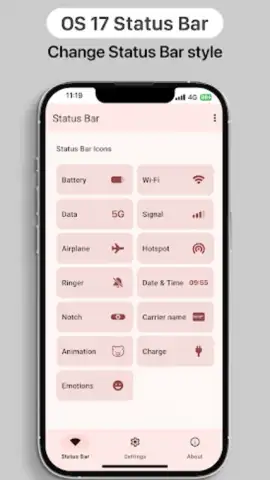
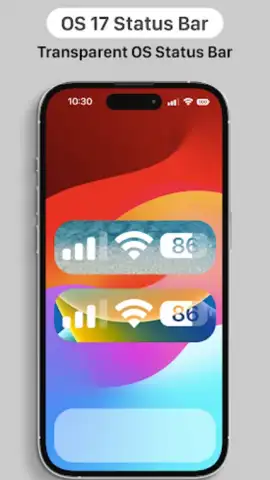
Description iOS 17 Status Bar
Give Your Android the Clean, Premium Look of iOS 17 Instantly
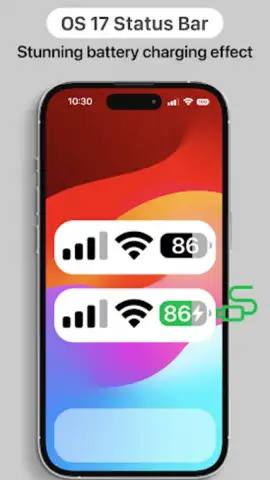
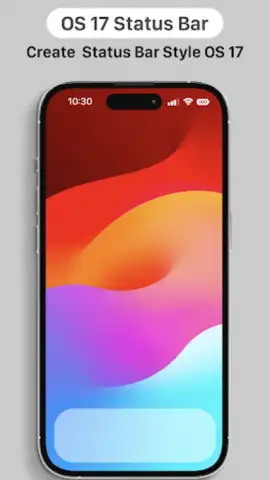
Tired of the same old Android status bar? Imagine transforming the top of your screen into the sleek, minimalist information hub of a brand-new iPhone. With the iOS 17 Status Bar app, that polished Apple aesthetic is just a few taps away, no complex modifications required. This clever customization tool overlays a pristine iOS-style status bar and dynamic island onto your Android device, delivering a stunning visual upgrade that feels both fresh and familiar. Watch as your notification panel is reborn with the crisp icons, perfect spacing, and clean typography that define the iOS 17 experience, giving your phone a sophisticated new identity without a single risky system tweak.
Craft Your Perfect iOS-Style Interface
This app puts you in complete control of your phone's new look. You’re not just getting a static bar; you’re getting a fully customizable design studio for your status area. Dive into the settings and tint the bar to match your wallpaper perfectly, creating a seamless, integrated look. Prefer a floating, transparent effect on your home screen? You can do that too, letting your background shine through. The fun continues with personalized icon styles, including the option to swap the standard battery icon for an animated emoji battery that smiles when charging and drains with drama. You can even shape the dynamic island to mimic the latest iPhone 15 layout, ensuring your Android stays on the cutting edge of design.
The magic is in the details. This status bar customizer meticulously replicates iOS spacing and alignment for a coherent, tidy appearance. Key indicators like battery percentage, Wi-Fi, and cellular signal strength remain crystal clear and instantly readable at a glance. Smooth animations for charging and connectivity changes, combined with expertly handled fonts, make the entire top of your screen feel like a cohesive, premium component. It manages to be both a playful customization tool and a genuinely practical interface enhancement, making every check of the time or signal a more pleasant experience.
- Complete Visual Overhaul: Instantly applies a clean iOS 17 status bar and dynamic island overlay, transforming your Android's top screen area with authentic icons and layout.
- Deep Customization Suite: Personalize colors, transparency, icon styles (including an emoji battery), and notch shape to match your wallpaper or favorite iPhone model.
- Root-Free Simplicity: Achieves a sophisticated look without root access, using a simple accessibility permission solely to display the overlay and device data.
Seamless Setup for Instant Transformation
Getting started is refreshingly straightforward. After installing this personalization app, it simply requests accessibility permission. This is a standard, safe method that allows the app to draw the custom status bar overlay and display real-time device information like time, battery level, and network status. The developer clearly states this permission is used exclusively for this visual overlay and its related indicators—nothing more. You grant the access, open the app, and your new iOS-style panel appears immediately. There’s no confusing setup, no waiting, and no intrusive advertising to interrupt your experience.
Who Is This For? Anyone Craving a Fresh, Elegant Look.
If you admire the clean, uncluttered aesthetic of Apple products or simply want to refresh your phone's interface without installing a heavy, full-blown theme, this status bar tool is your perfect match. It brilliantly combines whimsical details with practical readability, offering a subtle yet powerful way to make your device feel new again. It’s for the user who appreciates design elegance and wants a daily interface that is both beautiful and effortlessly functional.
We suggest trying the iOS 17 Status Bar app to effortlessly add a layer of sophisticated, iOS-inspired style to your Android device in just minutes.
Download the iOS 17 Status Bar mobile app now and redefine your phone's look today.
Heads up: you'll need wifi for the initial download. Some advanced customization styles within the app are extra.
 GooglePlay


