
IP Tools
IP Tools screenshots (4)
Description IP Tools
Ever wondered exactly what's happening on your network right now? IP Tools transforms your phone into a professional-grade network diagnostics suite, letting you see the invisible digital world around you. From checking your connection strength to exploring every device on your Wi-Fi, it puts critical network information and powerful utilities right in your pocket.
Core Network Diagnostics & Utilities
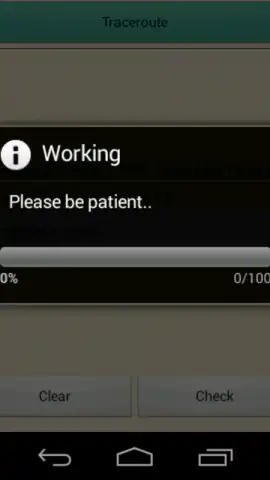
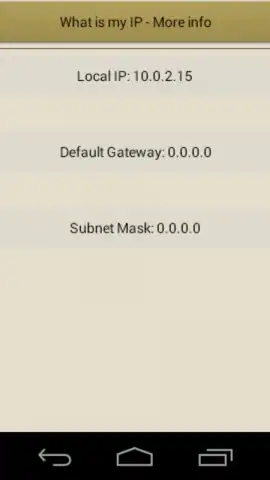
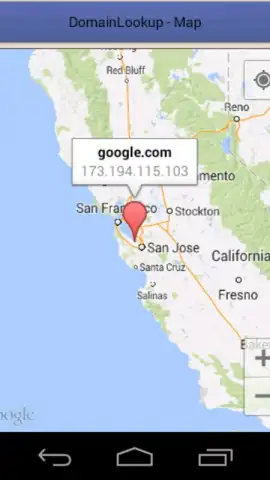
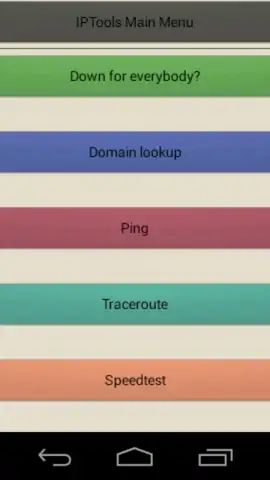
IP Tools provides a comprehensive dashboard of your device's network status, including your public and local IP addresses, gateway, DNS servers, and signal strength. It features a versatile set of network scanners to map your LAN, identifying all connected devices, their IP and MAC addresses, and even hostnames. The built-in ping tool allows you to test latency and connectivity to any domain or IP address, while the traceroute function maps the path your data takes across the internet, showing each hop and its response time. For deeper analysis, use the port scanner to check for open ports on a specific address, or the Whois lookup to retrieve domain registration details. It also includes handy tools like a DNS lookup to resolve domain names and a bandwidth speed test to measure your upload and download rates.
Key Advantages
The app presents complex network data through a clean, intuitive interface that is both visually organized and easy to navigate. All essential tools are accessible from a single main menu, allowing for rapid switching between diagnostic modes without confusion. It performs local network scans and diagnostics efficiently, providing fast results without unnecessary drain on your device's resources.
- Real-time network status dashboard
- LAN scanner & device discovery
- Ping, traceroute, and port scanner
- Whois and DNS lookup tools
- Internet speed test utility
- Clean, user-friendly interface
We suggest trying IP Tools to demystify your network, troubleshoot issues proactively, and gain complete visibility over your connected environment. Download the app now and become the expert on your own connection.
Heads up: you'll need wifi or mobile data for most external network features. Some advanced scanning and diagnostic tools may require additional permissions.


