

iPhone Style Call
iPhone Style Call screenshots (4)
Description iPhone Style Call
A Complete Interface Overhaul for Your Android Device
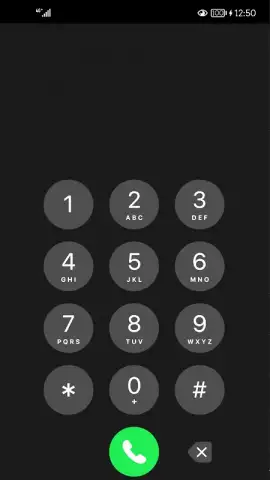
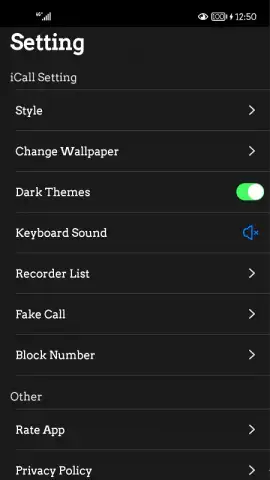
This application provides a comprehensive visual and functional transformation for Android phones, replicating the exact interface, animations, and system behaviors of a modern iPhone. It addresses the desire for a polished, cohesive user experience by replacing standard Android call screens, notification panels, and system sounds with their iOS counterparts. The result is a seamless layer of customization that alters the fundamental feel of your device's communication core without requiring root access.
Features and System Integration
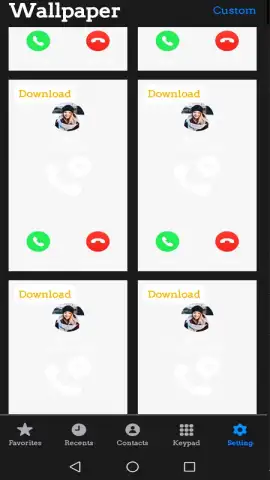
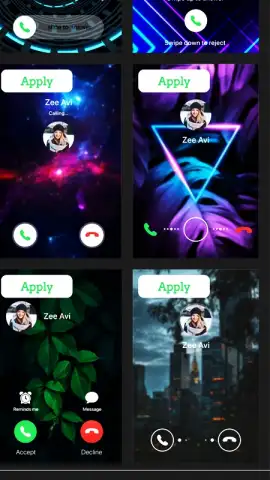
The core mechanic is a deep-level UI skin that operates primarily within the telephony and system UI frameworks. Upon activation, the app intercepts the default incoming and outgoing call screen, replacing it with the distinctive iOS slider interface, complete with accurate contact photo display and font rendering. Beyond calls, the transformation extends to the notification shade, offering the familiar iOS-style control center with toggles for WiFi, Bluetooth, and screen brightness, and the notification panel with grouped alerts. System-wide audio feedback is also modified, replacing standard ringtones and alert sounds with authentic iPhone tones to complete the sensory experience.
Key Advantages
The primary strength lies in its non-intrusive performance and high-fidelity visual accuracy. The app runs as a lightweight overlay service, ensuring your device's core performance and battery life are not adversely affected. Every graphical element, from the fluid animation of the call answer slider to the subtle blur effects in the control center, is recreated with meticulous attention to detail. Furthermore, the setup process is remarkably straightforward, requiring only standard accessibility permissions to function, making this sophisticated customization accessible to users of all technical levels.
- Authentic Call Screen Overhaul: Replaces your native dialer and incoming/outgoing call interface with the precise iOS layout, animations, and contact management visuals.
- iOS System UI Elements: Installs a fully functional control center and notification panel, mirroring the style and utility of Apple's quick settings and alert grouping.
- Complete Auditory Package: Swaps default system sounds for a full suite of iconic iPhone ringtones, message alerts, and notification chimes across the device.
We suggest trying iPhone Style Call if you appreciate refined interface design and wish to experience a consistently polished visual language on your Android hardware.
Download mobile app now
Internet required. IAP available.


