

Keepass2Android Offline
Keepass2Android Offline screenshots (5)
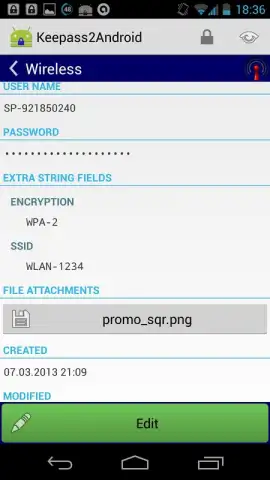
Description Keepass2Android Offline
Looking for a password manager that prioritizes security and offline functionality without unnecessary complexity? Keepass2Android Offline is a free, open-source application designed for users who require direct, local control over their credential database using the established KDBX file format.
Core Functionality and Security Model
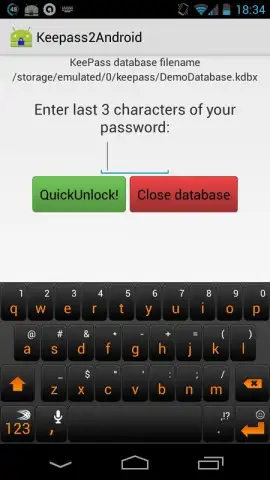
The application operates as a client for KeePass database files (KDBX format), identical to those used by the KeePass Password Safe software on desktop platforms like Windows. This ensures full compatibility and allows for seamless synchronization of your password vault between devices using your preferred cloud storage or file-transfer method. The fundamental security model requires the creation of a single master password upon initial setup. This master credential is the sole key to decrypting the entire database stored locally on your Android device. The application's design emphasizes that this master password is not stored or transmitted by the app, placing the responsibility for its strength and secrecy entirely with the user.
Interface and Practical Integration
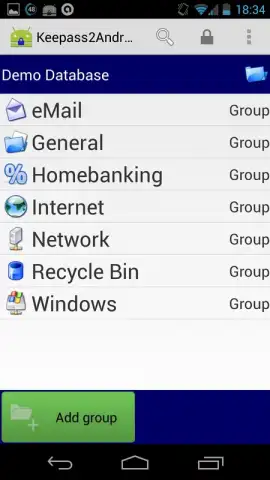
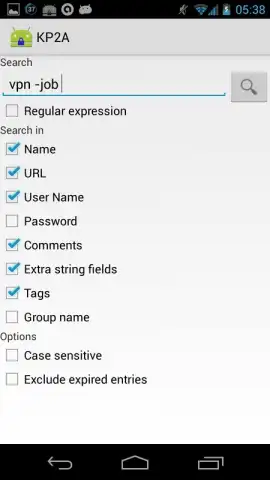
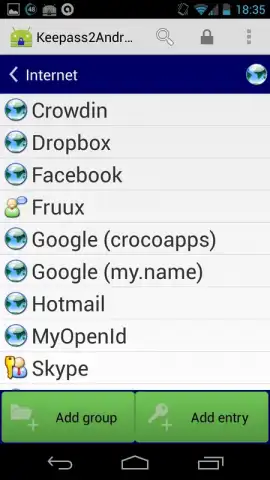
The utility focuses on core functionality over aesthetic design. Its interface provides direct access to database entries, enabling users to view, edit, and organize usernames, passwords, and notes. A significant operational feature is its integration with Android's accessibility services to facilitate auto-fill functionality. This allows the manager to work with a wide range of Android web browsers, including Chrome, Firefox, and Opera, to populate login fields upon user confirmation. The process of saving new credentials from these browsers is streamlined to a few taps.
Analysis of the Offline-First Approach
As an offline-first application, all primary database operations—creation, decryption, and editing—are performed locally on the device. This architecture eliminates any dependency on a continuous internet connection for accessing your passwords and removes the risk associated with storing your vault on a third-party vendor's server. The "Turbo" performance mode, referenced in the source code, is designed to optimize the handling of large databases. The application is distributed without advertisements, and its open-source nature allows for public scrutiny of its codebase.
- Open-source KDBX client for full compatibility with KeePass desktop databases.
- Local-only database storage with a user-defined master password for decryption.
- Browser auto-fill support for major browsers via Android accessibility services.
- No advertisements or network dependencies for core password management tasks.
- Performance-optimized engine for efficiently handling large credential databases.
Download this essential security tool immediately and take direct control of your digital keys!
Heads up: you'll need wifi for initial database download/sync and browser auto-fill setup. Some advanced features may require technical configuration.
 GooglePlay


