

Key Mapper
Key Mapper screenshots (4)
Description Key Mapper
Tired of Getting Lost in a Maze of Menus and Settings?
You know the feeling. You're trying to navigate a complex app, a game, or your own device, and the controls just don't make sense. The default key mappings are awkward, illogical, or simply not suited to how you want to interact with your device. You waste precious time fumbling through menus or adapting to a system that works against you, not for you. What if you could redesign that interaction from the ground up? What if every tap, swipe, and button press performed exactly the action you intended, turning your device into a perfectly tuned instrument of efficiency?
Remap Your World with Unprecedented Control
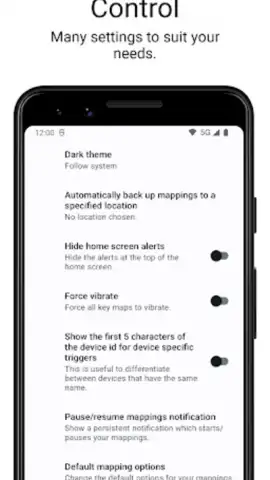
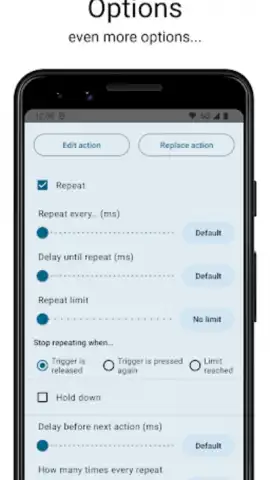
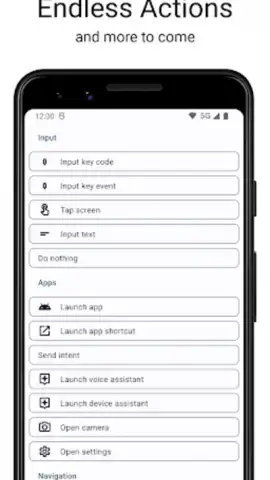
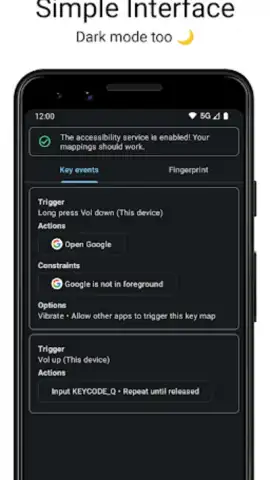
Key Mapper is a powerful utility that hands you the keys to your Android device's interaction layer. This is not just a simple button remapper; it's a comprehensive system for creating custom touch zones, gesture commands, and hardware button overrides. You can transform any area of your screen into a custom trigger or completely reassign the function of your volume keys, Bixby button, or fingerprint sensor. The app operates at a system level, allowing you to create intricate macros that execute a series of actions with a single trigger. Imagine launching your favorite app, toggling your flashlight, or controlling media playback with a gesture you define on your navigation bar or an unused part of your screen. The interface provides a visual editor where you can precisely define trigger areas and assign actions from a vast library, including launching apps, simulating key presses, toggling settings, and controlling system functions.
Why Your Device Feels Incomplete Without It
- Deep System Integration: Gain control over hardware buttons, screen gestures, and even fingerprint sensor gestures, enabling remaps that work from anywhere, even on the lock screen.
- Visual Trigger Editor: Precisely draw and adjust custom touch zones directly on a screenshot of your screen, giving you pixel-perfect control over where your triggers are active.
- Advanced Action Chaining: Create powerful macros by chaining multiple actions together. A single tap can open an app, adjust volume, and send a notification—all automatically.
- Context-Aware Profiles: Set up different remapping profiles that activate automatically based on conditions like which app is open, time of day, or connection status. Your game controls can be completely different from your reading setup.
- Non-Root Operation: Achieves extensive functionality without requiring root access, making advanced customization safe and accessible to all users.
- Clean, Intuitive UI: Navigate a well-organized interface that makes complex remapping logical and straightforward, without overwhelming you with technical jargon.
Stop adapting to your device's limitations. Start commanding it. Download Key Mapper now and experience the liberation of a truly personalized control scheme. Get it immediately!
Internet required. IAP available.
 GooglePlay


