

Kindle
Kindle screenshots (5)


Description Kindle
Struggling to carry your library everywhere or read comfortably on a small screen?
The Kindle app transforms your smartphone or tablet into a full-featured digital reader, eliminating the need for a dedicated e-reader device while providing direct access to Amazon's vast ecosystem. This official application delivers a comprehensive reading environment with deep customization, robust library management, and seamless multi-device integration. It is engineered for users who require consistent access to their reading materials across different platforms without compromising on functionality or reading comfort.
Core Functionality and Tools
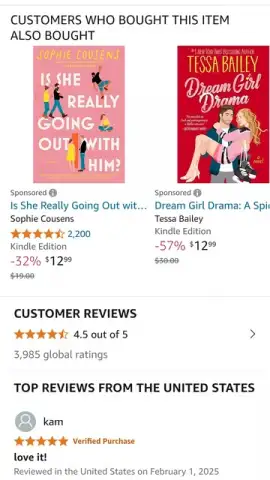
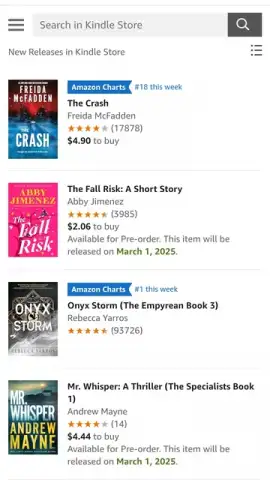
The app serves as a portal to the Kindle Store, granting immediate entry to millions of titles including novels, academic texts, comics, magazines, and audiobooks. Users can purchase individual titles or subscribe to Kindle Unlimited for expansive access. A critical feature is the ability to download free samples prior to purchase for evaluation. All content can be downloaded for persistent offline access, enabling reading during flights, commutes, or in areas with unreliable internet connectivity.
Synchronization is handled by Amazon's Whispersync technology, which automatically saves and syncs your reading progress, bookmarks, notes, and highlights across all devices. You can begin reading on a phone, continue on a tablet, and finish on a Kindle e-reader, resuming exactly at the last viewed page. The reading interface offers extensive customization: adjust font size, typeface, line spacing, and margins. Multiple background themes are available, including white, sepia, and a dark mode for low-light conditions, alongside a black background for OLED screens. Integrated tools include an instant dictionary lookup, Wikipedia search, and translation features for words or passages.
- Access millions of books and audiobooks
- Full offline reading capability
- Sync progress across all devices
- Customizable fonts and layouts
Detailed Feature Breakdown
Library and Store Integration
The application provides direct in-app browsing and purchasing from the Kindle Store, one of the world's largest digital book catalogs. Your entire Amazon Kindle library, including titles purchased from the web store, is instantly available. The app supports management of collections for organizing titles by genre, project, or reading status.
Advanced Reading Customization
Beyond basic font adjustments, the app offers specific reading modes. The Page Flip function allows for browsing through a book without losing your place. The Immersion Reading feature syncs professionally narrated audiobooks with text, highlighting words as they are read aloud. Users can also adjust screen brightness independently from the system settings for finer control over display illumination.
Note-Taking and Research Tools
The app enables the creation of highlights and notes directly on the text, which are collected and can be exported or reviewed separately. The X-Ray feature provides character descriptions, term definitions, and thematic insights for supported books. All user-generated content—notes, highlights, and last page read—is backed up to the cloud and synced universally.
Cross-Platform Compatibility and Performance
The application maintains high performance across iOS and Android devices, ensuring quick page turns and responsive navigation. It supports a wide range of file formats beyond Amazon's proprietary AZW, including PDF and MOBI documents sent via the "Send-to-Kindle" email service, which are then converted and integrated into your cloud library.
We suggest trying the Kindle app to consolidate your digital reading onto the device you always carry. Consider downloading it to experience a fully synchronized, customizable, and portable library.
Download the Kindle mobile app now.
Disclaimer: This application requires an internet connection for initial download, store access, and cloud synchronization. It may contain in-app purchases for books and subscriptions, including Kindle Unlimited. Some features require an Amazon account. Data usage applies when downloading books or syncing content over cellular networks. Please review the specific age ratings for content within the store.
 GooglePlay


