

Launcher 8 (Windows Phone)
Launcher 8 (Windows Phone) screenshots (2)
Description Launcher 8 (Windows Phone)
Give Your Android a Bold New Look
Remember the clean, grid-based elegance of a Windows Phone interface? That distinctive style, with its live tiles and sharp typography, offered a uniquely efficient way to interact with your device. Now, imagine bringing that entire visual language and organizational philosophy to your Android phone. With Launcher 8 (Windows Phone), you’re not just applying a theme; you’re installing a complete desktop environment that transforms your device’s core navigation into something strikingly different and powerfully efficient.
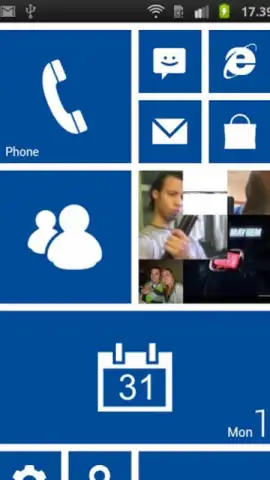
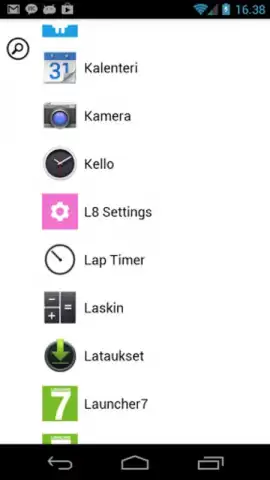
This launcher replaces your standard home screen with the iconic Windows Phone Metro UI. Upon installation, you’re prompted to choose your default home screen, allowing you to test this new interface with the safety net of your original setup just a tap away. The real magic begins with customization. You gain full control over the tiles that make up your desktop: resize them, recolor them, add new ones for your favorite apps and contacts, or remove any you don’t need. While the initial default layout is purely functional, a bit of personal tweaking unlocks a deeply personalized and visually cohesive dashboard. This launcher goes beyond aesthetics, aiming to streamline your daily phone use by presenting information at a glance through live tiles and creating a uniquely structured, clutter-free home environment.
- Completely transforms your Android interface into the Windows Phone Metro UI.
- Customize every tile’s size, color, and position on your home screen.
- Add or remove application and widget tiles to build your perfect layout.
- Switch back to your original Android launcher instantly at any time.
- Enjoy an ad-free experience with optimized performance for smooth operation.
We suggest trying Launcher 8 (Windows Phone) to experience a radically different and highly organized way to use your Android device. Consider downloading it now to begin your customization.
Heads up: you'll need wifi for the initial download. Some advanced customization options may be part of additional packages.


