

Leopard Keyboard
Leopard Keyboard screenshots (8)



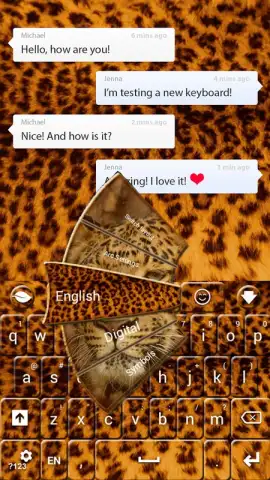
Description Leopard Keyboard
Tired of the same dull keyboard on your phone?
Transform your typing experience with Leopard Keyboard, a highly customizable keyboard app designed for Android. Replace the standard interface with vibrant themes, responsive layouts, and personalized tools that make every message more expressive. This app provides direct control over your device's primary input method, turning a functional necessity into a stylish accessory.
Core Functionality and Customization Tools
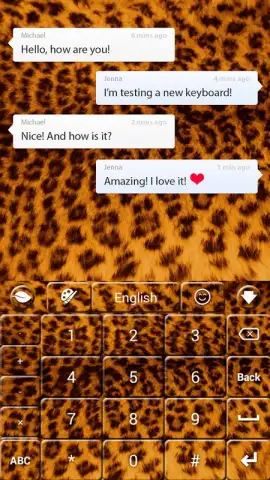
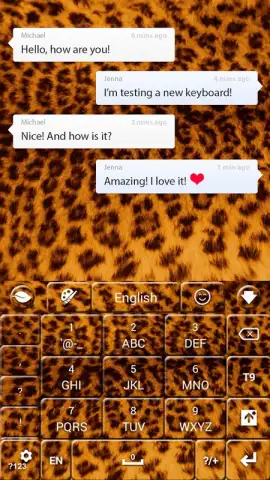
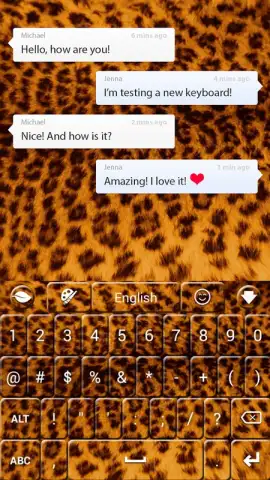
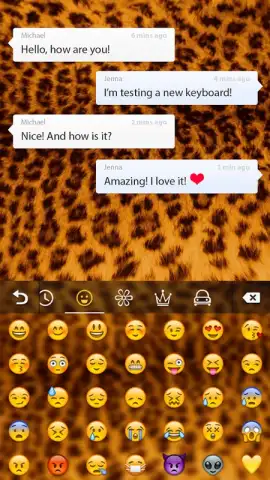
Leopard Keyboard operates as a full-system keyboard replacement, offering deep personalization beyond simple color changes. The core mechanic involves applying curated theme packs, which alter the visual design of every key, background, and pop-up. Users can switch between multiple installed themes directly from the keyboard toolbar for different occasions or moods. The app includes a dedicated theme store, updated regularly, where users can browse and download new designs ranging from minimalist to artistic. Advanced tools allow for manual adjustment of key press sound effects and vibration feedback strength, creating a unique tactile profile. A dedicated emoji and sticker panel is integrated, providing quick access to a vast library without switching apps, and the keyboard supports multiple languages with swipe-typing functionality for faster input.
Key Advantages of the System
The primary strength of this keyboard is its balance of aesthetic variety and stable performance. The visual themes are engineered to maintain clarity and legibility, ensuring keys remain easily identifiable despite complex backgrounds or patterns. The application is optimized for devices running Android 2.3.3 and above, focusing on smooth performance without lag during rapid typing. The user interface for customization is structured into clear sections—Themes, Settings, and Store—making navigation intuitive. Personalization extends to functional layouts, including options for one-handed mode or adjusting keyboard height, catering to diverse user preferences and device sizes.
- Extensive library of HD themes
- Adjustable typing sounds and vibration
- Integrated emoji and sticker panel
- Swipe typing and multilingual support
- Stable performance on older Android versions
- Regular theme store updates
Download Now: Exclusive Early Access to New Themes
Limited offer for new users: gain instant access to a exclusive starter pack of premium themes at no cost. Transform your keyboard today and be among the first to experience the latest designs added to our store. Install Leopard Keyboard now and make every tap a reflection of your style.
This application requires an active internet connection for downloading themes from the integrated store. The app is free to use and may contain optional in-app purchases for premium theme packs. Leopard Keyboard needs to be enabled as a default input method in your device settings to function properly.


