

LetsView
LetsView screenshots (8)
Description LetsView
What if your smartphone could function as both a wireless projector and an interactive whiteboard?
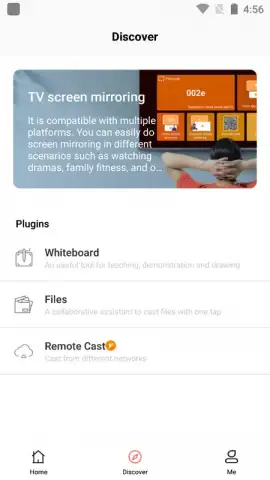
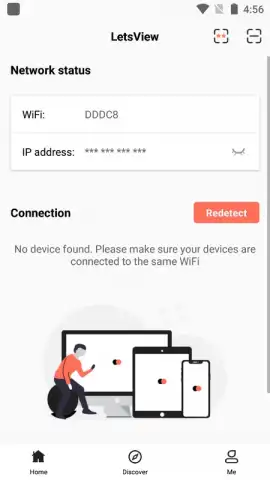
LetsView is a screen mirroring and presentation utility that repositions a mobile device as a central hub for content sharing and live annotation. Its core functionality operates in two distinct modes, effectively merging the capabilities of a wireless display adapter with those of a digital whiteboard application. The primary screen mirroring mode establishes a low-latency connection to external displays, smart TVs, or projectors, enabling real-time projection of any content visible on the smartphone screen. This includes document presentations, video playback, photo galleries, and live demonstrations from other applications, facilitating a cable-free presentation environment.
Core Functionality and Use Case Analysis
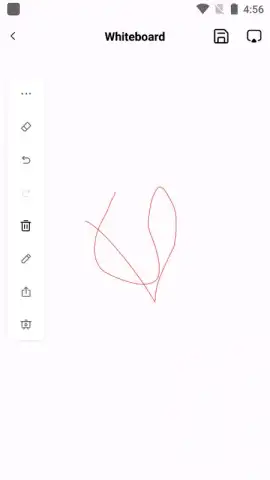
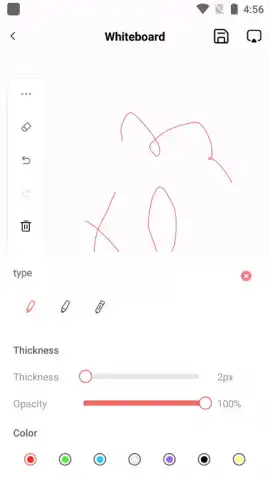
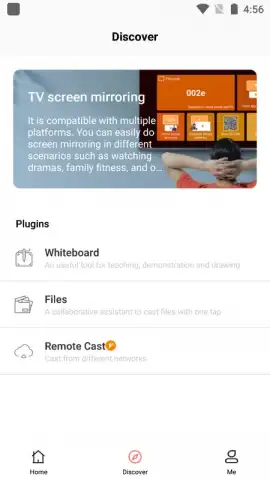
The secondary, and more specialized, mode is the integrated whiteboard canvas. This feature transforms the smartphone into a digital writing surface where users can draw, write text, or sketch diagrams with their finger or a stylus. The key operational detail is that this canvas is broadcast live to the mirrored external display. This creates a dynamic presentation tool where annotations are made directly on the mobile device while the audience views only the evolving canvas on the large screen, keeping the presenter's interactions private and the interface uncluttered for viewers. The technical execution focuses on maintaining a stable connection and responsive input latency to ensure that drawn lines appear on the external display without perceptible delay.
This dual-mode architecture makes the application particularly relevant for educational and professional instructional settings. Educators can transition seamlessly from displaying pre-prepared slides to illustrating concepts in real-time during a lecture, all controlled from a single handheld device. The absence of advertising and the availability of a performance-enhancing "Turbo" mode are noted operational parameters that contribute to an uninterrupted workflow, which is a critical requirement in live presentation scenarios where stability is paramount.
- Wireless Screen Mirroring: Cast presentations, videos, and app content from your phone to any compatible large screen or projector in real time.
- Live Interactive Whiteboard: Write, draw, and annotate on a dedicated phone-based canvas that is simultaneously projected for audience viewing.
- Dedicated Presentation Mode: Maintain a stable, ad-free connection optimized for live demonstrations, teaching, and collaborative idea sharing.
Start presenting and teaching directly from your smartphone today. Download the mobile app now to claim your advantage.
Internet required. IAP available.
 GooglePlay


