

LevelMeter
LevelMeter screenshots (5)
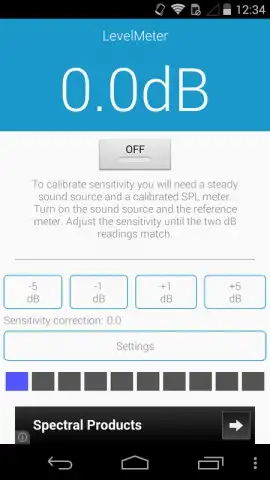
Description LevelMeter
Is Your Mobile Signal Strength More Guesswork Than Guarantee?
LevelMeter transforms your Android device into a precise, portable diagnostics tool for your cellular and Wi-Fi connections. It cuts through the ambiguity of vague signal bars, providing you with concrete, real-time data about your network environment. This application is designed for anyone who needs to understand their connectivity, whether for troubleshooting dead zones, optimizing router placement, or simply satisfying curiosity about the invisible radio waves that power daily communication.
Core Functionality and Analytical Tools
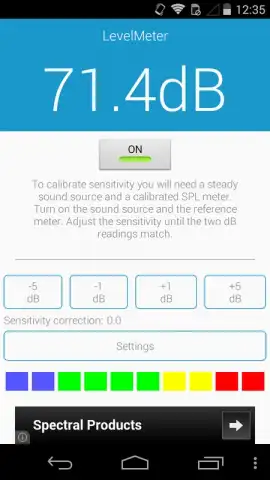
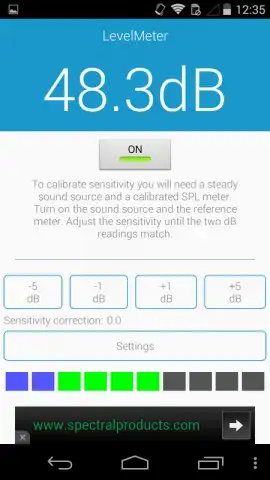
The application operates by accessing your device's built-in radio hardware to deliver a comprehensive suite of measurements. The primary interface is a dynamic, graphical level meter that displays your current signal strength in standardized dBm (decibel-milliwatts) values for both cellular and Wi-Fi networks, offering a far more accurate picture than a phone's default indicator. It supports monitoring across all available network types, including 2G, 3G, 4G/LTE, and 5G, as well as detailed Wi-Fi channel analysis. The app logs this data over time, allowing you to map signal quality as you move through different locations, identifying patterns of strong reception and problematic interference zones.
Key Advantages and User Experience
LevelMeter distinguishes itself through a focus on clarity, utility, and a non-intrusive user experience. The interface is clean and information-dense without being cluttered, prioritizing readability of key metrics. It functions efficiently in the background with minimal battery impact, providing continuous monitoring when needed. The tool is invaluable for practical tasks: empirically determining the best spot in your home for a router, proving a chronic signal issue to your carrier, or finding a stable connection in a large building.
- Real-Time Dual-Band Monitoring: Track both cellular (dBm, ASU) and Wi-Fi (dBm, channel) signal metrics simultaneously on a single screen.
- Historical Data Logging: Record and graph signal strength over time to visually identify trends, dropouts, and optimal connection periods.
- Network Cell Information Display: View detailed data about your connected cell tower, including MCC, MNC, Cell ID, and connection technology.
Stop relying on guesswork and start making informed decisions about your connectivity. Download LevelMeter now and gain the definitive advantage in managing your mobile and wireless network performance.
Disclaimer: This application requires an active internet connection for certain carrier lookups and functions. It is a diagnostic tool and does not improve your device's inherent hardware capabilities. Use of this app involves standard data collection related to network diagnostics. Please be aware of your local regulations regarding mobile device usage. This app contains no in-app purchases. Suitable for all ages.


