
LGEE TV Remoto
LGEE TV Remoto screenshots (5)
Description LGEE TV Remoto
What if your smartphone could become the most intuitive, feature-packed remote your LG TV has ever known?
Core Functionality & Feature Set
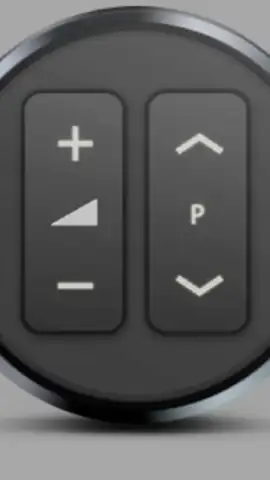
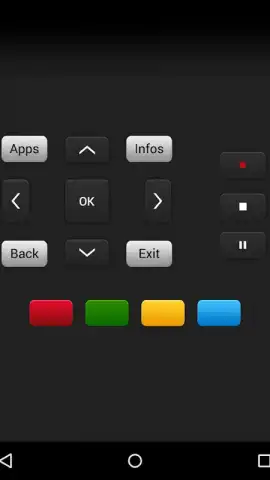
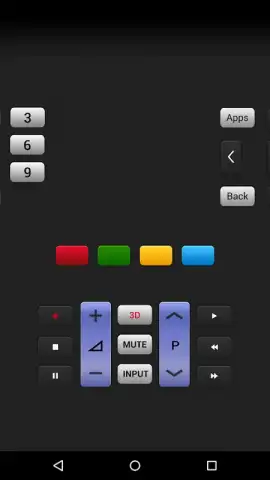
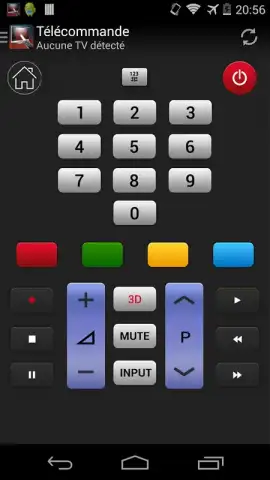
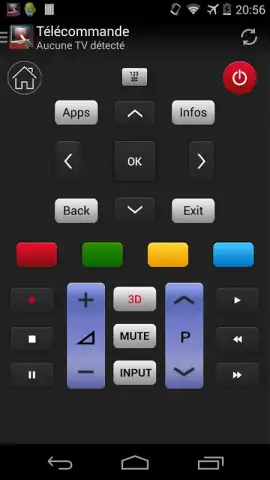
LGEE TV Remoto transforms your Android device into a comprehensive control hub, designed specifically for LG television models. It replicates the physical remote's core functions with precision while layering on smart capabilities that a traditional remote cannot offer. The interface presents a clean, logical layout of buttons for power, volume, channel control, and navigation, ensuring immediate familiarity. Beyond basic commands, the app provides direct input switching, quick access to smart home features, and a dedicated number pad for channel entry. A significant advantage is the integrated keyboard, which eliminates the tedious process of using an on-screen TV keyboard for searching apps or browsing the web, allowing for rapid text entry directly from your phone.
Key Advantages & User Experience
The primary strength of this application lies in its seamless convenience and enhanced user experience. It operates over your home Wi-Fi network, requiring no complex pairing or line-of-sight, meaning you can control the TV from another room. The visual design prioritizes clarity and speed, with responsive buttons and a dark theme that is easy on the eyes in a dim living room. Performance is optimized for low latency, so commands are registered by the TV almost instantly, creating a fluid and reliable control experience that often feels more responsive than the original remote. It effectively solves the common problems of lost remotes or depleted batteries, making your phone a permanent, powerful backup.
- Complete Remote Emulation: Full suite of standard buttons including power, volume, channel, and directional pad.
- Integrated Touch Keyboard: Effortlessly type search queries, passwords, and URLs directly on your TV.
- Wi-Fi Based Control: Operate your TV without line-of-sight from anywhere within your network.
- Quick Access Panel: One-tap shortcuts for inputs, settings, and popular smart TV applications.
- User-Friendly Interface: Clean, intuitive layout with a responsive design for swift navigation.
Start commanding your entertainment center with unmatched ease and intelligence. Download the app now and upgrade your control.
Heads up: you'll need Wi-Fi for all features. Ensure your TV and phone are on the same network. The app is designed for LG TV models; compatibility may vary.
 GooglePlay


