

MagicPlan
MagicPlan screenshots (9)


Description MagicPlan
From Camera to Blueprint: A Technical Review of MagicPlan
The process of creating an accurate floor plan has traditionally required manual measurements, drafting tools, and significant time. MagicPlan by Sensopia Inc. proposes a different methodology, shifting this workflow to a mobile device. This application functions as a digital tool for generating two-dimensional layouts and three-dimensional models of interior spaces directly from an Android smartphone or tablet. It is positioned for users involved in residential planning, real estate, interior design, or renovation projects who require a rapid, visual representation of a space without immediate need for professional CAD software.
Core Functionality and Feature Analysis
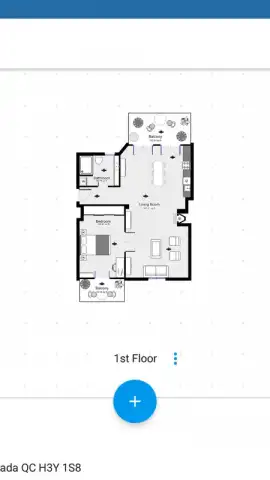
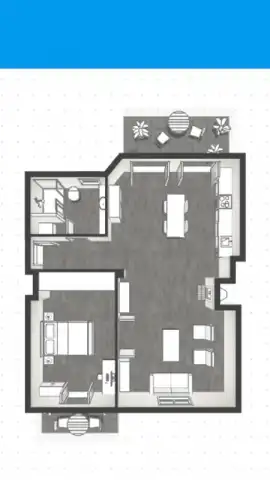
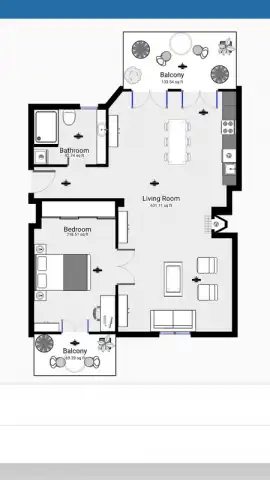
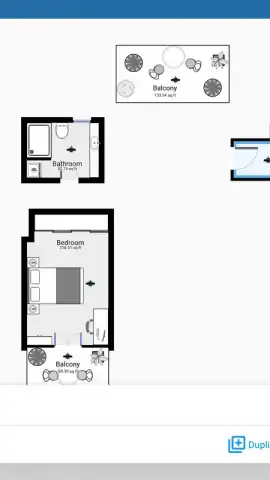
The primary operational mechanic of MagicPlan involves using the device’s camera to capture room dimensions. Users physically walk the perimeter of a room, placing virtual points at each corner through the viewfinder. The application’s algorithms then calculate distances and generate walls, creating a basic 2D floor plan. For increased precision, the application supports integration with external Bluetooth laser distance meters from manufacturers like Bosch and DeWalt, allowing for professional-grade measurements to be imported directly. Beyond simple outlines, the platform provides an extensive object library. Users can populate their plans with detailed architectural elements, including doors, windows, and staircases, as well as furniture, plumbing fixtures, and appliances, which are critical for both spatial planning and material estimation.
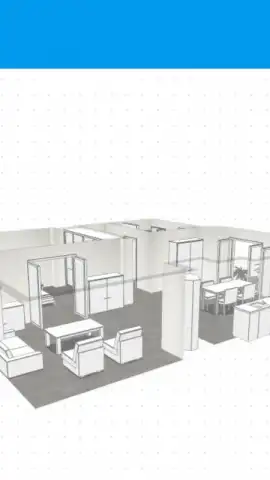
A significant feature is the automatic conversion of 2D layouts into navigable 3D models. Once a floor plan is complete, a single command generates a three-dimensional representation. This model allows for first-person virtual walkthroughs, providing a tangible sense of volume, layout flow, and potential obstructions that a flat drawing cannot convey. Furthermore, the application includes tools for creating multi-level projects, enabling the design of entire multi-story houses or complex office spaces. Each floor and room can be individually labeled and annotated with custom notes, dimensions, or specific material choices, consolidating all project information into a single, mobile file.
- Augmented Reality Capture: Generate initial room outlines by placing points in your camera’s live view, using AR to trace physical spaces.
- Professional Measurement Integration: Connect compatible Bosch or DeWalt laser measures for highly accurate, hands-free dimension input.
- Interactive 3D Model Generation: Instantly convert finished 2D floor plans into three-dimensional models for immersive virtual walkthroughs.
The business model is based on a freemium structure. The base version permits users to complete and export two full projects at no cost, which is sufficient for designing one or two typical residential properties. After this, a subscription is required for continued use. This approach allows for thorough testing of the core workflow before any financial commitment. Exports and advanced features, such as detailed cost estimation reports based on added materials and fixtures, are typically unlocked within the premium tiers.
Download MagicPlan now and transform your next project from concept to visual plan in minutes! Don't wait—see your space in 3D today.
Heads up: you'll need wifi for initial download and for syncing projects across devices. Some cool stuff, like advanced exports and detailed cost reports, is extra.
 GooglePlay


