

Magisk Manager
Magisk Manager screenshots (12)
Description Magisk Manager
Want to unlock the true potential of your Android device without compromising its integrity?
Imagine having complete administrative control over your smartphone, deciding exactly which apps get special privileges, all while keeping your system partition untouched and your favorite apps like banking and games running smoothly. That’s the precise power Magisk Manager puts directly in your hands. This isn't just another rooting tool; it's a sophisticated management suite for the advanced user who demands both freedom and stability. You navigate a world where root access is seamless, hidden, and incredibly powerful.
A new standard for Android customization and control
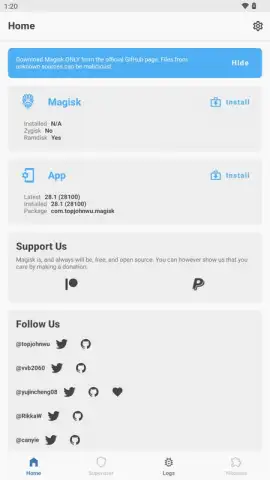
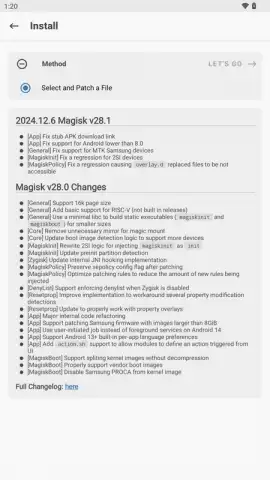
Magisk Manager redefines root access by employing a unique systemless approach. This means the core system files remain unaltered, which significantly enhances safety and makes the process far less intrusive for your device's operation. You gain full superuser control without the traditional risks of modifying the system partition, leading to a more stable and reliable experience. The journey begins by patching a specific boot.img file from your device's exact firmware version. Once you've transferred this file to your phone's internal storage, Magisk Manager handles the patching. You then flash this modified image using ADB from a computer or through a custom recovery if one is already installed, resulting in a rooted boot partition ready for your command.
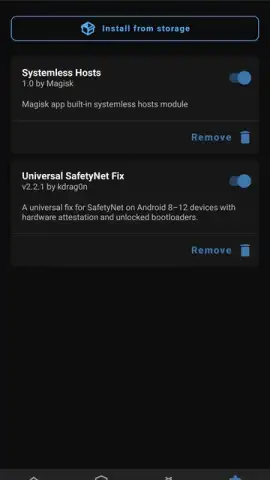
Security is paramount, which is why integrated biometric authentication ensures that only your fingerprint or face can authorize root access requests. Beyond basic control, the app opens the door to a modular ecosystem. You can install various modules that dramatically expand what root access can do. A critical example is the SafetyNet Fix module, which actively conceals the fact that your device is rooted from apps that would otherwise restrict functionality. This allows you to use sensitive applications for mobile payments, banking, and popular games without fear of blocks or limitations, merging high-level access with everyday usability.
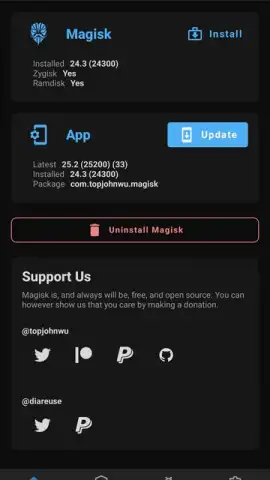
For developers and performance enthusiasts, enabling Zygisk support through the Magisk Manager settings unlocks another layer of capability. This feature allows for the pre-loading of essential resources directly into the system memory, optimizing performance and accelerating process execution across the board. The environment is clean and focused, entirely free from advertisements, ensuring your management tasks are efficient and uninterrupted.
Core features you gain immediate access to
- Systemless Root Architecture: Achieve full superuser privileges without altering the core system partition, promoting greater device safety and stability.
- Biometric Security Lock: Protect root access with your fingerprint or facial recognition, ensuring only you can grant elevated permissions.
- Advanced Module System: Install and manage modules like SafetyNet Fix to hide root status from detecting apps, enabling uninterrupted use of banking, payment, and gaming applications.
- Zygisk Integration Support: Enable Zygisk for enhanced performance through pre-loading resources into system memory, speeding up execution.
- Direct Boot Image Patching: Utilize the manager to patch your device's specific
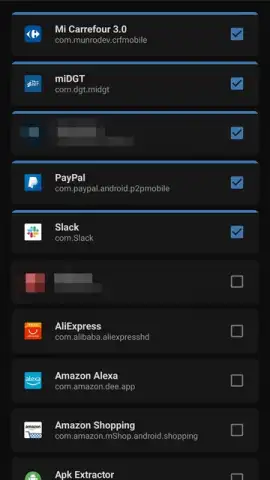
boot.imgfile for a streamlined rooting process. - Granular Permission Control: Review and manage root requests on a per-app basis, maintaining precise oversight over your device's security.
- Ad-Free Experience: Enjoy a clean, turbo-charged management interface with zero advertisements cluttering your workflow.
Download Magisk Manager APK now and command your Android
This is your exclusive access to a level of device control typically reserved for developers. The tools to bypass restrictions, enhance performance, and customize every aspect of your experience are waiting. Why settle for a standard device when you can own a powerhouse? Install Magisk Manager today and transform your Android into exactly what you need it to be. This is the definitive toolkit for the modern power user.
Heads up: This is a powerful system tool intended for advanced users. Rooting your device carries risks including potential voiding of your warranty. A stable internet connection (Wi-Fi) is recommended for downloading modules and updates. Some advanced modules and features may require additional setup or compatibility checks. Always ensure you have the correct firmware file for your specific device model before proceeding.


