

Metro UI Launcher 8.1
Metro UI Launcher 8.1 screenshots (14)
Description Metro UI Launcher 8.1
A Desktop Interface Reimagined for Mobile
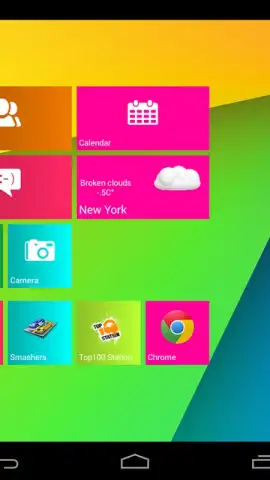
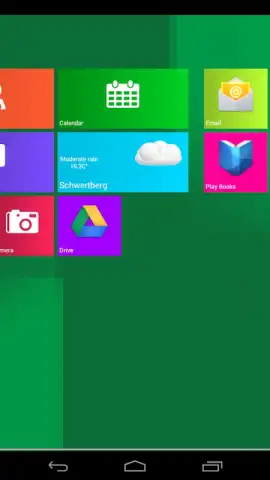
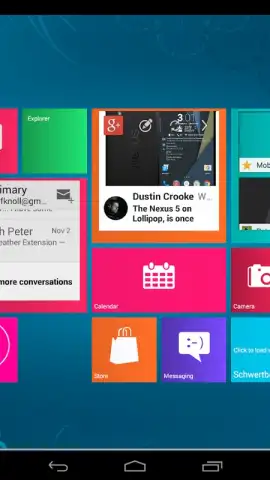
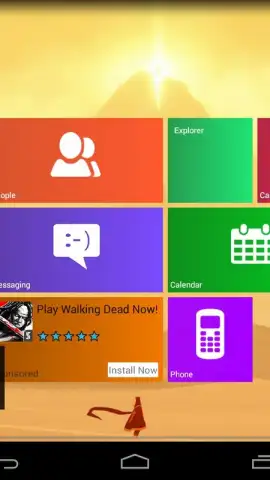
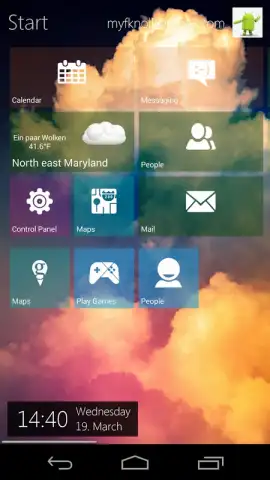
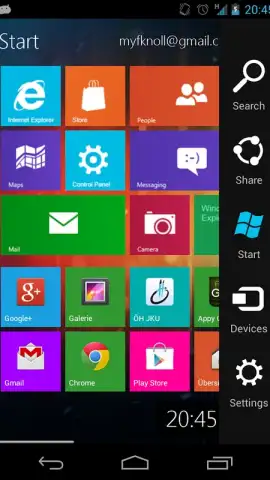
The persistent design language of Windows 8, with its signature Live Tiles and clean typography, has long been admired for its distinct visual clarity and information-at-a-glance approach. Metro UI Launcher 8.1 by Mobile Software Solutions Knol directly ports this aesthetic paradigm to the Android ecosystem, offering a methodical replacement for your device's standard home screen. This is not a superficial skin but a comprehensive launcher environment that systematically reconstructs the Metro design principles, providing users with a functional and highly customizable desktop metaphor that operates independently of the underlying Android OS version. The launcher's core mechanics focus on widget-like tiles instead of static icons, creating a dynamic starting point for device interaction.
Core Functionality and Customization Framework
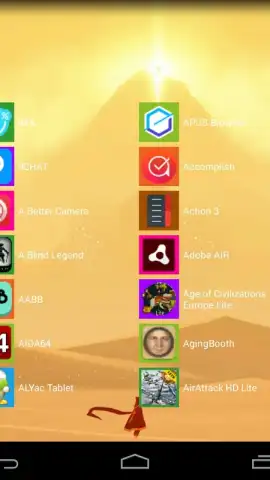
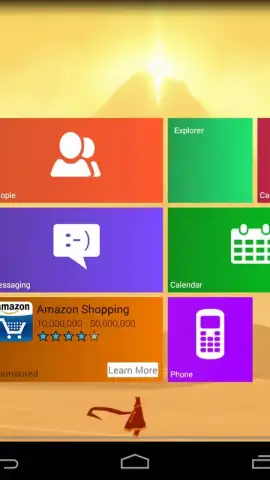
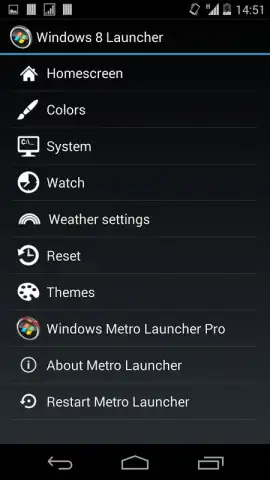
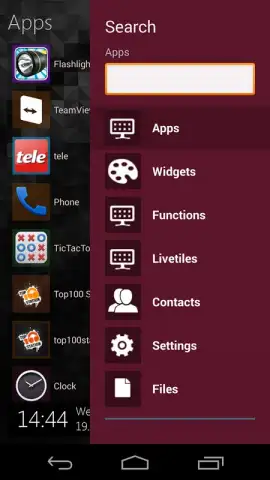
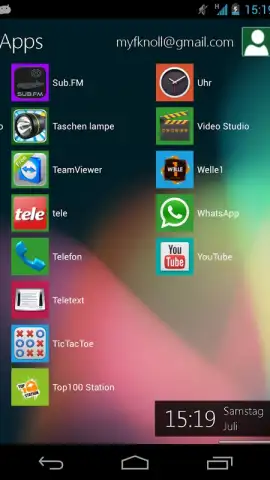
Upon initial launch, the application automatically deploys a pre-configured layout that closely mimics a default Windows 8 start screen, complete with a grid of labeled tiles linked to common applications. This serves as an immediate proof of concept. The substantive utility of the launcher, however, lies in its detailed settings panel. Users gain administrative control over virtually every visual element: the typeface and its color properties, the number of columns in the main grid, the individual or group background color of tiles, and their spatial arrangement. A distinctive personalization touch is the inclusion of a user name and avatar display in the top-right corner of the interface, which is also fully editable within the settings. The arrangement of application shortcuts is not fixed; users have complete freedom to pin, unpin, resize, and reorganize tiles to reflect their workflow priorities.
Operational Model and Feature Access
It is critical to understand the application's operational model to set accurate expectations. The version distributed freely through standard channels functions as a full-featured, time-limited trial. All customization options are unlocked and operable, but any configuration changes made by the user will persist for a duration of approximately 15 minutes. After this period, the launcher reverts to its last saved state, typically the default layout. This model allows for thorough testing of the customization suite without commitment. The developer notes the absence of third-party advertisement networks within the application interface. For permanent access to the customization features, a separate license key, often referred to as a 'Turbo' mode in the developer's communications, is required to remove the time-based restriction.
- Complete Visual Overhaul: Transforms the Android home screen into a functional Windows 8-style interface with dynamic tiles.
- Granular Design Control: Offers deep settings for customizing grid layout, tile colors, fonts, and personal user profile display.
- Non-Restrictive Trial: Provides full access to all features for evaluation, with changes resetting after a short demonstration period.
Final Assessment and Value Proposition
Metro UI Launcher 8.1 (version 3.0.0.788) executes a specific design translation with a high degree of control. Its effectiveness is measured by its fidelity to the source material and the depth of its customization toolkit, which is comprehensive. The trial mechanism is straightforward, allowing a user to validate the launcher's performance and aesthetics on their specific device before any purchase consideration. For users seeking a structured, tile-based navigation system that diverges significantly from standard Android launchers, this application presents a technically sound and focused solution.
Download Metro UI Launcher 8.1 now—exclusive early access to the full customization suite is available for a limited time to new users.
Disclaimer: This application requires a stable internet connection for initial license verification where applicable. The free version includes a time-based feature restriction; permanent access requires an in-app purchase. The launcher requires permissions to interact with your device's home screen and installed applications. Data usage is minimal and related to basic functionality. It is intended for a general audience but may require technical familiarity with launcher concepts. Always review the specific permissions and terms on your official app store listing before installation.
 GooglePlay


